
Attend Behavior
更新日
現在のバージョン
5.0.0
提供元

スマートフォンは不要!パソコンと同じようにキーボードとマウスで操作できます。MEmu Playは、あなたが待ち望んでいたすべての楽しみをお届けします。バッテリー残量や小さな画面を気にすることなく、Attend Behaviorをご利用ください。最新のMEmu 9は、Attend BehaviorをPCで体験するのに最適です!完璧なキーマッピングシステムにより、PCのようなスムーズな操作性を実現します。マルチインスタンス機能により、複数のアプリケーションを同時に実行できます。独自の仮想化エンジンがPCのパフォーマンスを最大限に引き出します。アプリを使用するだけでなく、高品質な体験を得ることができます。
もっと見る
Attend BehaviorをPCでダウンロード!大画面でより楽しむ。電源が落ちてしまうとか通信料が足りないとかの問題を心配する必要がなく、PCの大画面でより快適にゲームを楽しましょう! Attend|Behavior is designed to help the busy parent bring out the best behavior in their kids.
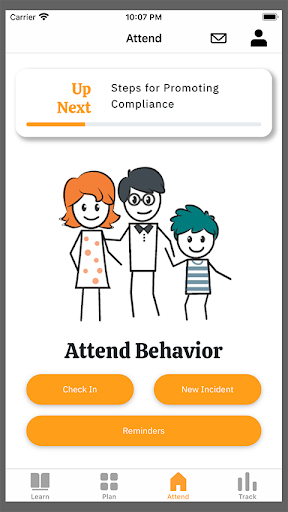
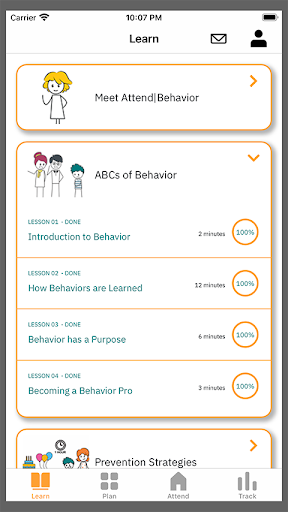
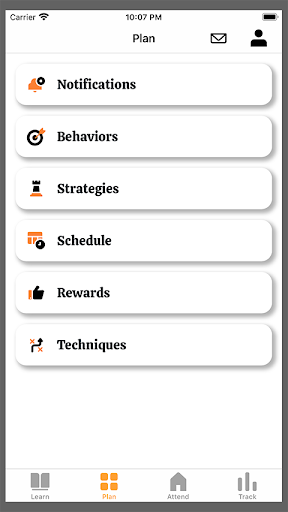
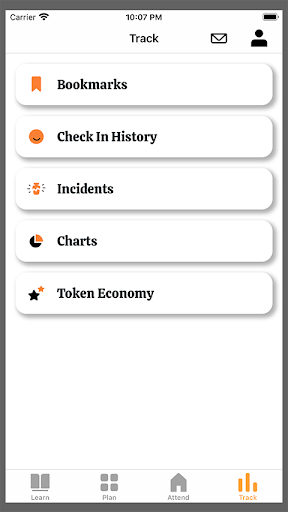
Attend|Behavior is designed to help the busy parent bring out the best behavior in their kids. With Attend and a few minutes a day, you’ll be able to effectively manage common misbehaviors like temper tantrums, non-compliance, hyperactivity, attention deficits, and mild forms of aggression.
Designed by child behavioral experts, Attend’s evidence-based content, interactive learning activities, and personalized parenting coaching tools will have you responding to misbehavior like a pro.
How It Works
Attend's 10 learning courses consist of bite-size lessons with interactive activities and assessments to help reinforce new learnings. Based on your responses to the assessments, a personalized coaching plan will be created coupled with parenting tools to help you turn new learnings into everyday habits.
Research Basis for the Learning Courses
Attend’s learning content is based on the RUBI Parent Training Program for Disruptive behavior published by Oxford University Press. The RUBI program has been rigorously studied in several different large-scale randomized clinical trials targeting the most common types of behavioral issues including temper tantrums, non-compliance, mild aggression, impulsiveness, hyperactivity, and inattention. The results of these studies have all shown the effectiveness of the content and published in some of the world’s prestigious scientific journals including the Journal of the American Medical Association (JAMA) and the Journal of the American Academy of Child and Adolescent Psychiatry (JAACAP).
How to Get Started
Attend|Behavior is offered by behavioral healthcare providers, benefit plans, and more. Download the app, create your account and use the access code shared by your sponsor or provider. If you do not know your access code, please contact support@attendbehavior.com
もっと見る

1. MEmuインストーラーをダウンロードしてセットアップを完了する

2. MEmuを起動し、デスクトップでのPlayストアを開く

3. PlayストアでAttend Behaviorを検索する
Install
4. Attend Behaviorをダウンロードしてインストールする
5. インストールが完了したら、アイコンをクリックしてスタート

6. MEmuを使ってパソコンでAttend Behaviorを体験する
MEmu Playは現在、最高の無料Androidエミュレーターであり、5,000万人のユーザーが優れたAndroidアプリ体験を楽しんでいます。MEmuの仮想化テクノロジーにより、数千ものAndroidアプリをコンピューターでスムーズに実行できます。
大画面でより精細;無限の待機、電池とドラフィックの極限を超え
キーボード・マウス・コントローラーを全力でサポート、より快適
マルチインスタンスで複数のゲームを同時に実行
Use Attend Behavior on PC by following steps: