CarWebGuru Car Launcher
更新日
現在のバージョン
3.5.5-R2
提供元

スマートフォンは不要!パソコンと同じようにキーボードとマウスで操作できます。MEmu Playは、あなたが待ち望んでいたすべての楽しみをお届けします。バッテリー残量や小さな画面を気にすることなく、CarWebGuru Car Launcherをご利用ください。最新のMEmu 9は、CarWebGuru Car LauncherをPCで体験するのに最適です!完璧なキーマッピングシステムにより、PCのようなスムーズな操作性を実現します。マルチインスタンス機能により、複数のアプリケーションを同時に実行できます。独自の仮想化エンジンがPCのパフォーマンスを最大限に引き出します。アプリを使用するだけでなく、高品質な体験を得ることができます。
もっと見る
CarWebGuru Car LauncherをPCでダウンロード!大画面でより楽しむ。電源が落ちてしまうとか通信料が足りないとかの問題を心配する必要がなく、PCの大画面でより快適にゲームを楽しましょう! CarWebGuru car launcher is your new friend and assistant in trips and travels.
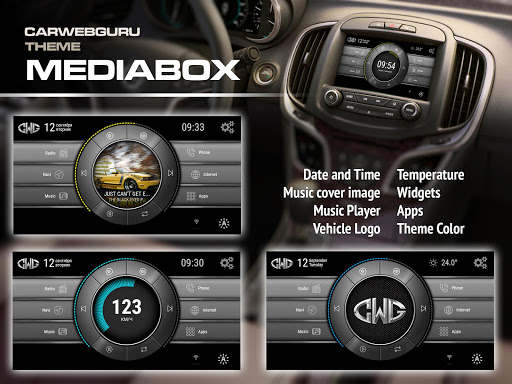
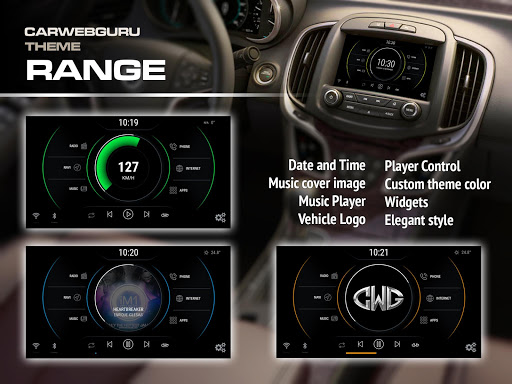
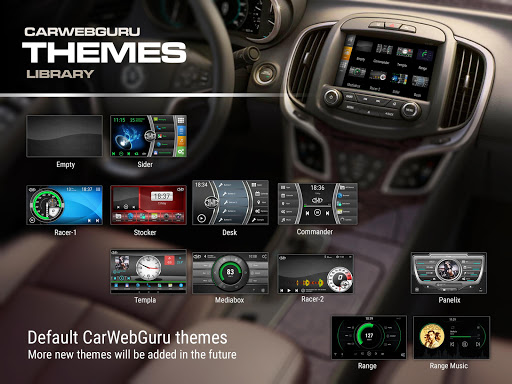
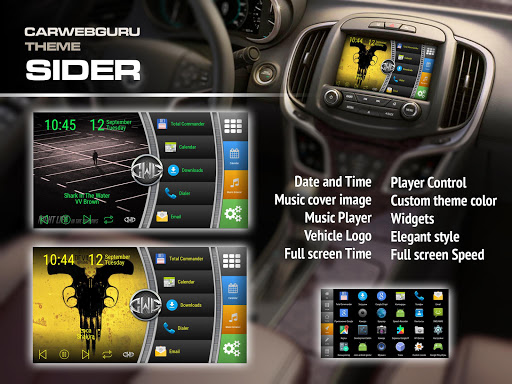
CarWebGuru car launcher is your new friend and assistant in trips and travels. Included functions: car launcher, widgets, a set of stylish large speedometers, support of system widgets, music player with visualization and search, the ability to select the logo of your car, set your own background image, recording and viewing of geographic tracks, full screen mode, built-in widgets, metering speed and acceleration, display speed graphic and a lot of other useful features.
The program is designed to work in the car radio system with the android, but you can install it on your smartphone or tablet.
Version 3 is even better and more convenient. Added import and export of desktops, icon generator, split screen support, vertical screen support and several new themes.
Popular questions (see more questions in the internal help file):
1) Long click for Play button - choose system player.
2) Supported music formats: mp3, ogg, flac, m4a;
3) Supported navigation: Google maps, Yandex Navigator and other (see internal help file)
4) Long click on any button for customization (action, icon, command)
5) Auto applications are not visible (go to Apps - use long click / Explore function).
6) Can I replace car image? Yes, see help file for more info.
For 8227L devices: You need to disable internal CWG Player, unset Record Audio permissions and use external player for better perfomance. The system in such radio tape recorders is not complete and there are problems with interception of audio focus.
もっと見る

1. MEmuインストーラーをダウンロードしてセットアップを完了する

2. MEmuを起動し、デスクトップでのPlayストアを開く

3. PlayストアでCarWebGuru Car Launcherを検索する
Install
4. CarWebGuru Car Launcherをダウンロードしてインストールする
5. インストールが完了したら、アイコンをクリックしてスタート

6. MEmuを使ってパソコンでCarWebGuru Car Launcherを体験する
MEmu Playは現在、最高の無料Androidエミュレーターであり、5,000万人のユーザーが優れたAndroidアプリ体験を楽しんでいます。MEmuの仮想化テクノロジーにより、数千ものAndroidアプリをコンピューターでスムーズに実行できます。
大画面でより精細;無限の待機、電池とドラフィックの極限を超え
キーボード・マウス・コントローラーを全力でサポート、より快適
マルチインスタンスで複数のゲームを同時に実行
Use CarWebGuru Car Launcher on PC by following steps: