Disneyland®
更新日
現在のバージョン
8.5
提供元

スマートフォンは不要!パソコンと同じようにキーボードとマウスで操作できます。MEmu Playは、あなたが待ち望んでいたすべての楽しみをお届けします。バッテリー残量や小さな画面を気にすることなく、Disneyland®をご利用ください。最新のMEmu 9は、Disneyland®をPCで体験するのに最適です!完璧なキーマッピングシステムにより、PCのようなスムーズな操作性を実現します。マルチインスタンス機能により、複数のアプリケーションを同時に実行できます。独自の仮想化エンジンがPCのパフォーマンスを最大限に引き出します。アプリを使用するだけでなく、高品質な体験を得ることができます。
もっと見る
Disneyland®をPCでダウンロード!大画面でより楽しむ。電源が落ちてしまうとか通信料が足りないとかの問題を心配する必要がなく、PCの大画面でより快適にゲームを楽しましょう! Download the official app for the Disneyland® Resort!
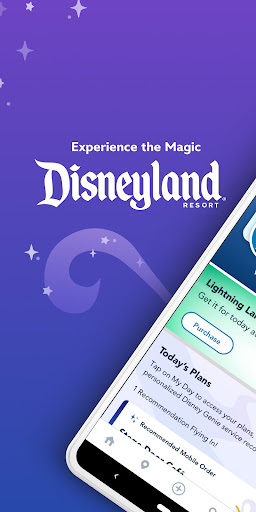
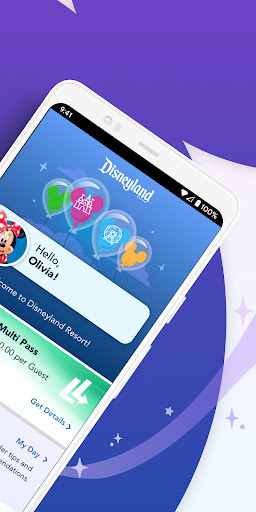
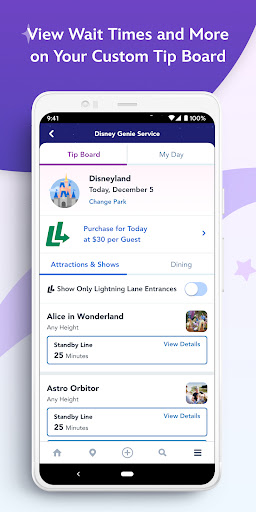
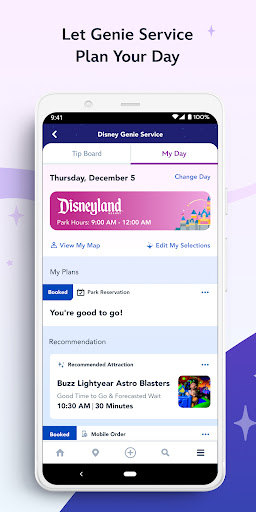
Download the official app for the Disneyland® Resort! Enhance your next visit with an enchanting mobile experience. Buy your tickets, use the complimentary Disney Genie service planning tool, browse maps, locate Disney Characters appearing throughout the parks and much more!
Make your theme park visit easier and more fun by taking advantage of our complimentary new Disney Genie service, which grants you a personalized itinerary that seamlessly maps out your special day with updates that continue during your visit.
Create your very own personal Tip Board to track estimated wait times for your favorite experiences and more.
Quickly access current estimated wait times and forecasted wait times for attractions, check park hours, find Character Greetings, view showtimes and more.
Buy park tickets* and make park reservations with the app and show your barcode at the gate for admission when you first get to the park! No e-tickets to print out.
Order Ahead and Save Time: Enjoy mobile food and beverage ordering at select dining locations.
Make Dining Plans: Browse restaurant menus and make dining reservations right on your device. Then, conveniently check in for your reservation via the app at participating locations. No reservation? You can add your party to the mobile walk-up list at select restaurants (subject to availability).
View Disney PhotoPass® photos: Enjoy unlimited digital downloads of your photos taken on select days by our professionally trained Disney PhotoPass photographers at magical must have iconic locations and select attractions when you purchase Disney PhotoPass+ or Disney Genie+ service. Don’t forget to ask your Disney PhotoPass photographers for Magic Shots to add those extra shots only available from Disney PhotoPass® service. †
Save time at the Hotels of the Disneyland Resort: Manage your hotel reservations, start your check-in process, get reservation updates and more!
Exploring Made Easy: Find what you’re looking for quickly with GPS-enabled maps that show your location and the attractions, restaurants, shops and more near you.
A Must-Have for Magic Key holders: Link your Magic Key pass to access your discounts at select dining and merchandise locations. Show your Magic Key pass via the Disneyland app when you arrive!
Locate Favorite Characters: You’ll magically know when and where Disney Characters are appearing in the parks.
The Details You Need: See park hours, schedules, accessibility information and descriptions for attractions, dining and more.
*U.S. and Japan residents only.
**Legacy Passholders: Don’t forget to bring your Passport and valid photo ID!
You’ll still need to show a valid Annual Passport card for Passholder discounts and more.
†Disney PhotoPass is subject to the Disney PhotoPass terms and expiration policy.
Note: Some app features require location data or for you to register by providing your full name, country, birthdate and email address in order to use them. If Bluetooth is enabled on your device, this app will also collect your precise location information through beacon technology in order to improve your in-park experience, such as wait times. Optional planning tools may also ask you about your travel party or allow you to save a credit card to your profile for online purchases.
This app provides you with the option to receive push notifications for information relating to your visit to a Park or stay at a Disney Resort hotel.
Features include the ability to make purchases and require a Wi-Fi or mobile carrier data connection. Must be 18 years or older to make purchases.
Terms of Use: http://disneytermsofuse.com/
Privacy Policy: https://disneyprivacycenter.com/
US State Privacy Rights: https://privacy.thewaltdisneycompany.com/en/current-privacy-policy/your-us-privacy-rights/
Do Not Sell or Share My Personal Information: https://privacy.twdc.com/dnssmpi
もっと見る

1. MEmuインストーラーをダウンロードしてセットアップを完了する

2. MEmuを起動し、デスクトップでのPlayストアを開く

3. PlayストアでDisneyland®を検索する
Install
4. Disneyland®をダウンロードしてインストールする
5. インストールが完了したら、アイコンをクリックしてスタート

6. MEmuを使ってパソコンでDisneyland®を体験する
MEmu Playは現在、最高の無料Androidエミュレーターであり、5,000万人のユーザーが優れたAndroidアプリ体験を楽しんでいます。MEmuの仮想化テクノロジーにより、数千ものAndroidアプリをコンピューターでスムーズに実行できます。
大画面でより精細;無限の待機、電池とドラフィックの極限を超え
キーボード・マウス・コントローラーを全力でサポート、より快適
マルチインスタンスで複数のゲームを同時に実行
Use Disneyland® on PC by following steps: