Pyypl - it’s your money
更新日
現在のバージョン
2.40.2820
提供元

スマートフォンは不要!パソコンと同じようにキーボードとマウスで操作できます。MEmu Playは、あなたが待ち望んでいたすべての楽しみをお届けします。バッテリー残量や小さな画面を気にすることなく、Pyypl - it’s your moneyをご利用ください。最新のMEmu 9は、Pyypl - it’s your moneyをPCで体験するのに最適です!完璧なキーマッピングシステムにより、PCのようなスムーズな操作性を実現します。マルチインスタンス機能により、複数のアプリケーションを同時に実行できます。独自の仮想化エンジンがPCのパフォーマンスを最大限に引き出します。アプリを使用するだけでなく、高品質な体験を得ることができます。
もっと見る
Pyypl - it’s your moneyをPCでダウンロード!大画面でより楽しむ。電源が落ちてしまうとか通信料が足りないとかの問題を心配する必要がなく、PCの大画面でより快適にゲームを楽しましょう! Are you looking for a fast, simple, and secure Visa payment card?
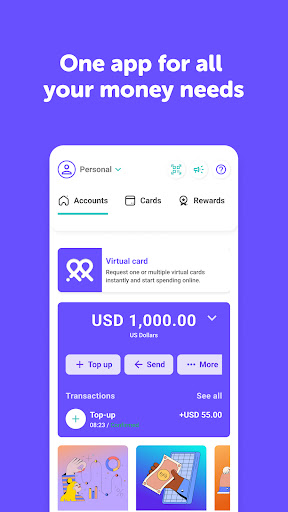
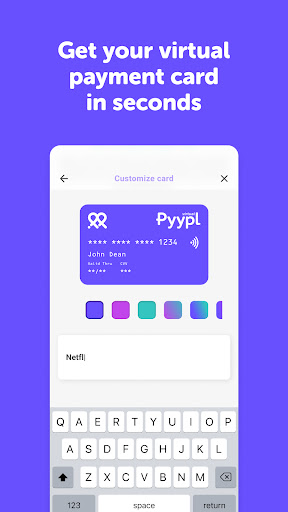
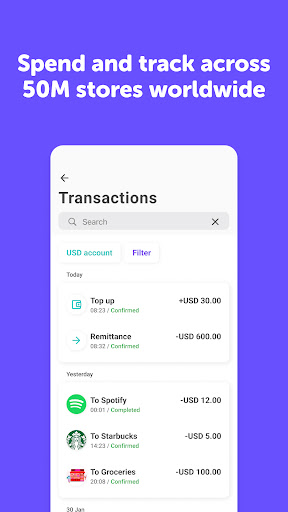
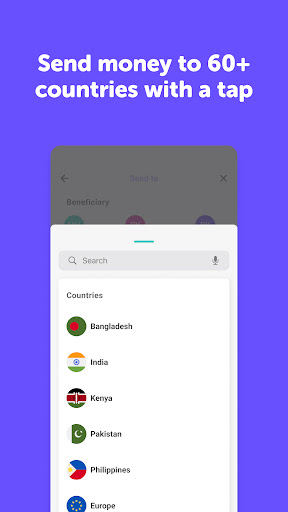
Are you looking for a fast, simple, and secure Visa payment card? Try Pyypl. Get your free card in just two minutes from your phone and start using it immediately.
Pyypl Visa is a "load first, then use" 100% safe prepaid payment card, without the usual problems that traditional credit cards have. Working in over 50 million shops and websites across the globe, Pyypl can be used anywhere in the world where Visa is accepted. This genuine alternative to the classic credit cards ensures you can quickly and easily pay by debit card whenever you need it.
Spend securely
Pyypl is safe for online payments. Control your card by freezing and unfreezing it with a tap.
Everyone qualifies
No bank account needed, no minimum salary, no minimum balance, no post-dated cheques, no paperwork, and no branch visit.
Receive & transfer money
Quickly receive and transfer money with other Pyypl users.
Track your spending
Enjoy complete visibility and control over your spending.
Load your Pyypl card
Easily load your account either with cash, other debit and credit cards, bank transfer and using other mobile money wallets.
Send online Top-up. Instant Mobile Recharge
Send your instant recharges directly from your Pyypl account.
Recharges and Bill Payments
Buy your recharge cards for Du, Etisalat, Virgin Mobile, Salik, Hello! VoIP, Five VoIP, iTunes UAE, Google Play, and Netflix and for many more additional services.
Download the Pyypl app, complete the registration and activate your Pyypl virtual card.
You only need one form of ID, such as an ID card or passport, and a mobile phone number.
Your information is 100% safe with us - we will NEVER share it with anyone.
You can stop using Pyypl anytime - there is no contract or commitment. Just simply uninstall the app, or click "close my account" in the Pyypl app.
Your card is a digital debit card that is sent to your mobile phone electronically. You will receive your virtual Pyypl Visa number in your app in just a few seconds, ensuring you can start using it immediately. You can use and pay by Pyypl card in over 50 million shops and websites across the globe.
Pyypl is entirely safe to use for online shopping, with no risk of receiving any unwanted credit card bills. You can only use the money that you have loaded, and Pyypl will soon be working with Apple Pay, Google Pay, and Samsung Pay.
Pyypl is an official financial services company based in UAE and is authorised by Financial Services Regulatory Authority in UAE, giving you complete peace of mind.
If you want to pay with your Pyypl card, you just need to simply load money onto it to. With Pyypl, there are no commitments, and you can add credit in one of the thousands of kiosks in the UAE and Bahrain. Experiencing any issues? Click the "?" button in your e-wallet Pyypl app, and our team is on hand to help you.
Where can you use your Pyypl card?
You can pay by Pyypl card in over 50 million shops and websites both locally and internationally.
Some examples of where Pyypl card is currently accepted for food delivery and subscriptions include Talabat, Zomato, Deliveroo, Careem NOW, EatEasy, Lunch On, Netflix, Youtube Premium, Amazon Prime, Google Play, and many more.
You can also connect your Pyypl Card with your Paypal account. Payments with Google Pay, Samsung Pay, and Apple Pay are not available yet.
もっと見る

1. MEmuインストーラーをダウンロードしてセットアップを完了する

2. MEmuを起動し、デスクトップでのPlayストアを開く

3. PlayストアでPyypl - it’s your moneyを検索する
Install
4. Pyypl - it’s your moneyをダウンロードしてインストールする
5. インストールが完了したら、アイコンをクリックしてスタート

6. MEmuを使ってパソコンでPyypl - it’s your moneyを体験する
MEmu Playは現在、最高の無料Androidエミュレーターであり、5,000万人のユーザーが優れたAndroidアプリ体験を楽しんでいます。MEmuの仮想化テクノロジーにより、数千ものAndroidアプリをコンピューターでスムーズに実行できます。
大画面でより精細;無限の待機、電池とドラフィックの極限を超え
キーボード・マウス・コントローラーを全力でサポート、より快適
マルチインスタンスで複数のゲームを同時に実行
Use Pyypl - it’s your money on PC by following steps: