Pyypl - it’s your money
Aktualisiert
Aktuelle Version
2.40.2820
Angeboten von

Machen Sie sich keine Sorgen mehr über überhöhte Gebühren, wenn Sie Pyypl - it’s your money auf Ihrem Mobiltelefon verwenden, befreien Sie sich von dem winzigen Bildschirm und genießen Sie die Nutzung der App auf einem viel größeren Display. Von nun an können Sie Ihre App mit Tastatur und Maus im Vollbildmodus nutzen. MEmu bietet Ihnen all die überraschenden Funktionen, die Sie erwartet haben: schnelle Installation und einfache Einrichtung, intuitive Steuerung, keine Einschränkungen mehr durch Batterie, mobile Daten und störende Anrufe. Der brandneue MEmu 9 ist die beste Wahl für die Nutzung von Pyypl - it’s your money auf Ihrem Computer. Mit unserer Absorption kodiert, ermöglicht der Multi-Instanz-Manager die Eröffnung von 2 oder mehr Konten zur gleichen Zeit. Und das Wichtigste, unsere exklusive Emulations-Engine kann das volle Potenzial Ihres PCs freisetzen und alles reibungslos und angenehm gestalten.
Mehr anzeigen
Laden Sie Play Pyypl - it’s your money auf dem PC mit MEmu Android Emulator. Viel Spaß beim Spielen auf großmundieren. Are you looking for a fast, simple, and secure Visa payment card?
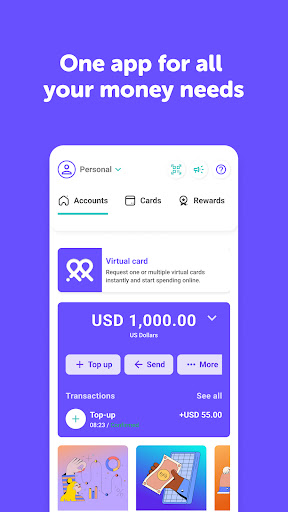
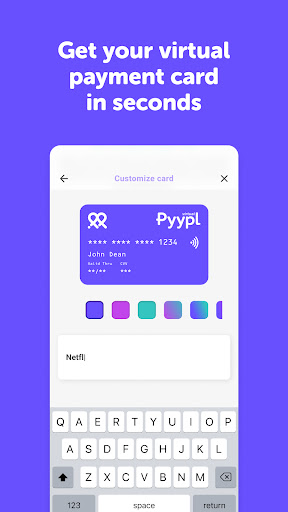
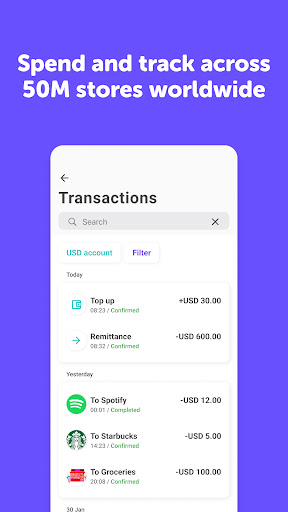
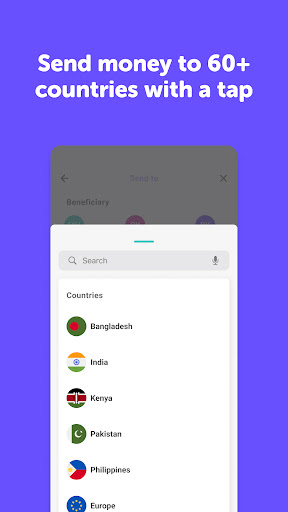
Are you looking for a fast, simple, and secure Visa payment card? Try Pyypl. Get your free card in just two minutes from your phone and start using it immediately.
Pyypl Visa is a "load first, then use" 100% safe prepaid payment card, without the usual problems that traditional credit cards have. Working in over 50 million shops and websites across the globe, Pyypl can be used anywhere in the world where Visa is accepted. This genuine alternative to the classic credit cards ensures you can quickly and easily pay by debit card whenever you need it.
Spend securely
Pyypl is safe for online payments. Control your card by freezing and unfreezing it with a tap.
Everyone qualifies
No bank account needed, no minimum salary, no minimum balance, no post-dated cheques, no paperwork, and no branch visit.
Receive & transfer money
Quickly receive and transfer money with other Pyypl users.
Track your spending
Enjoy complete visibility and control over your spending.
Load your Pyypl card
Easily load your account either with cash, other debit and credit cards, bank transfer and using other mobile money wallets.
Send online Top-up. Instant Mobile Recharge
Send your instant recharges directly from your Pyypl account.
Recharges and Bill Payments
Buy your recharge cards for Du, Etisalat, Virgin Mobile, Salik, Hello! VoIP, Five VoIP, iTunes UAE, Google Play, and Netflix and for many more additional services.
Download the Pyypl app, complete the registration and activate your Pyypl virtual card.
You only need one form of ID, such as an ID card or passport, and a mobile phone number.
Your information is 100% safe with us - we will NEVER share it with anyone.
You can stop using Pyypl anytime - there is no contract or commitment. Just simply uninstall the app, or click "close my account" in the Pyypl app.
Your card is a digital debit card that is sent to your mobile phone electronically. You will receive your virtual Pyypl Visa number in your app in just a few seconds, ensuring you can start using it immediately. You can use and pay by Pyypl card in over 50 million shops and websites across the globe.
Pyypl is entirely safe to use for online shopping, with no risk of receiving any unwanted credit card bills. You can only use the money that you have loaded, and Pyypl will soon be working with Apple Pay, Google Pay, and Samsung Pay.
Pyypl is an official financial services company based in UAE and is authorised by Financial Services Regulatory Authority in UAE, giving you complete peace of mind.
If you want to pay with your Pyypl card, you just need to simply load money onto it to. With Pyypl, there are no commitments, and you can add credit in one of the thousands of kiosks in the UAE and Bahrain. Experiencing any issues? Click the "?" button in your e-wallet Pyypl app, and our team is on hand to help you.
Where can you use your Pyypl card?
You can pay by Pyypl card in over 50 million shops and websites both locally and internationally.
Some examples of where Pyypl card is currently accepted for food delivery and subscriptions include Talabat, Zomato, Deliveroo, Careem NOW, EatEasy, Lunch On, Netflix, Youtube Premium, Amazon Prime, Google Play, and many more.
You can also connect your Pyypl Card with your Paypal account. Payments with Google Pay, Samsung Pay, and Apple Pay are not available yet.
Mehr anzeigen

1. Laden das MEmu-Installationsprogramm herunter und beenden die Installation

2. MEmu starten und Google Play auf der Homepage öffnen

3. Suchen Pyypl - it’s your money in Google Play
Install
4. Herunterladen und Installieren Pyypl - it’s your money
5. Klicken nach Abschluss der Installation auf das Symbol, um es zu starten

6. Verwenden Sie MEmu, um Pyypl - it’s your money auf Ihrem PC zu nutzen
MEmu Play ist aktuell der beste kostenlose Android-Emulator und bietet 50 Millionen Nutzern ein überragendes Android-App-Erlebnis. Dank der Virtualisierungstechnologie von MEmu können Sie Tausende von Android-Apps problemlos auf Ihrem Computer nutzen, selbst solche mit hohen Grafikanforderungen.
BGrößeres Bild mit besserer Grafik; Keine unterbrechungen, keine sorgen um Akku
Komplette Tastenbelegung unterstützt mit Maus und Tastatur oder Controller
Mit dem „Multi-Instance-Manager“ können Sie mehrere Spielkonten oder Spiele gleichzeitig auf einem PC ausführen.
Use Pyypl - it’s your money on PC by following steps: