AI アート - AI イラストレーター
更新日
現在のバージョン
4.1.11
提供元

スマートフォンは不要!パソコンと同じようにキーボードとマウスで操作できます。MEmu Playは、あなたが待ち望んでいたすべての楽しみをお届けします。バッテリー残量や小さな画面を気にすることなく、AI アート - AI イラストレーターをご利用ください。最新のMEmu 9は、AI アート - AI イラストレーターをPCで体験するのに最適です!完璧なキーマッピングシステムにより、PCのようなスムーズな操作性を実現します。マルチインスタンス機能により、複数のアプリケーションを同時に実行できます。独自の仮想化エンジンがPCのパフォーマンスを最大限に引き出します。アプリを使用するだけでなく、高品質な体験を得ることができます。
もっと見る
AI アート - AI イラストレーターをPCでダウンロード!大画面でより楽しむ。電源が落ちてしまうとか通信料が足りないとかの問題を心配する必要がなく、PCの大画面でより快適にゲームを楽しましょう! AI Art Generator uses artificial intelligence to create unique and beautiful works of art, inspired by your own creativity.
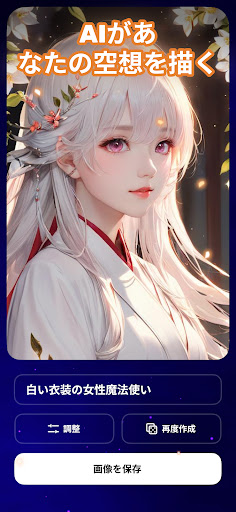
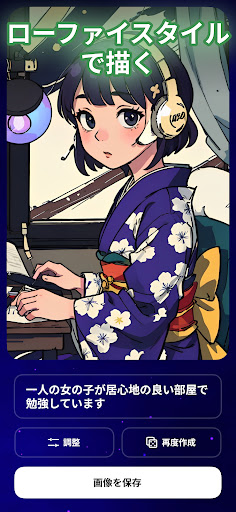
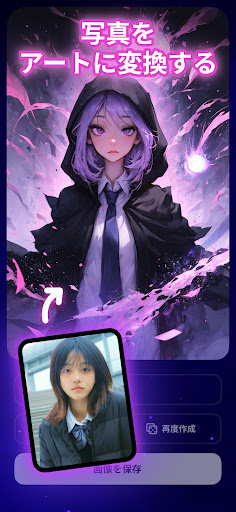
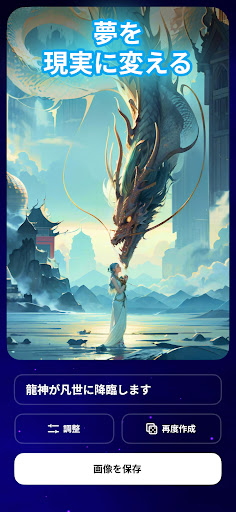
AI Art Generator uses artificial intelligence to create unique and beautiful works of art, inspired by your own creativity. With just a few taps, you can turn your thoughts into reality, creating stunning, ready to use images and make your life easier.
How does it work?
The AI Art Generator uses a process called text-to-image generation to create art from your text prompts. Simply type in what you want to create, and the AI will generate a unique image that matches your description. You can use this app to create anything from abstract paintings to realistic portraits, and even to generate your own custom emojis.
Not only can you use text prompts, you can also use picture like art prompts to create your own ai art. Upload photo, choose art style and authorize AI generated art for you.
There are many benefits to using the AI Art Generator, including:
* Creativity: The AI Art Generator can help you to be more creative, by providing you with inspiration and new ideas.
* Expressiveness: Express yourself more effectively, by allowing you to create images that represent your thoughts and feelings.
* Personalization: Create personalized images, such as gifts for friends and family, or custom artwork for your home.
How to use the AI generated art?
Using the AI Art Generator is simple. Just follow these steps:
1.Open the app and input text prompts or upload your photo.
2.Select a theme from the "Theme" menu.
3.Tap the "Generate" button to create your image.
4.Save and share your AI art
The AI generated art is still under development, and there are some limitations to what it can do. However, the AI Art Generator is constantly improving, new features are being added all the time and it has a limitless potential for development. We value your input since your feedback can help us to enhance our app to better improve the user experience.
Try the AI Art Generator today and see what amazing things you can create!
もっと見る

1. MEmuインストーラーをダウンロードしてセットアップを完了する

2. MEmuを起動し、デスクトップでのPlayストアを開く

3. PlayストアでAI アート - AI イラストレーターを検索する
Install
4. AI アート - AI イラストレーターをダウンロードしてインストールする
5. インストールが完了したら、アイコンをクリックしてスタート

6. MEmuを使ってパソコンでAI アート - AI イラストレーターを体験する
MEmu Playは現在、最高の無料Androidエミュレーターであり、5,000万人のユーザーが優れたAndroidアプリ体験を楽しんでいます。MEmuの仮想化テクノロジーにより、数千ものAndroidアプリをコンピューターでスムーズに実行できます。
大画面でより精細;無限の待機、電池とドラフィックの極限を超え
キーボード・マウス・コントローラーを全力でサポート、より快適
マルチインスタンスで複数のゲームを同時に実行
Use AI アート - AI イラストレーター on PC by following steps: