Dormi - Baby Monitor
更新日
現在のバージョン
1731791672
提供元

スマートフォンは不要!パソコンと同じようにキーボードとマウスで操作できます。MEmu Playは、あなたが待ち望んでいたすべての楽しみをお届けします。バッテリー残量や小さな画面を気にすることなく、Dormi - Baby Monitorをご利用ください。最新のMEmu 9は、Dormi - Baby MonitorをPCで体験するのに最適です!完璧なキーマッピングシステムにより、PCのようなスムーズな操作性を実現します。マルチインスタンス機能により、複数のアプリケーションを同時に実行できます。独自の仮想化エンジンがPCのパフォーマンスを最大限に引き出します。アプリを使用するだけでなく、高品質な体験を得ることができます。
もっと見る
Dormi - Baby MonitorをPCでダウンロード!大画面でより楽しむ。電源が落ちてしまうとか通信料が足りないとかの問題を心配する必要がなく、PCの大画面でより快適にゲームを楽しましょう! The baby monitor for the smartphone age.
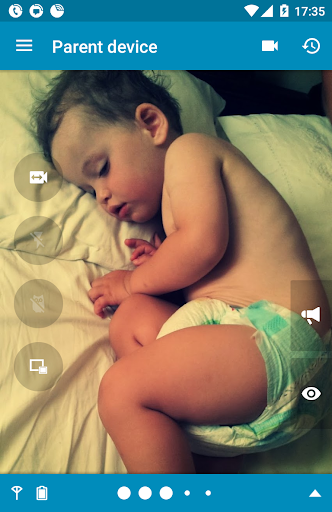
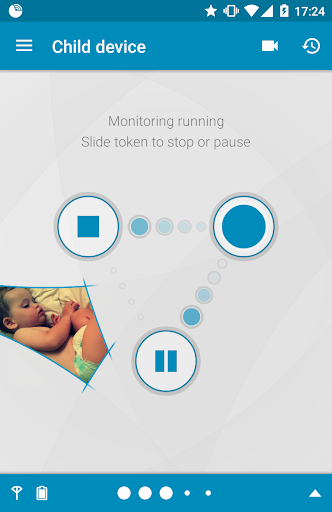
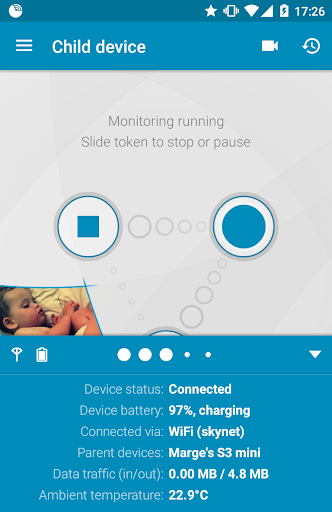
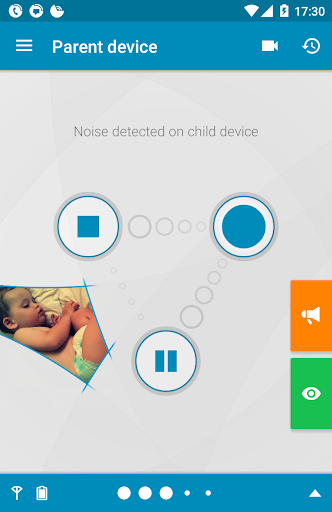
The baby monitor for the smartphone age
Includes all standard features of an audio hardware baby monitor, along with video streaming (using your phone’s camera) and some surprising extras.
Works at any distance. Dormi can use any available route to connect parent and child units (WiFi, mobile data - Edge, 3G, 4G, 5G, HSPA+, LTE), and can work even when Internet is not available (WiFi Direct, HotSpot / AP)
Ultimate feature? You can connect MULTIPLE devices in parent mode to a single child device simultaneously.
Intelligent audio
You don't need to configure microphone sensitivity - Dormi adjusts to noise levels automatically. Leave the device several meters away from the sleeping baby and it will still be able to detect when it cries and amplify the sound for the parent device as if it were placed right next to the baby.
Press and hold the Listen button to hear sound from the child device even while the baby is not crying. Equally, use the Talk button to talk back to soothe or calm the baby while you are on your way.
Convenient info-center
With Dormi you always know what's going on. All important information about the child device is always available while monitoring. If connection with the child device is lost, the parent device will notify you.
Dormi will even notify you about missed calls and new text messages received on the child device, so you will not miss something important while not having direct access to the device.
We know Android!
If the baby starts crying while you are on the phone, you will be notified with vibrations and a gentle beep to your ear - without abruptly disturbing the phone call, yet letting you know.
Of course, Dormi works in the background, even when the device screen is off. Great care has been taken to limit battery usage - you can monitor for many hours on one charge.
Have you got an old Android device sitting in the drawer that you have no use for? Not anymore - try using it as the child device with Dormi. We have made the effort to ensure it runs from Android 2.3 onward.
Start right away...
All you have to do after install is pair two devices together (our autodiscovery feature makes this a breeze) and start monitoring right away.
Although unlimited monitoring is paid, you will get 4 hours of monitoring for free every month.
If you do decide to make a purchase, you only have to do so on one of the devices participating in the monitoring.
もっと見る

1. MEmuインストーラーをダウンロードしてセットアップを完了する

2. MEmuを起動し、デスクトップでのPlayストアを開く

3. PlayストアでDormi - Baby Monitorを検索する
Install
4. Dormi - Baby Monitorをダウンロードしてインストールする
5. インストールが完了したら、アイコンをクリックしてスタート

6. MEmuを使ってパソコンでDormi - Baby Monitorを体験する
MEmu Playは現在、最高の無料Androidエミュレーターであり、5,000万人のユーザーが優れたAndroidアプリ体験を楽しんでいます。MEmuの仮想化テクノロジーにより、数千ものAndroidアプリをコンピューターでスムーズに実行できます。
大画面でより精細;無限の待機、電池とドラフィックの極限を超え
キーボード・マウス・コントローラーを全力でサポート、より快適
マルチインスタンスで複数のゲームを同時に実行
Use Dormi - Baby Monitor on PC by following steps: