Heallo Care
更新日
現在のバージョン
2.1.73
提供元

スマートフォンは不要!パソコンと同じようにキーボードとマウスで操作できます。MEmu Playは、あなたが待ち望んでいたすべての楽しみをお届けします。バッテリー残量や小さな画面を気にすることなく、Heallo Careをご利用ください。最新のMEmu 9は、Heallo CareをPCで体験するのに最適です!完璧なキーマッピングシステムにより、PCのようなスムーズな操作性を実現します。マルチインスタンス機能により、複数のアプリケーションを同時に実行できます。独自の仮想化エンジンがPCのパフォーマンスを最大限に引き出します。アプリを使用するだけでなく、高品質な体験を得ることができます。
もっと見る
Heallo CareをPCでダウンロード!大画面でより楽しむ。電源が落ちてしまうとか通信料が足りないとかの問題を心配する必要がなく、PCの大画面でより快適にゲームを楽しましょう! Heallo Care reshapes healthcare by offering full home medical services through one integrated platform, ensuring that every patient gets the care he deserves promptly.
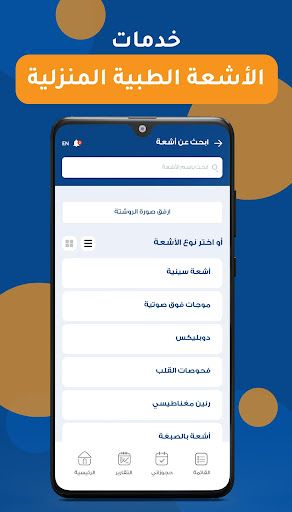
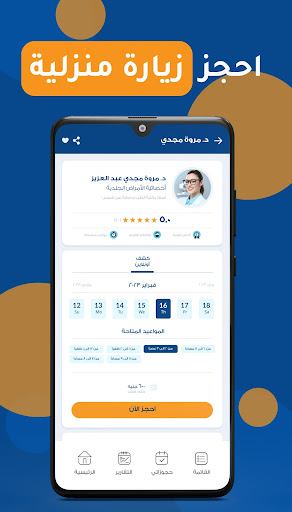
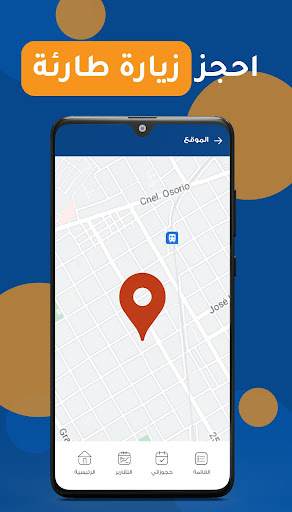
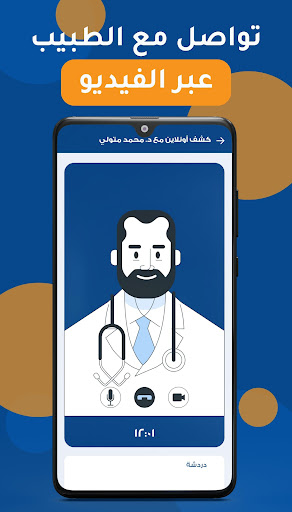
Heallo Care reshapes healthcare by offering full home medical services through one integrated platform, ensuring that every patient gets the care he deserves promptly.
Through Heallo Care, you can easily
• Book an urgent visit with a doctor, and arrive within 30 mins.
• Book an urgent visit with a nurse, and arrive within 30 mins with a fully equipped bag.
• Book a regular home visit with all providers like doctors, nurses, physiotherapists, laboratories, and radiology scans
• Keep all your past or new medical records in one place
• Compare between providers according to their verified reviews and prices
• Book long-stay visits by nurses for your old parents
• Get your vaccines for you and your family at home
• Create sub-profiles for your family with their medical information
• Know all ICUs available in public or private hospitals, their contacts & directions
• Be one of the blood donations community and donate or get a donor if you need
• Receive all radiology scans and laboratories results directly to your medical profile
• Get a new physiotherapy plan with one of the specialists
• Upload your physiotherapy prescription to execute your plan
• Book an isolation nurse service in covid-19 cases
• Book telehealth appointments with doctors
• Receive confirmation messages after every request
• Scan the visit code to ensure the visit is done successfully
• Review your visit
• Pay online and charging your wallet
• Know your provider`s available slots
Heallo Care is the app you can rely on in any medical services needed.
もっと見る

1. MEmuインストーラーをダウンロードしてセットアップを完了する

2. MEmuを起動し、デスクトップでのPlayストアを開く

3. PlayストアでHeallo Careを検索する
Install
4. Heallo Careをダウンロードしてインストールする
5. インストールが完了したら、アイコンをクリックしてスタート

6. MEmuを使ってパソコンでHeallo Careを体験する
MEmu Playは現在、最高の無料Androidエミュレーターであり、5,000万人のユーザーが優れたAndroidアプリ体験を楽しんでいます。MEmuの仮想化テクノロジーにより、数千ものAndroidアプリをコンピューターでスムーズに実行できます。
大画面でより精細;無限の待機、電池とドラフィックの極限を超え
キーボード・マウス・コントローラーを全力でサポート、より快適
マルチインスタンスで複数のゲームを同時に実行
Use Heallo Care on PC by following steps: