HEKA Pro
更新日
現在のバージョン
1.1.0.9
提供元

スマートフォンは不要!パソコンと同じようにキーボードとマウスで操作できます。MEmu Playは、あなたが待ち望んでいたすべての楽しみをお届けします。バッテリー残量や小さな画面を気にすることなく、HEKA Proをご利用ください。最新のMEmu 9は、HEKA ProをPCで体験するのに最適です!完璧なキーマッピングシステムにより、PCのようなスムーズな操作性を実現します。マルチインスタンス機能により、複数のアプリケーションを同時に実行できます。独自の仮想化エンジンがPCのパフォーマンスを最大限に引き出します。アプリを使用するだけでなく、高品質な体験を得ることができます。
もっと見る
HEKA ProをPCでダウンロード!大画面でより楽しむ。電源が落ちてしまうとか通信料が足りないとかの問題を心配する必要がなく、PCの大画面でより快適にゲームを楽しましょう! HEKA Pro App is exclusively developed for your VYVO device.
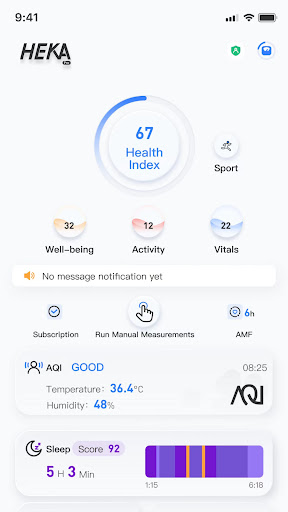
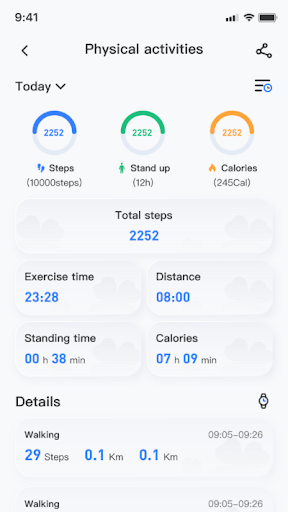
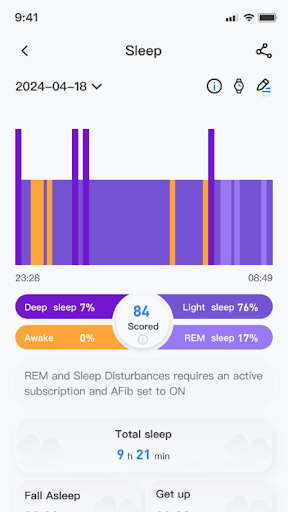
HEKA Pro App is exclusively developed for your VYVO device.
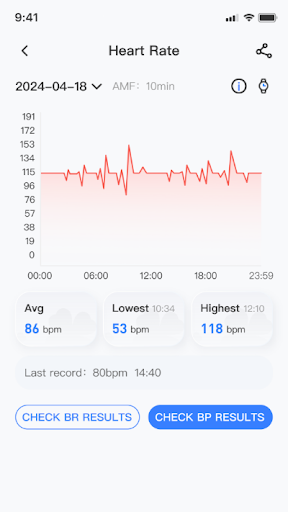
Designed to manage all your HEKA Pro Devices easily, store and display all your daily bio-parameters and data.
The HEKA Pro App can help you to learn and understand your habits (lifestyle, activity, sleep and rest), as well as suggests useful and vital tips to improve yourself and reach new levels of wellbeing defined by simply setting your goals.
Unlock even more possibilities when you sync up with a wearable VYVO device.For example:
1. Your phone can receive incoming calls and push incoming alerts to your smartwatch to let you know who's calling.
2. The phone receives the text message and pushes the notification to the smartwatch. You can read the text and details of SMS messages on the wearable device.
Legal disclaimer
The measurements are for self-evaluation only and are not intended to substitute any clinic or medical diagnostics or measurements. All values should be considered ambulatory measurements and are subject to variants with a high grade of tolerance in the accuracy. Please consult your doctor or therapist in case of inconsistency in the values measured, or in any case which the measurements indicate any normal or abnormal results. Important: People with pacemakers and pregnant women should not use magnetic and mineral stones therapy products. If you are in doubt, consult your doctor or pharmacist. Legal Information: minerals, stones, and magnetic products are considered unproven remedies, and their action is not recognized in regular medicine. Minerals, stones, and magnetic products are not to be seen as a substitute for medically prescribed treatments.
もっと見る

1. MEmuインストーラーをダウンロードしてセットアップを完了する

2. MEmuを起動し、デスクトップでのPlayストアを開く

3. PlayストアでHEKA Proを検索する
Install
4. HEKA Proをダウンロードしてインストールする
5. インストールが完了したら、アイコンをクリックしてスタート

6. MEmuを使ってパソコンでHEKA Proを体験する
MEmu Playは現在、最高の無料Androidエミュレーターであり、5,000万人のユーザーが優れたAndroidアプリ体験を楽しんでいます。MEmuの仮想化テクノロジーにより、数千ものAndroidアプリをコンピューターでスムーズに実行できます。
大画面でより精細;無限の待機、電池とドラフィックの極限を超え
キーボード・マウス・コントローラーを全力でサポート、より快適
マルチインスタンスで複数のゲームを同時に実行
Use HEKA Pro on PC by following steps: