Infinite Design
更新日
現在のバージョン
3.5.8
提供元

スマートフォンは不要!パソコンと同じようにキーボードとマウスで操作できます。MEmu Playは、あなたが待ち望んでいたすべての楽しみをお届けします。バッテリー残量や小さな画面を気にすることなく、Infinite Designをご利用ください。最新のMEmu 9は、Infinite DesignをPCで体験するのに最適です!完璧なキーマッピングシステムにより、PCのようなスムーズな操作性を実現します。マルチインスタンス機能により、複数のアプリケーションを同時に実行できます。独自の仮想化エンジンがPCのパフォーマンスを最大限に引き出します。アプリを使用するだけでなく、高品質な体験を得ることができます。
もっと見る
Infinite DesignをPCでダウンロード!大画面でより楽しむ。電源が落ちてしまうとか通信料が足りないとかの問題を心配する必要がなく、PCの大画面でより快適にゲームを楽しましょう! Rebuilt from the ground up: blazing fast, incredibly stable, with an improved interface.
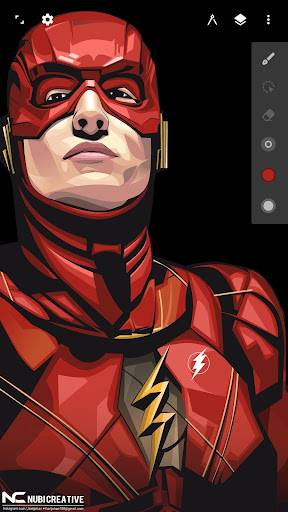
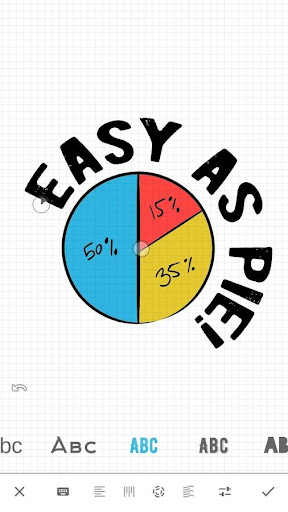
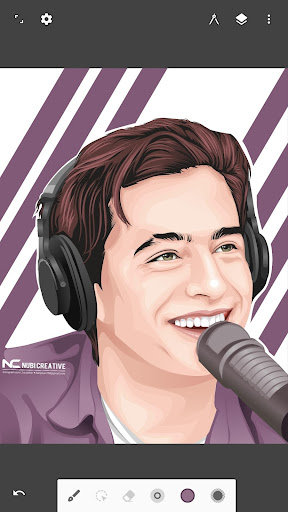
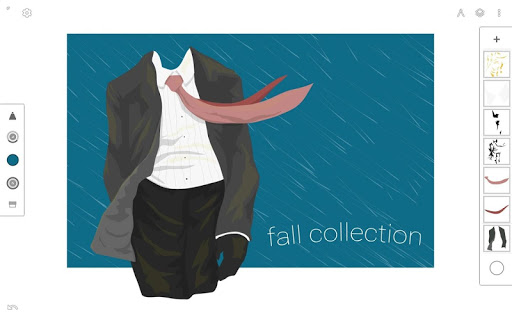
Rebuilt from the ground up: blazing fast, incredibly stable, with an improved interface.
An unparalleled experience
• Infinite canvas (pan, zoom, or rotate)
• Intuitive path editing
• Boolean operations
• Align and distribute objects
Superior tools
• Experiment with four types of symmetry
• Unlimited layers
• Unlimited undo with a history slider; scrub through from start to finish
• Easily construct shapes with the pen tool
• Draw 3D cityscapes with five different perspective guides
• Text tool: horizontal, vertical, circle, or text on path
Streamlined interface
• It’s simple. It’s organized. It’s out of the way.
• Move your favorite tools to the top bar for quicker access
• Drag out the color wheel with two fingers
Advanced features
• Transform tool: Translate, Scale, Rotate, Flip, Distort, and Skew
• Gradient and Pattern Fill
• Rotate and flip the canvas
• Automatic shape detection
• Grid for reference or snapping
• Vectorize: turn any image into fully editable vector paths
Import and export
• Import and export SVG
• Add images from Gallery, Camera, or search the web
• Export images as JPEG, PNG, or SVG
• Share to Infinite Studio community or Instagram
• Search millions of colors, palettes, and patterns via ColourLovers
Artwork provided by:
Nubi Creative
Rey zilva Ardiansyah
Ales Sunarnov
Mad Matt
もっと見る

1. MEmuインストーラーをダウンロードしてセットアップを完了する

2. MEmuを起動し、デスクトップでのPlayストアを開く

3. PlayストアでInfinite Designを検索する
Install
4. Infinite Designをダウンロードしてインストールする
5. インストールが完了したら、アイコンをクリックしてスタート

6. MEmuを使ってパソコンでInfinite Designを体験する
MEmu Playは現在、最高の無料Androidエミュレーターであり、5,000万人のユーザーが優れたAndroidアプリ体験を楽しんでいます。MEmuの仮想化テクノロジーにより、数千ものAndroidアプリをコンピューターでスムーズに実行できます。
大画面でより精細;無限の待機、電池とドラフィックの極限を超え
キーボード・マウス・コントローラーを全力でサポート、より快適
マルチインスタンスで複数のゲームを同時に実行
Use Infinite Design on PC by following steps: