Infinite Design
تم التحديث
الإصدار الحالي
3.5.8
تقديم

لا داعي للقلق بشأن الشحن الزائد عند استخدام Infinite Design على هاتفك. تحرر من قيود الشاشة الصغيرة واستمتع به على شاشة أكبر باستخدام لوحة المفاتيح والفأرة. يوفر MEmu جميع الميزات الرائعة التي تتوقعها: تثبيت سريع، إعداد سهل، أدوات تحكم بديهية، ودون قيود على عمر البطارية، أو استخدام البيانات، أو المكالمات الواردة. يُعد MEmu 9 الجديد الخيار الأمثل لتجربة Infinite Design على جهاز الكمبيوتر. بفضل تقنية التشفير الفريدة، يتيح لك مدير الحسابات المتعددة تشغيل حسابين أو أكثر في وقت واحد. والأهم من ذلك، أن محرك المحاكاة الفريد يستغل أداء جهاز الكمبيوتر بالكامل، مما يُحسّن تجربة التطبيق ويجعل كل شيء سلسًا للغاية.
أظهر المزيد
قم بتنزيل Infinite Design على الكمبيوتر بإستخدام جهاز مقلد أندروز MEmu.استمتع بمتعة اللعب على الشاشة الكبيرة. Rebuilt from the ground up: blazing fast, incredibly stable, with an improved interface.
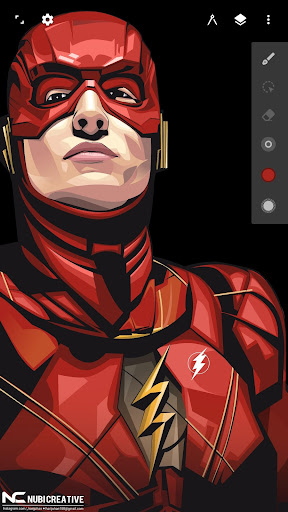
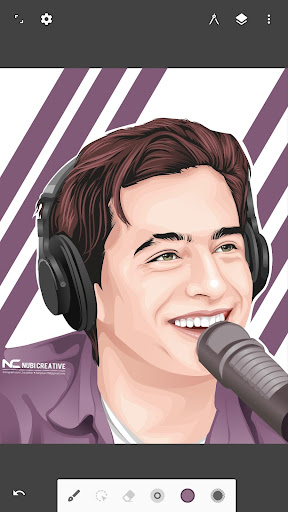
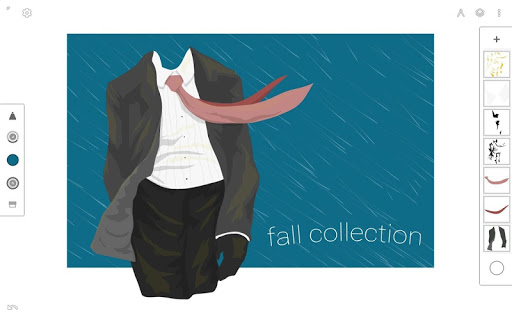
Rebuilt from the ground up: blazing fast, incredibly stable, with an improved interface.
An unparalleled experience
• Infinite canvas (pan, zoom, or rotate)
• Intuitive path editing
• Boolean operations
• Align and distribute objects
Superior tools
• Experiment with four types of symmetry
• Unlimited layers
• Unlimited undo with a history slider; scrub through from start to finish
• Easily construct shapes with the pen tool
• Draw 3D cityscapes with five different perspective guides
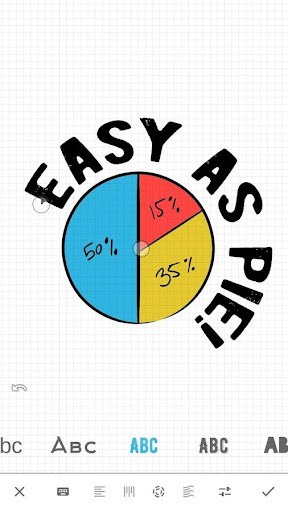
• Text tool: horizontal, vertical, circle, or text on path
Streamlined interface
• It’s simple. It’s organized. It’s out of the way.
• Move your favorite tools to the top bar for quicker access
• Drag out the color wheel with two fingers
Advanced features
• Transform tool: Translate, Scale, Rotate, Flip, Distort, and Skew
• Gradient and Pattern Fill
• Rotate and flip the canvas
• Automatic shape detection
• Grid for reference or snapping
• Vectorize: turn any image into fully editable vector paths
Import and export
• Import and export SVG
• Add images from Gallery, Camera, or search the web
• Export images as JPEG, PNG, or SVG
• Share to Infinite Studio community or Instagram
• Search millions of colors, palettes, and patterns via ColourLovers
Artwork provided by:
Nubi Creative
Rey zilva Ardiansyah
Ales Sunarnov
Mad Matt
أظهر المزيد

1. قم بتنزيل برنامج MEmu واكمال تثبيته

2. قم بتشغيل برنامج MEmu وفتح Google Play على الصفحة الرئيسية

3. ابح Infinite Design في Google Play
Install
4. تنزيل وتثبيت Infinite Design
5. انقر على الرمز للتشغيل بعد اكتمال التثبيت

6. استخدم MEmu لتجربة Infinite Design على جهاز الكمبيوتر الخاص بك.
تطبيق MEmuهو افضل محاكى اندرويد مجانى وبالفعل 50 مليون شخص يستمتعون حاليا بتجربه اللعب عليه. تمكّنك تقنية MEmu الافتراضية من تشغيل آلاف ألعاب Android بسلاسة على الكمبيوتر الشخصي ، حتى أكثرها استخدامًا للرسومات.
شاشة أكبر وجرافيك افضل ووقت أطول بدون حدود البطارية وباقة التليفون
لوحة مفاتيح كاملة تدعم تحكم كامل عن طريق لوحة المفاتيح و الفأره وجيم باد
عدة العاب وحسابات ومهمات علي جهاز الكمبيوتر في وقت معين عن طريق Memu متعدد النوافذ
Use Infinite Design on PC by following steps: