Infinite Design
อัปเดตเมื่อ
เวอร์ชันปัจจุบัน
3.5.8
ให้บริการโดย

เมื่อใช้ Infinite Design บนโทรศัพท์ของคุณไม่ต้องกังวลกับการชาร์จไฟมากเกินไปปลดปล่อยตัวคุณเองจากหน้าจอขนาดเล็กและสนุกกับการใช้แอพนี้บนหน้าจอขนาดใหญ่ จากนี้ไปรับประสบการณ์เต็มหน้าจอของแอปพลิเคชันของคุณด้วยคีย์บอร์ดและเมาส์ MEmu มีคุณสมบัติที่น่าแปลกใจที่คุณคาดหวัง: การติดตั้งที่รวดเร็วและการตั้งค่าที่ง่ายควบคุมได้ง่ายไม่ จำกัด แบตเตอรี่ข้อมูลมือถือและการโทรที่รบกวน MEmu 9 ใหม่ล่าสุดเป็นตัวเลือกที่ดีที่สุดสำหรับการใช้ Meitu – โปรแกรมแก้ไขภาพแนวธรรมชาติ บนคอมพิวเตอร์ของคุณ ด้วยรหัสการดูดซึมของเราผู้จัดการหลายอินสแตนซ์ทำให้สามารถเปิดบัญชี 2 บัญชีขึ้นไปในเวลาเดียวกันได้ และที่สำคัญที่สุดเอ็นจิ้นจำลองพิเศษของเราสามารถปลดปล่อยศักยภาพของPCของคุณและทำให้ทุกอย่างราบรื่นและสนุกสนาน
แสดงเพิ่มเติม
ดาวน์โหลด Infinite Design บน PC ด้วย MEmu Android Emulator สนุกกับการเล่นบนหน้าจอขนาดใหญ่ Rebuilt from the ground up: blazing fast, incredibly stable, with an improved interface.
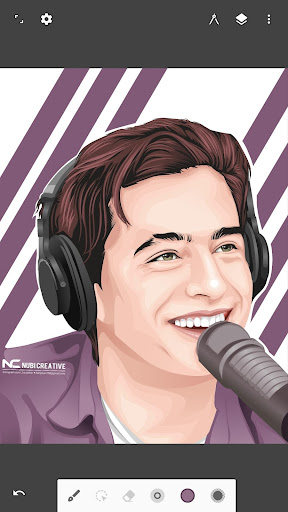
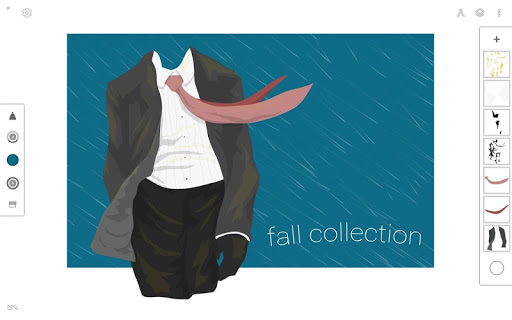
Rebuilt from the ground up: blazing fast, incredibly stable, with an improved interface.
An unparalleled experience
• Infinite canvas (pan, zoom, or rotate)
• Intuitive path editing
• Boolean operations
• Align and distribute objects
Superior tools
• Experiment with four types of symmetry
• Unlimited layers
• Unlimited undo with a history slider; scrub through from start to finish
• Easily construct shapes with the pen tool
• Draw 3D cityscapes with five different perspective guides
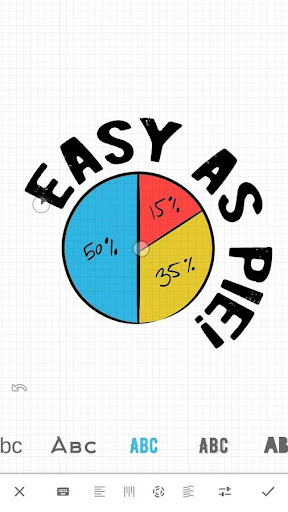
• Text tool: horizontal, vertical, circle, or text on path
Streamlined interface
• It’s simple. It’s organized. It’s out of the way.
• Move your favorite tools to the top bar for quicker access
• Drag out the color wheel with two fingers
Advanced features
• Transform tool: Translate, Scale, Rotate, Flip, Distort, and Skew
• Gradient and Pattern Fill
• Rotate and flip the canvas
• Automatic shape detection
• Grid for reference or snapping
• Vectorize: turn any image into fully editable vector paths
Import and export
• Import and export SVG
• Add images from Gallery, Camera, or search the web
• Export images as JPEG, PNG, or SVG
• Share to Infinite Studio community or Instagram
• Search millions of colors, palettes, and patterns via ColourLovers
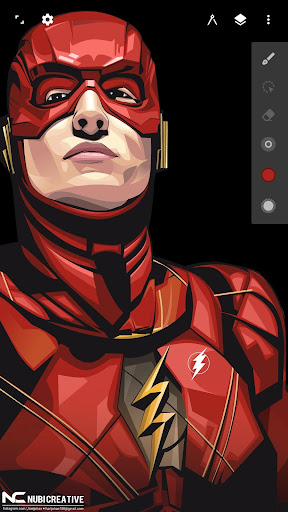
Artwork provided by:
Nubi Creative
Rey zilva Ardiansyah
Ales Sunarnov
Mad Matt
แสดงเพิ่มเติม

1. ดาวน์โหลดตัวติดตั้ง MEmu และสิ้นสุดการติดตั้ง

2. เริ่ม MEmu จากนั้นเปิด Google Play บนหน้าแรก

3. ค้นหา Infinite Design ใน Google Play
Install
4. ดาวน์โหลดและติดตั้ง Infinite Design
5. เมื่อติดตั้งเสร็จให้คลิกที่ไอคอนเพื่อเริ่มใช้งาน

6. ใช้ MEmu เพื่อสัมผัสประสบการณ์ Infinite Design บนคอมพิวเตอร์ของคุณ
MEmu Play คือโปรแกรมจำลอง Android ที่ดีที่สุด มีผู้ใช้มากกว่า 50 ล้านคน มอบประสบการณ์การใช้งานแอป Android ขั้นสุดยอดให้กับคุณ เทคโนโลยีจำลองเสมือนของ MEmu ช่วยให้คุณรันแอป Android หลายพันแอปบนคอมพิวเตอร์ได้อย่างราบรื่น แม้แอปที่กินทรัพยากรเครื่องสูงที่สุด
จอใหญ่และกราฟฟิกสวยกว่า; เล่นได้นาน, ไม่ต้องใช้แบตเตอรี่โทรศัพท์หรือเน็ตโทรศัพท์.
ระบบปรับแต่งปุ่มคีย์บอร์ดและเม้าส์ตามที่คุณเลือก
เล่นมากกว่าหนึ่งเกมบน PC ในเวลาเดียวกันด้วยระบบหลายจอหรือ Multi-Instance manager.
Use Infinite Design on PC by following steps: