JoyPlan - Home design 3D
更新日
現在のバージョン
1.7.1
提供元

スマートフォンは不要!パソコンと同じようにキーボードとマウスで操作できます。MEmu Playは、あなたが待ち望んでいたすべての楽しみをお届けします。バッテリー残量や小さな画面を気にすることなく、JoyPlan - Home design 3Dをご利用ください。最新のMEmu 9は、JoyPlan - Home design 3DをPCで体験するのに最適です!完璧なキーマッピングシステムにより、PCのようなスムーズな操作性を実現します。マルチインスタンス機能により、複数のアプリケーションを同時に実行できます。独自の仮想化エンジンがPCのパフォーマンスを最大限に引き出します。アプリを使用するだけでなく、高品質な体験を得ることができます。
もっと見る
JoyPlan - Home design 3DをPCでダウンロード!大画面でより楽しむ。電源が落ちてしまうとか通信料が足りないとかの問題を心配する必要がなく、PCの大画面でより快適にゲームを楽しましょう! JoyPlan is a true mobile home decoration and design software that allows users to design and renovate directly on their phones.
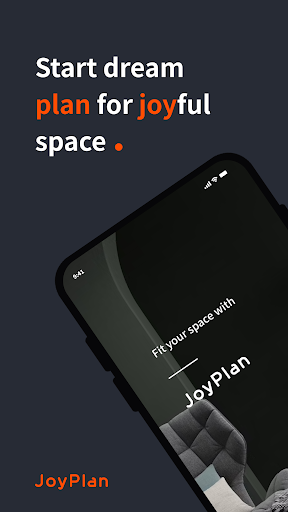
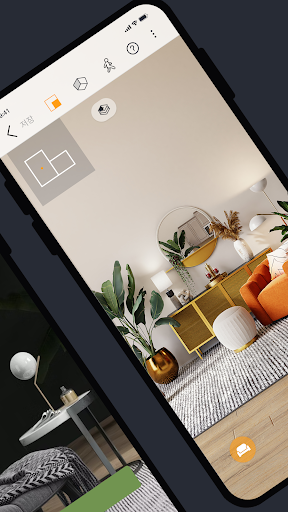
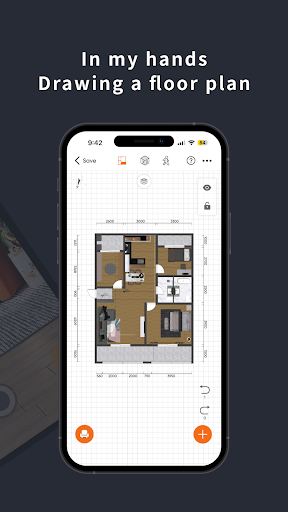
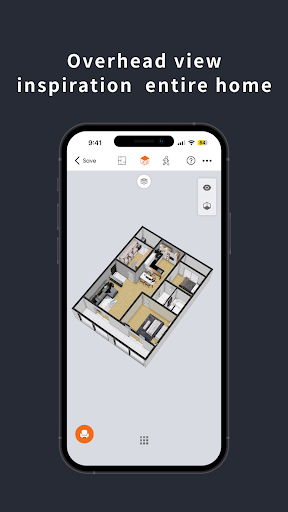
JoyPlan is a true mobile home decoration and design software that allows users to design and renovate directly on their phones. From measuring and drawing to designing and rendering, it helps users swiftly create decoration plans. The software offers features such as rapid 3D floor plan creation, rendering, exportation of drawings, quotation calculations, villa drawings, 720 panoramic views, and more. It comprehensively enhances the efficiency of home improvement professionals, facilitating quick deals from measurement to quotation.
Why choose JoyPlan?
【Design on Your Phone】: Arrange and design millions of model components for both interior and exterior decor on your mobile device, covering home interior design, full-house customization, wardrobe customization, and villa construction.
【Export Professional Drawings】: Export complete sets of CAD drawings, renderings, elevations, colored plans, hand-drawn sketches, bird's-eye views, and more. Seamlessly integrate with mainstream design software for fast and efficient work.
【720 Panoramic Views】: Quickly generate VR panoramic effect links to immerse clients in post-renovation effects, making VR touring an effective tool for marketing and signing contracts.
【Multilayer Design】: Mobile multi-layer design functionality allows for quick realization of multi-layer residential and villa drawings, making the design process simpler.
【Swift Modeling】: Address irregular designs and effortlessly create various irregular solutions, such as platforms, wall niches, and duplex hollows.
【Integrated Systems】: On-site editing of plumbing and electrical pipelines via mobile, enhancing efficiency and communication from planning to implementation.
【LiDAR Scanning】: Cutting-edge technology - generate 3D floor plans by scanning spaces with your phone.
【TR Renderings】: Photo-realistic renderings that greatly replicate real scenes. The impressive effects make contract signing easier.
Privacy Policy:
https://www.joyplan.com/agreement_joyplan_privacy.html
Terms of Use:
https://www.joyplan.com/agreement_joyplan_termsUse.html
もっと見る

1. MEmuインストーラーをダウンロードしてセットアップを完了する

2. MEmuを起動し、デスクトップでのPlayストアを開く

3. PlayストアでJoyPlan - Home design 3Dを検索する
Install
4. JoyPlan - Home design 3Dをダウンロードしてインストールする
5. インストールが完了したら、アイコンをクリックしてスタート

6. MEmuを使ってパソコンでJoyPlan - Home design 3Dを体験する
MEmu Playは現在、最高の無料Androidエミュレーターであり、5,000万人のユーザーが優れたAndroidアプリ体験を楽しんでいます。MEmuの仮想化テクノロジーにより、数千ものAndroidアプリをコンピューターでスムーズに実行できます。
大画面でより精細;無限の待機、電池とドラフィックの極限を超え
キーボード・マウス・コントローラーを全力でサポート、より快適
マルチインスタンスで複数のゲームを同時に実行
Use JoyPlan - Home design 3D on PC by following steps: