
JumpJumpVPN- Fast & Secure VPN
更新日
現在のバージョン
1.8.3 (183)
提供元

スマートフォンは不要!パソコンと同じようにキーボードとマウスで操作できます。MEmu Playは、あなたが待ち望んでいたすべての楽しみをお届けします。バッテリー残量や小さな画面を気にすることなく、JumpJumpVPN- Fast & Secure VPNをご利用ください。最新のMEmu 9は、JumpJumpVPN- Fast & Secure VPNをPCで体験するのに最適です!完璧なキーマッピングシステムにより、PCのようなスムーズな操作性を実現します。マルチインスタンス機能により、複数のアプリケーションを同時に実行できます。独自の仮想化エンジンがPCのパフォーマンスを最大限に引き出します。アプリを使用するだけでなく、高品質な体験を得ることができます。
もっと見る
JumpJumpVPN- Fast & Secure VPNをPCでダウンロード!大画面でより楽しむ。電源が落ちてしまうとか通信料が足りないとかの問題を心配する必要がなく、PCの大画面でより快適にゲームを楽しましょう! JumpJumpVPN is a Secure and high-speed VPN proxy application that provides you with a secure, stable and anonymous Internet experience.
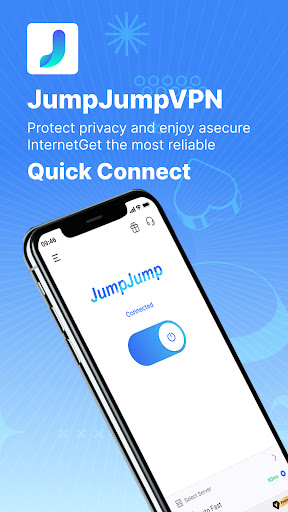
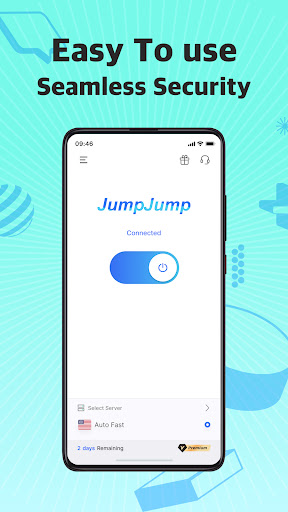
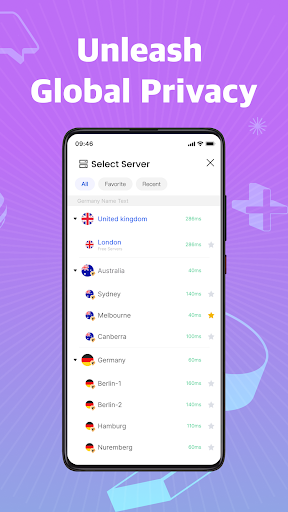
JumpJumpVPN is a Secure and high-speed VPN proxy application that provides you with a secure, stable and anonymous Internet experience. Whether you are browsing on a public Wi-Fi network or need to access restricted content, JumpJumpVPN is the best choice for you.
What is a VPN?
A Virtual Private Network (VPN) is an encrypted connection from device to network over the Internet. An encrypted connection helps ensure the secure transmission of sensitive data, prevents unauthorized people from eavesdropping on traffic, and allows users to surf the web securely and anonymously.
Why choose JumpJumpVPN?
JumpJumpVPN is a user-friendly VPN proxy app with a clean and simple interface design and a very user-friendly experience. All you need to do is open the app and click the Connect button or select any server from the server list. Super fast and secure connection, unlimited bandwidth and VPN servers in different countries, reliable service and protection of your privacy are the reasons why you should choose JumpJumpVPN.
Key Features:
Free to use: enjoy high-speed, unlimited traffic VPN service with unlimited traffic to free nodes.
High-speed connection: JumpJumpVPN has a dedicated server network to ensure that your Internet connection is always high-speed and stable.
Anonymous Browsing: Hide your real IP address to ensure your online activities are always private and secure.
Unlock Restrictions: Access restricted websites and applications and enjoy global content.
Easy to use: Connect with a single click and enjoy VPN protection without the hassle of setup.
Auto-renewal:
Payment will be deducted from your Google Account upon confirmation of purchase.
Subscriptions will turn off auto-renewal at least 24 hours before the end of the current billing cycle.
Your account will be charged for renewals up to 24 hours prior to the expiration of the subscription you have selected.
You can manage your subscriptions and turn off auto-renewal by going to your Google Play Store account settings.
The unused portion of the trial period (if any) will be canceled when the user purchases a subscription package (if applicable).
Terms of Service: https://jumpjump.io/#/termsofservice/index
Privacy Policy: https://jumpjump.io/#/privacyterms/index
Contact us: support@jumpjump.io.
もっと見る

1. MEmuインストーラーをダウンロードしてセットアップを完了する

2. MEmuを起動し、デスクトップでのPlayストアを開く

3. PlayストアでJumpJumpVPN- Fast & Secure VPNを検索する
Install
4. JumpJumpVPN- Fast & Secure VPNをダウンロードしてインストールする
5. インストールが完了したら、アイコンをクリックしてスタート

6. MEmuを使ってパソコンでJumpJumpVPN- Fast & Secure VPNを体験する
MEmu Playは現在、最高の無料Androidエミュレーターであり、5,000万人のユーザーが優れたAndroidアプリ体験を楽しんでいます。MEmuの仮想化テクノロジーにより、数千ものAndroidアプリをコンピューターでスムーズに実行できます。
大画面でより精細;無限の待機、電池とドラフィックの極限を超え
キーボード・マウス・コントローラーを全力でサポート、より快適
マルチインスタンスで複数のゲームを同時に実行
Use JumpJumpVPN- Fast & Secure VPN on PC by following steps: