Kango
更新日
現在のバージョン
1729539582
提供元

スマートフォンは不要!パソコンと同じようにキーボードとマウスで操作できます。MEmu Playは、あなたが待ち望んでいたすべての楽しみをお届けします。バッテリー残量や小さな画面を気にすることなく、Kangoをご利用ください。最新のMEmu 9は、KangoをPCで体験するのに最適です!完璧なキーマッピングシステムにより、PCのようなスムーズな操作性を実現します。マルチインスタンス機能により、複数のアプリケーションを同時に実行できます。独自の仮想化エンジンがPCのパフォーマンスを最大限に引き出します。アプリを使用するだけでなく、高品質な体験を得ることができます。
もっと見る
KangoをPCでダウンロード!大画面でより楽しむ。電源が落ちてしまうとか通信料が足りないとかの問題を心配する必要がなく、PCの大画面でより快適にゲームを楽しましょう! Safe rides and childcare for kids, from preschool to high school, 7 days a week.
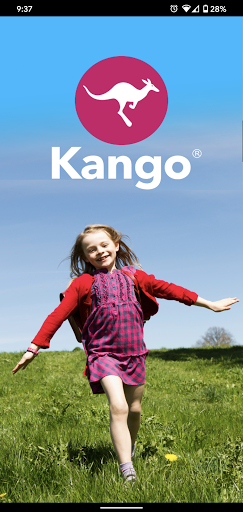
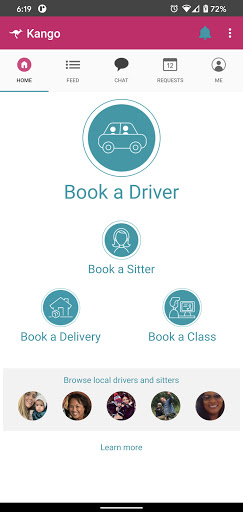
Safe rides and childcare for kids, from preschool to high school, 7 days a week. Kango - for students and families going places!
Kango helps families and schools get kids where they need to go:
● Schedule recurring rides to and from school
● Book a driver to take your daughter to ballet while you are on a business trip
● Set up a weekly ride to take your son and his three friends to soccer practice every Thursday
● Have a Kango driver take you and your toddler to preschool before you go to work
● And more!
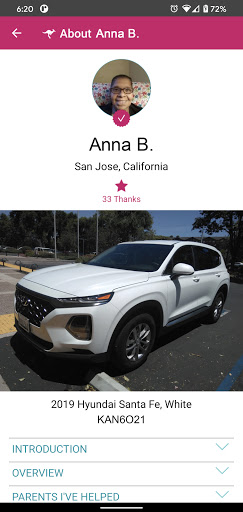
With Kango, book rides from pre-screened drivers. All Kango drivers have at least 3 years of childcare experience, and have passed our comprehensive screening process (including fingerprinting, background checks and DMV checks) and training to ensure they can provide the best, safest service possible. You can even request your family's preferred drivers, or meet a driver in advance.
Kango serves CA - SF Bay Area, LA, San Fernando Valley, San Gabriel Valley, Modesto/Stockton/Merced, Oroville, Monterey, Salinas, Orange County, and San Diego and Arizona - Phoenix, Tucson, Casa Grande.
*****************************************
HOW KANGO WORKS
Kango gives you access to a trustworthy selection of pre-screened drivers. All you need to do is:
1. Schedule a ride
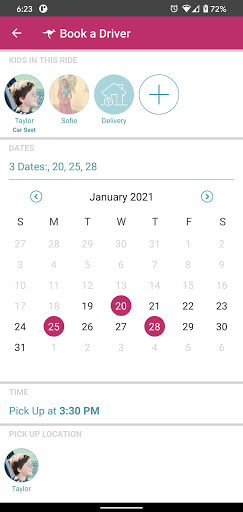
Kango supports one-time or recurring requests, and provides boosters or car seats as needed. Booking at least 24h in advance is recommended. Kango is the only service that accepts same-day requests as well, without a cut-off time.
2. See who can help
We’ll reach out to our pool of drivers in your area and find the best person to fulfill your request. You can request your preferred driver(s) or meet one ahead of time.
3. Stay in touch every step of the way
Enjoy real-time updates from your driver or track their location in the app. Or call them directly.
GET STARTED
Start using Kango today. When you’re ready to book a Kango driver, sign up and request what you need. Prices vary according to the type and duration of services required.
*****************************************
もっと見る

1. MEmuインストーラーをダウンロードしてセットアップを完了する

2. MEmuを起動し、デスクトップでのPlayストアを開く

3. PlayストアでKangoを検索する
Install
4. Kangoをダウンロードしてインストールする
5. インストールが完了したら、アイコンをクリックしてスタート

6. MEmuを使ってパソコンでKangoを体験する
MEmu Playは現在、最高の無料Androidエミュレーターであり、5,000万人のユーザーが優れたAndroidアプリ体験を楽しんでいます。MEmuの仮想化テクノロジーにより、数千ものAndroidアプリをコンピューターでスムーズに実行できます。
大画面でより精細;無限の待機、電池とドラフィックの極限を超え
キーボード・マウス・コントローラーを全力でサポート、より快適
マルチインスタンスで複数のゲームを同時に実行
Use Kango on PC by following steps: