Mini Piano Lite
更新日
現在のバージョン
5.2.12
提供元

スマートフォンは不要!パソコンと同じようにキーボードとマウスで操作できます。MEmu Playは、あなたが待ち望んでいたすべての楽しみをお届けします。バッテリー残量や小さな画面を気にすることなく、Mini Piano Liteをご利用ください。最新のMEmu 9は、Mini Piano LiteをPCで体験するのに最適です!完璧なキーマッピングシステムにより、PCのようなスムーズな操作性を実現します。マルチインスタンス機能により、複数のアプリケーションを同時に実行できます。独自の仮想化エンジンがPCのパフォーマンスを最大限に引き出します。アプリを使用するだけでなく、高品質な体験を得ることができます。
もっと見る
Mini Piano LiteをPCでダウンロード!大画面でより楽しむ。電源が落ちてしまうとか通信料が足りないとかの問題を心配する必要がなく、PCの大画面でより快適にゲームを楽しましょう! Mini Piano Lite is a very responsive and realistic sounding piano for Android.
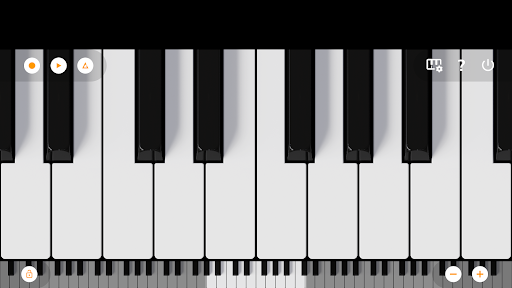
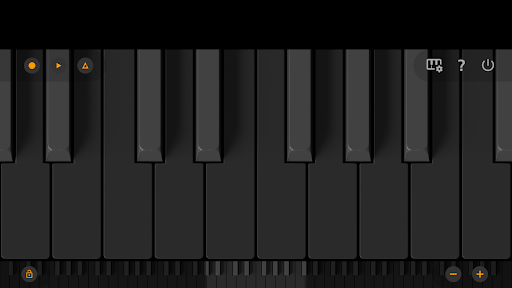
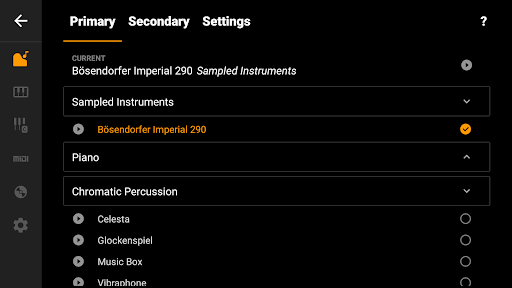
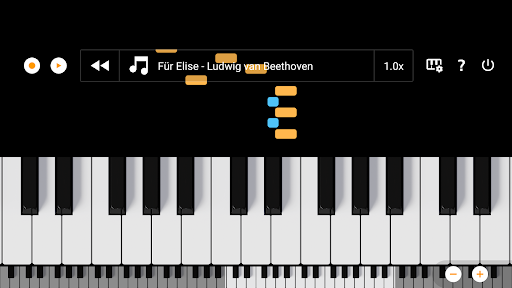
Mini Piano Lite is a very responsive and realistic sounding piano for Android. It has been thoroughly optimized, resulting in a very enjoyable playing experience while keeping the install size to a minimum.
Don't let the name fool you, this is a top digital piano instrument for in your pocket. It features a full keyboard with 88 zoomable and scrollable keys, with various display modes. The default instrument is a beautiful sampled piano, that sounds like the real deal, but there are also 128 other instruments included that cover a wide range of instrument types.
The app has a great minimalist design (with Dark Mode support), that stays out of your way. You can play chords or melodies and record your ideas or songs as MIDI files and export them (on a later moment if you want) to MP3, AAC or WAV. Or use the MIDI file in your favorite editor.
Also included is a song mode with falling blocks, where you can learn to play new songs.
We took great care to minimise ad disruption by using only a single banner. No popups, no videos, no nothing. A simple banner to support our work.
So there you have it, a small but very powerful piano app, loved by many many users. Why not give it a try?
The app is optimized for phone, tablet and Chromebook.
Let us know if you have a feature request or other feedback. You can email us at feedback@umito.nl
==Features==
★ Fast, responsive and beautiful virtual piano
★ 88 keys
★ Great sampled paino sound
★ 128 midi sounds
★ Learn to play songs
★ Dark mode support with full dark keyboard
★ Optimized for tablet, phone and Chromebook
★ Record songs and set them as ringtone
★ Export recordings to MP3, AAC or WAV
★ Multitouch support for using all your fingers
★ Easily zoom in and out to fit the keyboard to your screen
★ Label notes with their names and octaves
★ Use a metronome to keep a certain tempo
★ Transpose keyboard by note or tune it by Hz.
★ MIDI in support (use it with a external keyboard)
★ Option to disable white key touch area between black keys.
Want a ad-free experience? Purchase Mini Piano Pro or KeyChord.
If you are looking for an educational version without ads that can be bulk licensed with a large discount for use in schools: feel free to email us at edu@umito.nl .
もっと見る

1. MEmuインストーラーをダウンロードしてセットアップを完了する

2. MEmuを起動し、デスクトップでのPlayストアを開く

3. PlayストアでMini Piano Liteを検索する
Install
4. Mini Piano Liteをダウンロードしてインストールする
5. インストールが完了したら、アイコンをクリックしてスタート

6. MEmuを使ってパソコンでMini Piano Liteを体験する
MEmu Playは現在、最高の無料Androidエミュレーターであり、5,000万人のユーザーが優れたAndroidアプリ体験を楽しんでいます。MEmuの仮想化テクノロジーにより、数千ものAndroidアプリをコンピューターでスムーズに実行できます。
大画面でより精細;無限の待機、電池とドラフィックの極限を超え
キーボード・マウス・コントローラーを全力でサポート、より快適
マルチインスタンスで複数のゲームを同時に実行
Use Mini Piano Lite on PC by following steps: