Mini Piano Lite
Обновлено
Текущая версия
5.2.12
Продавец

Перестаньте беспокоиться о быстром разряде батареи при использовании Mini Piano Lite на вашем телефоне. Освободитесь от крошечного экрана и наслаждайтесь приложением на гораздо большем экране. Теперь вы можете работать с приложением в полноэкранном режиме с удобством клавиатуры и мыши. MEmu предлагает вам все ожидаемые удивительные функции: быструю установку и простую настройку, интуитивно понятное управление и больше никаких забот о времени автономной работы, мобильном трафике или неожиданных звонках. Совершенно новый MEmu 9 — идеальный выбор для использования Mini Piano Lite на вашем компьютере. С помощью менеджера нескольких экземпляров MEmu вы можете одновременно использовать два или более аккаунтов. И самое главное, наш эксклюзивный движок эмуляции раскрывает весь потенциал вашего ПК, обеспечивая плавную и приятную работу.
Показать больше
Скачайте Mini Piano Lite на ПК с помощью Андроид эмулятора MEmu. Наслаждайтесь на большом экране. Mini Piano Lite is a very responsive and realistic sounding piano for Android.
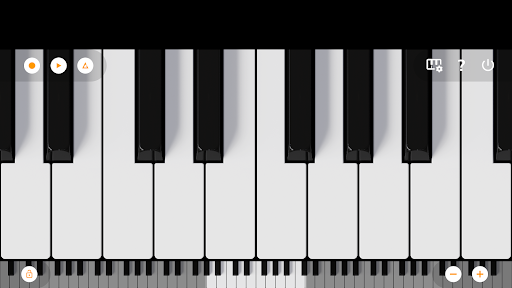
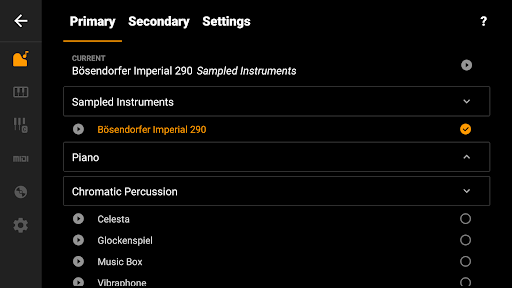
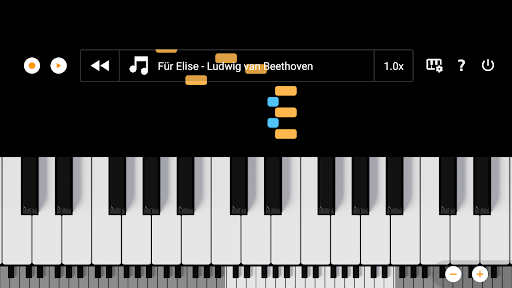
Mini Piano Lite is a very responsive and realistic sounding piano for Android. It has been thoroughly optimized, resulting in a very enjoyable playing experience while keeping the install size to a minimum.
Don't let the name fool you, this is a top digital piano instrument for in your pocket. It features a full keyboard with 88 zoomable and scrollable keys, with various display modes. The default instrument is a beautiful sampled piano, that sounds like the real deal, but there are also 128 other instruments included that cover a wide range of instrument types.
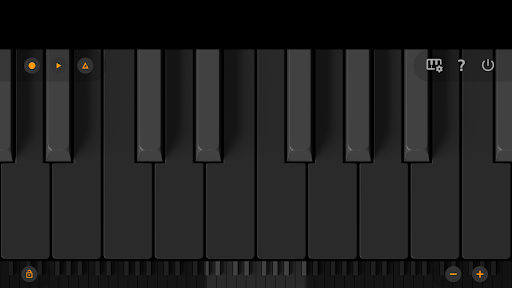
The app has a great minimalist design (with Dark Mode support), that stays out of your way. You can play chords or melodies and record your ideas or songs as MIDI files and export them (on a later moment if you want) to MP3, AAC or WAV. Or use the MIDI file in your favorite editor.
Also included is a song mode with falling blocks, where you can learn to play new songs.
We took great care to minimise ad disruption by using only a single banner. No popups, no videos, no nothing. A simple banner to support our work.
So there you have it, a small but very powerful piano app, loved by many many users. Why not give it a try?
The app is optimized for phone, tablet and Chromebook.
Let us know if you have a feature request or other feedback. You can email us at feedback@umito.nl
==Features==
★ Fast, responsive and beautiful virtual piano
★ 88 keys
★ Great sampled paino sound
★ 128 midi sounds
★ Learn to play songs
★ Dark mode support with full dark keyboard
★ Optimized for tablet, phone and Chromebook
★ Record songs and set them as ringtone
★ Export recordings to MP3, AAC or WAV
★ Multitouch support for using all your fingers
★ Easily zoom in and out to fit the keyboard to your screen
★ Label notes with their names and octaves
★ Use a metronome to keep a certain tempo
★ Transpose keyboard by note or tune it by Hz.
★ MIDI in support (use it with a external keyboard)
★ Option to disable white key touch area between black keys.
Want a ad-free experience? Purchase Mini Piano Pro or KeyChord.
If you are looking for an educational version without ads that can be bulk licensed with a large discount for use in schools: feel free to email us at edu@umito.nl .
Показать больше

1. Скачать инсталлятор MEmu и завершайте установку

2. Запускайте MEmu, затем откройте Google Play на главной странице

3. Ищите Mini Piano Lite в Google Play
Install
4. Скачайте и установите Mini Piano Lite
5. При завершении установки, нажмите на значок для старта

6. Наслаждайтесь Mini Piano Lite на своем компьютере с помощью MEmu.
MEmu Play — лучший бесплатный эмулятор Android, превосходный опыт работы с которым оценили 50 миллионов пользователей. Технология виртуализации MEmu позволяет без проблем запускать тысячи Android-приложений на вашем компьютере, даже самые требовательные.
Большой экран с лучшей графикой; Большая продолжительность, без ограничения батареи или мобильных данных.
Полная поддержка установки клавиш для точного управления клавиатурой и мышью или геймпадом.
Несколько игровых учетных записей или задач на одном компьютере одновременно с менеджером нескольких экземпляров.
Use Mini Piano Lite on PC by following steps: