MyTravel: Travel Boast Planner
更新日
現在のバージョン
1.63
提供元

スマートフォンは不要!パソコンと同じようにキーボードとマウスで操作できます。MEmu Playは、あなたが待ち望んでいたすべての楽しみをお届けします。バッテリー残量や小さな画面を気にすることなく、MyTravel: Travel Boast Plannerをご利用ください。最新のMEmu 9は、MyTravel: Travel Boast PlannerをPCで体験するのに最適です!完璧なキーマッピングシステムにより、PCのようなスムーズな操作性を実現します。マルチインスタンス機能により、複数のアプリケーションを同時に実行できます。独自の仮想化エンジンがPCのパフォーマンスを最大限に引き出します。アプリを使用するだけでなく、高品質な体験を得ることができます。
もっと見る
MyTravel: Travel Boast PlannerをPCでダウンロード!大画面でより楽しむ。電源が落ちてしまうとか通信料が足りないとかの問題を心配する必要がなく、PCの大画面でより快適にゲームを楽しましょう! The best Travel Boast app.
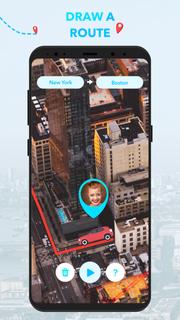
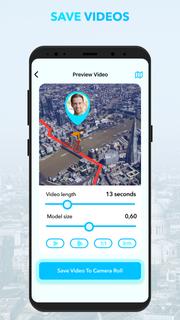
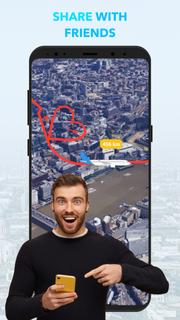
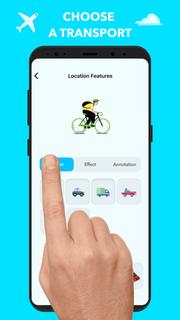
The best Travel Boast app. Make awesome Travel Boast videos for Instagram. Show your route on an animated map!Do you like to Travel Boast and have Instagram? Penalty fee! This app will help you create amazing travel posts and stories for your Instagram profile!Too easy. Choose your means of transport, enter your route, press the START button and enjoy the fun animation of your trip. Share your trips with friends in the language of video cards.Show your friends your interesting trips and post them on social networks.-Create your own unique itineraries.-Choose any mode of transportation and get going.-Save results as video.-Send videos to your friends or post them on social networks.You will find many unique vehicles, including real and imaginary ones. The number of vehicles increases regularly with each update. Leave feedback on vehicles you'd like to drive but aren't on the app.
もっと見る

1. MEmuインストーラーをダウンロードしてセットアップを完了する

2. MEmuを起動し、デスクトップでのPlayストアを開く

3. PlayストアでMyTravel: Travel Boast Plannerを検索する
Install
4. MyTravel: Travel Boast Plannerをダウンロードしてインストールする
5. インストールが完了したら、アイコンをクリックしてスタート

6. MEmuを使ってパソコンでMyTravel: Travel Boast Plannerを体験する
MEmu Playは現在、最高の無料Androidエミュレーターであり、5,000万人のユーザーが優れたAndroidアプリ体験を楽しんでいます。MEmuの仮想化テクノロジーにより、数千ものAndroidアプリをコンピューターでスムーズに実行できます。
大画面でより精細;無限の待機、電池とドラフィックの極限を超え
キーボード・マウス・コントローラーを全力でサポート、より快適
マルチインスタンスで複数のゲームを同時に実行
Use MyTravel: Travel Boast Planner on PC by following steps: