
Oxford Dictionary & Thesaurus
更新日
現在のバージョン
15.6.1122
提供元

スマートフォンは不要!パソコンと同じようにキーボードとマウスで操作できます。MEmu Playは、あなたが待ち望んでいたすべての楽しみをお届けします。バッテリー残量や小さな画面を気にすることなく、Oxford Dictionary & Thesaurusをご利用ください。最新のMEmu 9は、Oxford Dictionary & ThesaurusをPCで体験するのに最適です!完璧なキーマッピングシステムにより、PCのようなスムーズな操作性を実現します。マルチインスタンス機能により、複数のアプリケーションを同時に実行できます。独自の仮想化エンジンがPCのパフォーマンスを最大限に引き出します。アプリを使用するだけでなく、高品質な体験を得ることができます。
もっと見る
Oxford Dictionary & ThesaurusをPCでダウンロード!大画面でより楽しむ。電源が落ちてしまうとか通信料が足りないとかの問題を心配する必要がなく、PCの大画面でより快適にゲームを楽しましょう! The 15 biggest Oxford dictionaries at your fingertips.
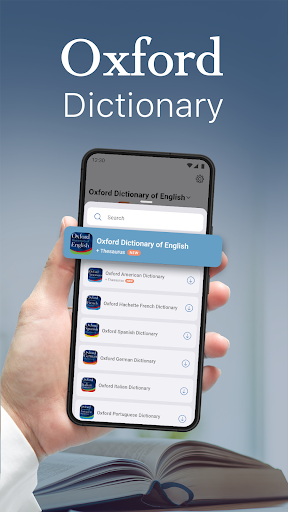
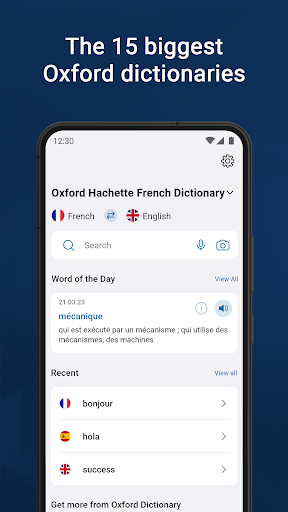
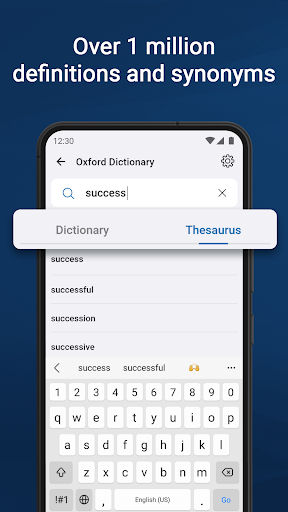
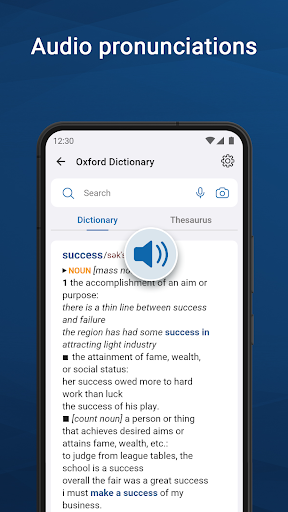
The 15 biggest Oxford dictionaries at your fingertips
Powered by Oxford Languages, Oxford Dictionary is widely regarded as one of the highest authorities in the study and reference of languages today. Easily switch and navigate between the 15 biggest Oxford dictionaries along with advanced search and learning tools.
· Oxford Dictionary of English & Thesaurus
· New Oxford American Dictionary & Thesaurus
· Oxford Hachette French Dictionary
· Oxford German Dictionary
· Oxford Spanish Dictionary
· Oxford Russian Dictionary
· Oxford Chinese Dictionary
· Oxford Paravia Italian Dictionary
· Oxford Hindi Dictionary
· Oxford English Urdu Dictionary
· Oxford Essential Portuguese Dictionary
· Oxford Japanese Mini Dictionary
· Oxford Greek Mini Dictionary
· Oxford Softpress English Bulgarian Minidictionary
· Concise Oxford-River Books English-Thai Dictionary
Oxford Dictionary is a valuable resource for anyone using a foreign language in an academic or professional context:
• Professionals actively using English
• Students preparing for ACT, SAT, IELTS or TOEFL exams
• Academics
As well as anyone else who needs a comprehensive and authoritative dictionary at work or at home.
RICH CONTENT
• The latest 2023 word database from Oxford Languages
• Over 1 million words, phrases, and definitions
• Thesaurus - thousands of synonyms & antonyms that help you distinguish between similar words and use them correctly
• Phrases – understand how a word is used in expressions by native speakers
• Special topics reference content – easily look up topic-specific content
• Word-of-the-day – expand your vocabulary by learning a new word, every day
ADVANCED LEARNING TOOLS
Not sure how to spell or pronounce a certain word or phrase? The dictionaries combine several search tools to match or suggest what you are looking for:
• Fuzzy search – find a word even if you don't know exactly how it is spelled
• Voice search – lookup a word without having to spell it
• Wild card search – use '*' or '?' to replace a letter or entire parts of a word
• Search autocomplete – displays predictions as you type
• Keyword lookup – search for compound words or phrases
• Camera search – look up words without having to type them
• Favourites list – create custom folders with lists of words
• Auto-correction option - correct the spelling of any word, as you type it
• Recent list – easily review already looked-up words
• Tap to translate entries in other apps
CUSTOMISABLE AND USER FRIENDLY EXPERIENCE
• Dark mode - choose fora more eye-friendly alternative
• Home page – an intuitive start for your journey into the English language
• Word sharing – share word definitions via the installed apps on your device
GET THE MOST WITH PREMIUM
Our premium subscription unlocks the full potential of the world’s best dictionary by providing you with the following:
• Unlimited synonyms lookups
• Audio pronunciation – never mispronounce another word again
• Offline and fast mode – access the wealth of the word database anywhere, anytime - no Internet connection is required
• 100% ad-free – enjoy an ad-free learning experience with no interruptions and distraction
Privacy policy: https://www.mobisystems.com/privacy-policy/
Terms of Use: https://www.mobisystems.com/terms-of-use/
もっと見る

1. MEmuインストーラーをダウンロードしてセットアップを完了する

2. MEmuを起動し、デスクトップでのPlayストアを開く

3. PlayストアでOxford Dictionary & Thesaurusを検索する
Install
4. Oxford Dictionary & Thesaurusをダウンロードしてインストールする
5. インストールが完了したら、アイコンをクリックしてスタート

6. MEmuを使ってパソコンでOxford Dictionary & Thesaurusを体験する
MEmu Playは現在、最高の無料Androidエミュレーターであり、5,000万人のユーザーが優れたAndroidアプリ体験を楽しんでいます。MEmuの仮想化テクノロジーにより、数千ものAndroidアプリをコンピューターでスムーズに実行できます。
大画面でより精細;無限の待機、電池とドラフィックの極限を超え
キーボード・マウス・コントローラーを全力でサポート、より快適
マルチインスタンスで複数のゲームを同時に実行
Use Oxford Dictionary & Thesaurus on PC by following steps: