Oxford Dictionary & Thesaurus
Updated
Current Version
15.6.1122
Offered By

Stop worrying about high battery drain when using Oxford Dictionary & Thesaurus on your phone. Free yourself from the tiny screen and enjoy the app on a much larger display. From now on, get a full-screen experience of your app with the convenience of a keyboard and mouse. MEmu offers you all the surprising features you’d expect: quick installation and easy setup, intuitive controls, and no more worries about battery life, mobile data, or unexpected calls. The all-new MEmu 9 is the choice for using Oxford Dictionary & Thesaurus on your computer. With the MEmu multi-instance manager, you can run two or more accounts at the same time. Most importantly, our exclusive emulation engine unlocks your PC’s full potential, delivering smooth and enjoyable performance.
Show more
Enjoy superb experience of using Oxford Dictionary & Thesaurus on PC with MEMU App Player. It's a powerful free Android emulator which provides you with thousands of android apps for their desktop version. Enjoy connecting with friends and polishing your work with higher efficiency! The 15 biggest Oxford dictionaries at your fingertips.
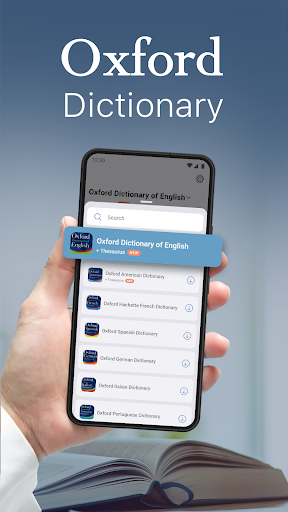
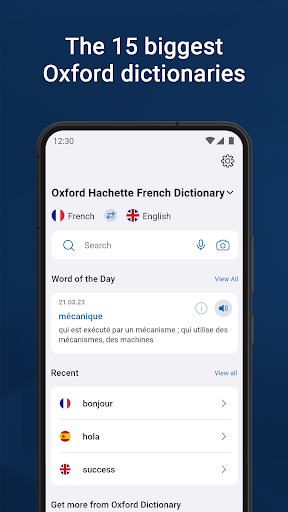
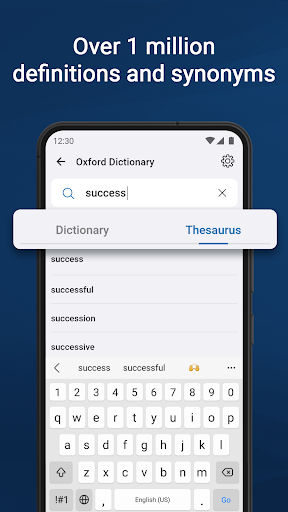
The 15 biggest Oxford dictionaries at your fingertips
Powered by Oxford Languages, Oxford Dictionary is widely regarded as one of the highest authorities in the study and reference of languages today. Easily switch and navigate between the 15 biggest Oxford dictionaries along with advanced search and learning tools.
· Oxford Dictionary of English & Thesaurus
· New Oxford American Dictionary & Thesaurus
· Oxford Hachette French Dictionary
· Oxford German Dictionary
· Oxford Spanish Dictionary
· Oxford Russian Dictionary
· Oxford Chinese Dictionary
· Oxford Paravia Italian Dictionary
· Oxford Hindi Dictionary
· Oxford English Urdu Dictionary
· Oxford Essential Portuguese Dictionary
· Oxford Japanese Mini Dictionary
· Oxford Greek Mini Dictionary
· Oxford Softpress English Bulgarian Minidictionary
· Concise Oxford-River Books English-Thai Dictionary
Oxford Dictionary is a valuable resource for anyone using a foreign language in an academic or professional context:
• Professionals actively using English
• Students preparing for ACT, SAT, IELTS or TOEFL exams
• Academics
As well as anyone else who needs a comprehensive and authoritative dictionary at work or at home.
RICH CONTENT
• The latest 2023 word database from Oxford Languages
• Over 1 million words, phrases, and definitions
• Thesaurus - thousands of synonyms & antonyms that help you distinguish between similar words and use them correctly
• Phrases – understand how a word is used in expressions by native speakers
• Special topics reference content – easily look up topic-specific content
• Word-of-the-day – expand your vocabulary by learning a new word, every day
ADVANCED LEARNING TOOLS
Not sure how to spell or pronounce a certain word or phrase? The dictionaries combine several search tools to match or suggest what you are looking for:
• Fuzzy search – find a word even if you don't know exactly how it is spelled
• Voice search – lookup a word without having to spell it
• Wild card search – use '*' or '?' to replace a letter or entire parts of a word
• Search autocomplete – displays predictions as you type
• Keyword lookup – search for compound words or phrases
• Camera search – look up words without having to type them
• Favourites list – create custom folders with lists of words
• Auto-correction option - correct the spelling of any word, as you type it
• Recent list – easily review already looked-up words
• Tap to translate entries in other apps
CUSTOMISABLE AND USER FRIENDLY EXPERIENCE
• Dark mode - choose fora more eye-friendly alternative
• Home page – an intuitive start for your journey into the English language
• Word sharing – share word definitions via the installed apps on your device
GET THE MOST WITH PREMIUM
Our premium subscription unlocks the full potential of the world’s best dictionary by providing you with the following:
• Unlimited synonyms lookups
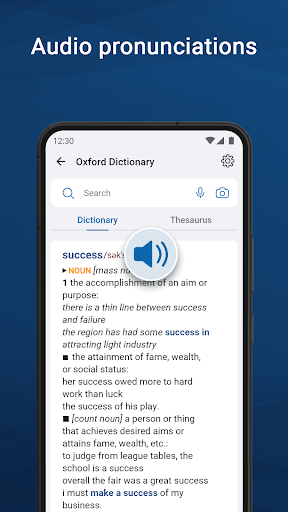
• Audio pronunciation – never mispronounce another word again
• Offline and fast mode – access the wealth of the word database anywhere, anytime - no Internet connection is required
• 100% ad-free – enjoy an ad-free learning experience with no interruptions and distraction
Privacy policy: https://www.mobisystems.com/privacy-policy/
Terms of Use: https://www.mobisystems.com/terms-of-use/
Show more

1. Download MEmu installer and finish the setup

2. Start MEmu then open Google Play on the desktop

3. Search Oxford Dictionary & Thesaurus in Google Play
Install
4. Download and Install Oxford Dictionary & Thesaurus
5. On install completion click the icon to start

6. Enjoy using Oxford Dictionary & Thesaurus on PC with MEmu
MEmu Play is the best Android emulator, and 100 million users already enjoy its superb Android app experience. Powered by advanced virtualization technology, it lets you enjoy thousands of Android apps smoothly on your PC—including the most graphics-intensive ones.
Bigger screen with better graphics; Long duration, without limitation of battery or mobile data.
Full Keymapping support for precise control of keyboard and mouse or gamepad.
Multiple game accounts or tasks on single PC at one time with Multi-Instance manager.
Use Oxford Dictionary & Thesaurus on PC by following steps: