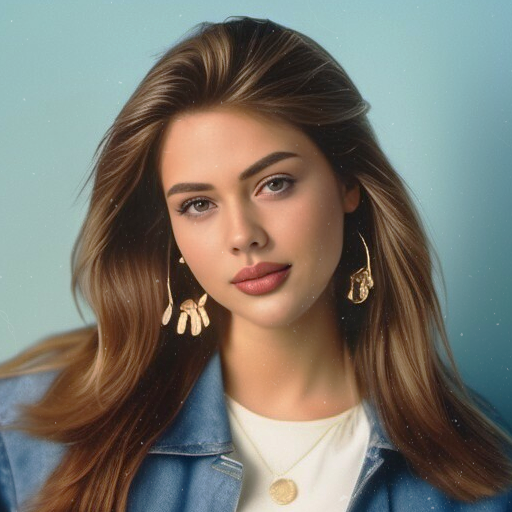
Photo Lab Picture Editor & Art
更新日
現在のバージョン
2
提供元

スマートフォンは不要!パソコンと同じようにキーボードとマウスで操作できます。MEmu Playは、あなたが待ち望んでいたすべての楽しみをお届けします。バッテリー残量や小さな画面を気にすることなく、Photo Lab Picture Editor & Artをご利用ください。最新のMEmu 9は、Photo Lab Picture Editor & ArtをPCで体験するのに最適です!完璧なキーマッピングシステムにより、PCのようなスムーズな操作性を実現します。マルチインスタンス機能により、複数のアプリケーションを同時に実行できます。独自の仮想化エンジンがPCのパフォーマンスを最大限に引き出します。アプリを使用するだけでなく、高品質な体験を得ることができます。
もっと見る
Photo Lab Picture Editor & ArtをPCでダウンロード!大画面でより楽しむ。電源が落ちてしまうとか通信料が足りないとかの問題を心配する必要がなく、PCの大画面でより快適にゲームを楽しましょう! Join AI photo editor Photo Lab which allows you to edit photos with face filters for pictures, stylish photo effects and lots of pic art ideas.
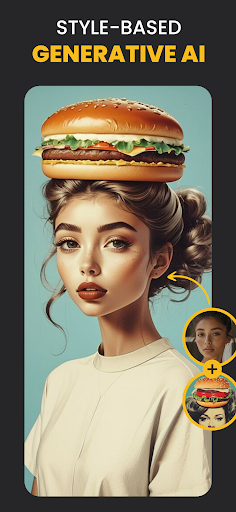
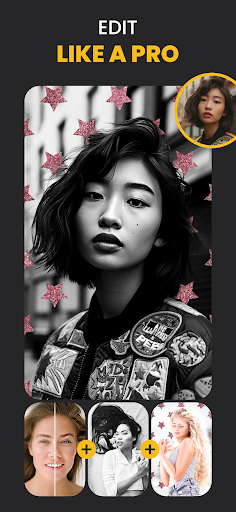
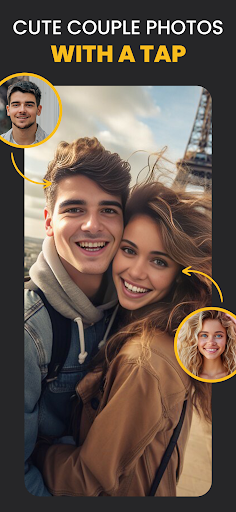
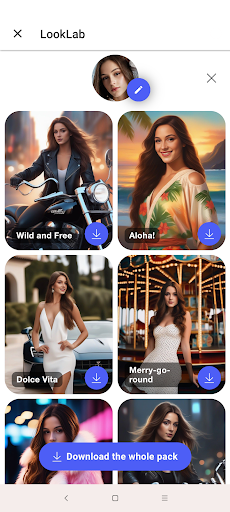
Join AI photo editor Photo Lab which allows you to edit photos with face filters for pictures, stylish photo effects and lots of pic art ideas. Fantastic face photo montage maker, photo frames, picture effects and filters are here for you to enjoy.
Neural Photo Art Styles
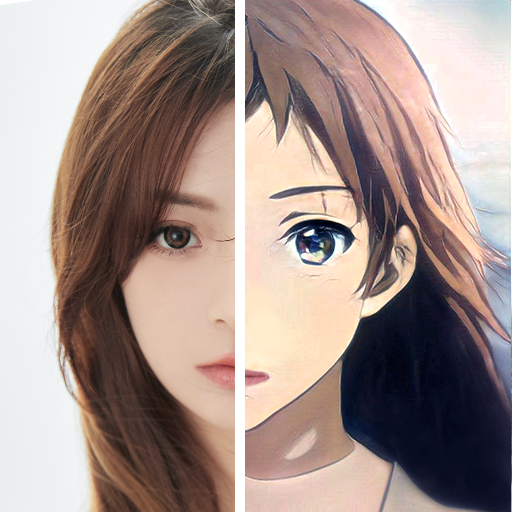
A new smart and quick way to turn any photo into an artwork — choose from over 50 pre-set styles and experience advanced photo editing with the emergence of ai photo styles.
Photo frames
Whether you're aiming to accentuate a beloved memory or seeking to add a polished finish to your photo, our diverse collection of exquisite photo frames provides the ideal solution. Just choose one of our beautiful frames and add a final touch to your favorite picture.
Realistic photo effects
This photo editor offers a range of captivating photo effects that can transform ordinary images into extraordinary visual creations. By applying these effects, you can add depth and character to your photos, turning simple snapshots into stunning works of art.
Face photo montages
Swap face easily and turn yourself or your friend into a cartoon character, a doll or any other look. The most complicated photo montages are handled automatically by a face detection algorithm to create the most unusual selfies.
Photo background editor
Use this advanced picture editor to easily and quickly erase and change backgrounds of your selfie with many creative background templates.
Photo filters
You don't need a pro photo editor to add some style to your images. Use various photo filters such as 3d photo, cartoon, vintage, anime, black&white, oil painting and many more to create different moods and atmospheres in your photos.
Photo collages
Create a wonderful pic collage. Seamlessly combine multiple images to craft captivating visual narratives that tell a story beyond a single frame.
Make your image look creative in seconds without using a professional picture editor and set it as a profile pic, share it to any social network or send a signed virtual postcard to friends.
Please note that Photo Lab is an Internet-based application. It helps us keep your devices' memory free from tons of resources required to create high-quality artworks of your photos.
Photo Lab as an ai photo editor offers everything you want to enhance your photo and add originality to your selfie. Bring your creativity to life and edit photos with our face filters and stylish photo effects.
Linerock Investments LTD acts as the data controller for all data collected and subsequently processed during your access and use of this App. The App Developer ensures the distribution of the app on Google Play. This is manifestly declared in the Privacy Policy for this App.
もっと見る

1. MEmuインストーラーをダウンロードしてセットアップを完了する

2. MEmuを起動し、デスクトップでのPlayストアを開く

3. PlayストアでPhoto Lab Picture Editor & Artを検索する
Install
4. Photo Lab Picture Editor & Artをダウンロードしてインストールする
5. インストールが完了したら、アイコンをクリックしてスタート

6. MEmuを使ってパソコンでPhoto Lab Picture Editor & Artを体験する
MEmu Playは現在、最高の無料Androidエミュレーターであり、5,000万人のユーザーが優れたAndroidアプリ体験を楽しんでいます。MEmuの仮想化テクノロジーにより、数千ものAndroidアプリをコンピューターでスムーズに実行できます。
大画面でより精細;無限の待機、電池とドラフィックの極限を超え
キーボード・マウス・コントローラーを全力でサポート、より快適
マルチインスタンスで複数のゲームを同時に実行
Use Photo Lab Picture Editor & Art on PC by following steps: