Eyepic: Epic Iris Photos
更新日
現在のバージョン
7.1.1
提供元

スマートフォンは不要!パソコンと同じようにキーボードとマウスで操作できます。MEmu Playは、あなたが待ち望んでいたすべての楽しみをお届けします。バッテリー残量や小さな画面を気にすることなく、Eyepic: Epic Iris Photosをご利用ください。最新のMEmu 9は、Eyepic: Epic Iris PhotosをPCで体験するのに最適です!完璧なキーマッピングシステムにより、PCのようなスムーズな操作性を実現します。マルチインスタンス機能により、複数のアプリケーションを同時に実行できます。独自の仮想化エンジンがPCのパフォーマンスを最大限に引き出します。アプリを使用するだけでなく、高品質な体験を得ることができます。
もっと見る
Eyepic: Epic Iris PhotosをPCでダウンロード!大画面でより楽しむ。電源が落ちてしまうとか通信料が足りないとかの問題を心配する必要がなく、PCの大画面でより快適にゲームを楽しましょう! Introducing Eyepic, an AI-powered camera app designed to take beautiful, detailed photos of your iris.
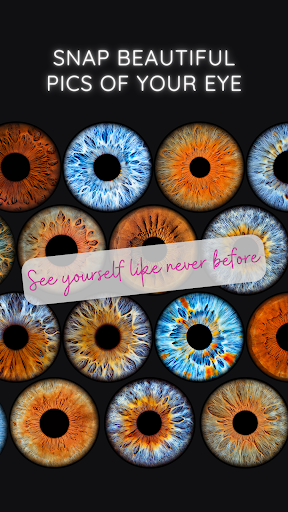
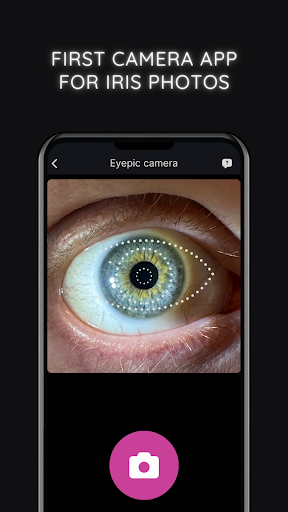
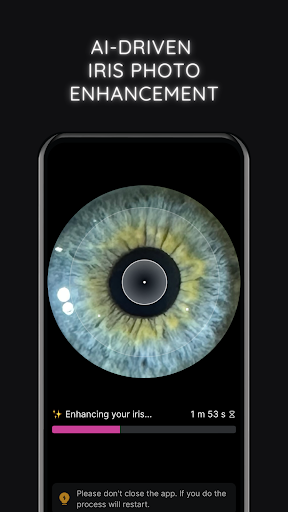
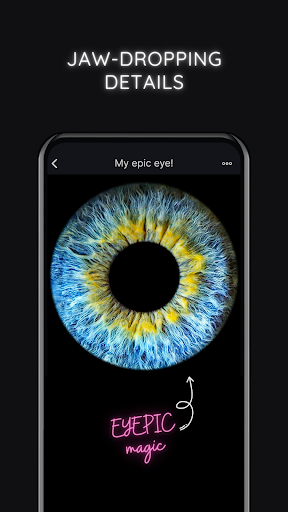
Introducing Eyepic, an AI-powered camera app designed to take beautiful, detailed photos of your iris.
Simply capture a photo of your eye, and allow our crazy-smart AI algorithm to enhance and reveal its fascinating details with remarkable clarity.
Show off your epic eye snaps directly from the app to your social feeds or share them with your loved ones.
Give your eyes the spotlight they deserve!
AI-Powered Eye Photo Enhancement
Capture stunning eye photos with ease using Eyepic's crazy-smart technology.
Designed specifically to handle the complexities of eye photography, our AI algorithms swiftly enhance your eye shots, revealing the remarkable details of your unique iris. Just snap a pic and let our AI do the hard work.
In-App Eye Photo Editing
After our AI does its magic, you can add your own touch.
Adjust the contrast to make your images pop, or use the saturation tool to enhance the natural hues of your iris.
Looking to highlight the coolness of blue eyes or to bring out the warmth in brown eyes? Just slide the temperature bar to find the perfect balance.
With Eyepic, you can experiment and make your eye photos look just how you want them to!
One-Tap Sharing
Once Eyepic's clever tech has taken your photos to the next level, a single tap sends your amazing iris photo from the app straight to your favorite social media platforms. Let your friends and followers marvel at your epic eye art. You can also share personalized animation videos that give an insider's view of your eye enhancement journey.
High-Quality Downloads
Download a high-res image of your epic eye art, all set for sharing, printing, or personalizing your devices with unique wallpapers. Get an animated video showing your eye's transformation, primed for social sharing.
Smartwatch Face
Create a one-of-a-kind smartwatch face with Eyepic. Download a watch face featuring a stunning photo of your eye, adding a personal touch to your wrist that truly reflects your uniqueness.
もっと見る

1. MEmuインストーラーをダウンロードしてセットアップを完了する

2. MEmuを起動し、デスクトップでのPlayストアを開く

3. PlayストアでEyepic: Epic Iris Photosを検索する
Install
4. Eyepic: Epic Iris Photosをダウンロードしてインストールする
5. インストールが完了したら、アイコンをクリックしてスタート

6. MEmuを使ってパソコンでEyepic: Epic Iris Photosを体験する
MEmu Playは現在、最高の無料Androidエミュレーターであり、5,000万人のユーザーが優れたAndroidアプリ体験を楽しんでいます。MEmuの仮想化テクノロジーにより、数千ものAndroidアプリをコンピューターでスムーズに実行できます。
大画面でより精細;無限の待機、電池とドラフィックの極限を超え
キーボード・マウス・コントローラーを全力でサポート、より快適
マルチインスタンスで複数のゲームを同時に実行
Use Eyepic: Epic Iris Photos on PC by following steps: