Poster Maker - Flyer Creator,
更新日
現在のバージョン
1.2.7
提供元

スマートフォンは不要!パソコンと同じようにキーボードとマウスで操作できます。MEmu Playは、あなたが待ち望んでいたすべての楽しみをお届けします。バッテリー残量や小さな画面を気にすることなく、Poster Maker - Flyer Creator,をご利用ください。最新のMEmu 9は、Poster Maker - Flyer Creator,をPCで体験するのに最適です!完璧なキーマッピングシステムにより、PCのようなスムーズな操作性を実現します。マルチインスタンス機能により、複数のアプリケーションを同時に実行できます。独自の仮想化エンジンがPCのパフォーマンスを最大限に引き出します。アプリを使用するだけでなく、高品質な体験を得ることができます。
もっと見る
Poster Maker - Flyer Creator,をPCでダウンロード!大画面でより楽しむ。電源が落ちてしまうとか通信料が足りないとかの問題を心配する必要がなく、PCの大画面でより快適にゲームを楽しましょう! Are you looking to promote your business, on social media or make cards for any special occasion?
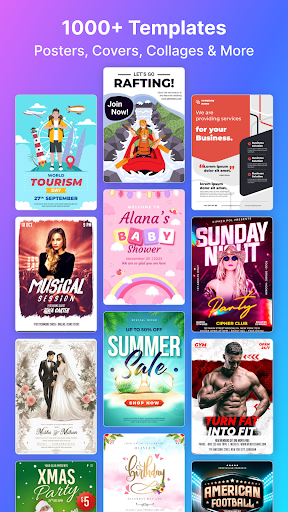
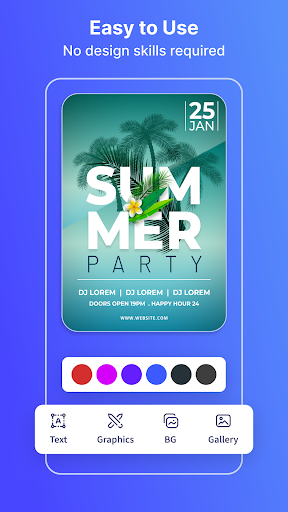
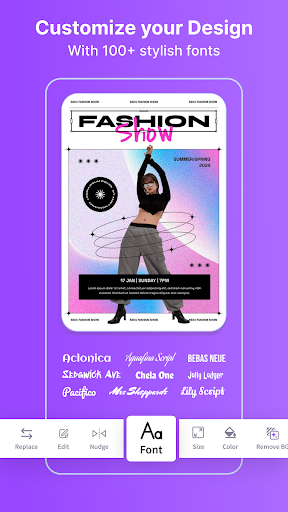
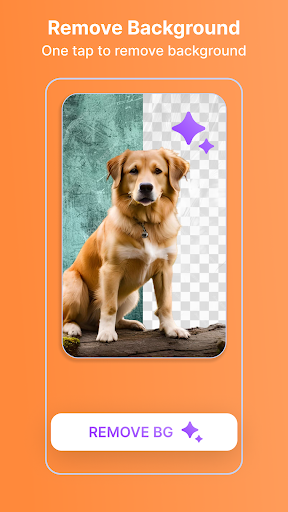
Are you looking to promote your business, on social media or make cards for any special occasion? Look no further than the Poster Maker App! Design stunning promotional posters, flyers, social media posts, collages, and cards easily using the Poster Maker & Flyer Maker App. With a massive selection of templates and tools, you can create stunning designs in just a few minutes. Whether you’re a seasoned designer or a complete novice, this app is perfect for anyone who wants to create beautiful designs without hassle.
Empowering Your Creativity: Design Freely with our Poster Maker App!
Flyers
Posters
Collages
Social media post
Banners
Event posters
Holiday cards
Valentines posters
Invitation posters
Birthday posters
Social media cover
Wallpapers
Facebook stories
Instagram stories
Graphic design
Canva design
Post
Leaflet
Canva
Flier
Designs
Category in the poster: Christmas, Black Friday, Corporate, Business, Interior, Fitness, Music, Real Estate, Restaurant, Reopening, NFT, Travel, Car Wash, Festival, Event, Fashion, Medical, GYM, Sports, Birthday, Wedding, Baby Shower, Wish, Party, Partying, Education and 20+ more category
Customizable templates:
Poster Maker App has a growing library of customizable design templates. We have many categories of templates ready to give you a great start. With just a few taps, you can edit the fonts, colors, and styles and create a fantastic design that reflects your personality, style, and brand identity.
Easy to use:
Create high-quality posters, flyers, collages, cards & social media posts with the Poster Maker App. You can create a professional design in minutes. Poster Maker provides a wide range of templates and layouts from which you can choose. You can easily find the perfect design for your project. With AI Poster Maker's powerful editing, we have all the tools available for you to easily create designs with no design experience necessary.
Carefully curated template library:
We know the importance of marketing and value your time. So, Our editor curated the best designs created by professional designers from scratch with various users in mind. So, you don't have to worry about a design that conveys your personality, style, and brand message with ease.
Key Features:
1. 10000+ creative flyer and poster templates
2. Select a flyer or poster template and customize
3. AI background remove
4. Backgrounds, stickers, shapes, icons, illustrations
5. Free fonts
6. Crop images in various shapes
7. Multiple Layers
8. Undo/Redo
9. Re-Edit
10. Save in the gallery
11. SHARE on Social Media
Poster Maker Subscriptions:
If Enjoy all the stunning features and templates without ads, the Poster & Flyer Maker App offers 2 auto-renewing subscription options:
3-day trial then
Yearly $12.99 per year (73% off)
Weekly $3.99 week
- You can subscribe for unlimited access to all features and content offered for purchases without ads in the Poster and Flyer Maker App
- Subscriptions are billed monthly and yearly on the subscription plan
- Payment for Poster Maker PRO will be charged to your Google Play Account at confirmation of purchase.
- Subscription will automatically renew unless auto-renew is turned off within your Google Play Account at least 24 hours before the end of the current subscription billing period.
- No cancellation of the current subscription is allowed during the active subscription period.
Please rate this free poster maker, and free flyer maker app and give your feedback to help us improve and create many more unique apps for you.
------------
For support, email us: arkstudioapp@gmail.com
Poster Maker Privacy Policy:
Privay_URL
https://arkstudio.app/privacy-policy.html
Terms_URL
https://arkstudio.app/terms-and-conditions.html
もっと見る

1. MEmuインストーラーをダウンロードしてセットアップを完了する

2. MEmuを起動し、デスクトップでのPlayストアを開く

3. PlayストアでPoster Maker - Flyer Creator,を検索する
Install
4. Poster Maker - Flyer Creator,をダウンロードしてインストールする
5. インストールが完了したら、アイコンをクリックしてスタート

6. MEmuを使ってパソコンでPoster Maker - Flyer Creator,を体験する
MEmu Playは現在、最高の無料Androidエミュレーターであり、5,000万人のユーザーが優れたAndroidアプリ体験を楽しんでいます。MEmuの仮想化テクノロジーにより、数千ものAndroidアプリをコンピューターでスムーズに実行できます。
大画面でより精細;無限の待機、電池とドラフィックの極限を超え
キーボード・マウス・コントローラーを全力でサポート、より快適
マルチインスタンスで複数のゲームを同時に実行
Use Poster Maker - Flyer Creator, on PC by following steps: