
Premier League - Official App
更新日
現在のバージョン
v2.8.2.4754
提供元

スマートフォンは不要!パソコンと同じようにキーボードとマウスで操作できます。MEmu Playは、あなたが待ち望んでいたすべての楽しみをお届けします。バッテリー残量や小さな画面を気にすることなく、Premier League - Official Appをご利用ください。最新のMEmu 9は、Premier League - Official AppをPCで体験するのに最適です!完璧なキーマッピングシステムにより、PCのようなスムーズな操作性を実現します。マルチインスタンス機能により、複数のアプリケーションを同時に実行できます。独自の仮想化エンジンがPCのパフォーマンスを最大限に引き出します。アプリを使用するだけでなく、高品質な体験を得ることができます。
もっと見る
Premier League - Official AppをPCでダウンロード!大画面でより楽しむ。電源が落ちてしまうとか通信料が足りないとかの問題を心配する必要がなく、PCの大画面でより快適にゲームを楽しましょう! Official and free to download, the Premier League's app (PL) is the definitive companion to the world’s most watched league.
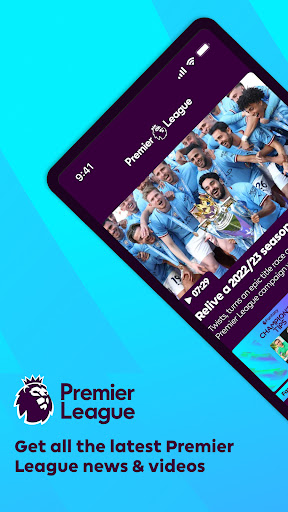
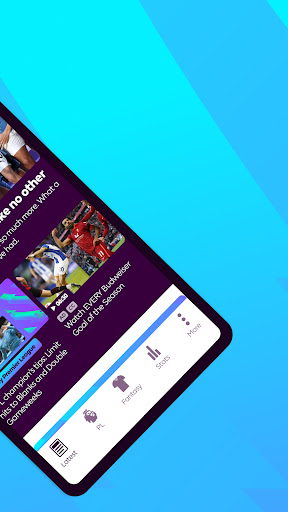
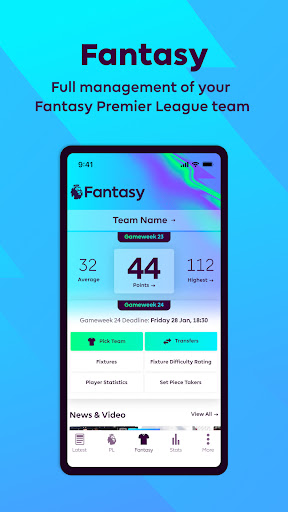
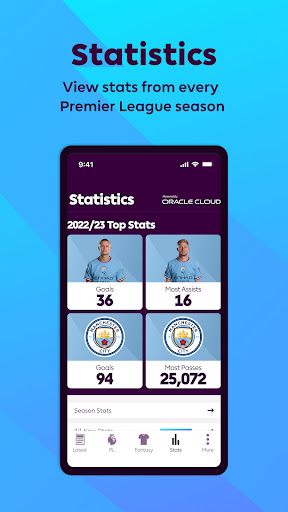
Official and free to download, the Premier League's app (PL) is the definitive companion to the world’s most watched league.
Manage your Fantasy Premier League team, research 27 years’ of statistics and watch some of the greatest moments in the League’s history. This is Premier League.
- Full management of your Fantasy Premier League team
- Matchday Live for live blogging and updates on every Premier League fixture
- Fixtures, Results & Tables for competitions including PL2, U18 and Champions League
- Video highlights of some of the world’s best players in action
- Premier League news and features from your favourite Club
- Detailed statistics providing insight on key performers in each position
- In-depth profiles on all players to have played for a Premier League Club
- Profiles on every Club in the Premier League’s 27-year history
PL is available free of charge for as long as you want it, with regular updates throughout each season. Push notifications are also available for you to control the information you wish to be alerted to.
—
Clubs to have featured in the Premier League’s 27-year history and reflected within the app are: Arsenal, Aston Villa, Barnsley, Birmingham City, Blackburn Rovers, Blackpool, Bolton Wanderers, AFC Bournemouth, Bradford City, Brighton and Hove Albion, Burnley, Cardiff City, Charlton Athletic, Chelsea, Coventry City, Crystal Palace, Derby County, Everton, Fulham, Huddersfield, Hull City, Ipswich Town, Leeds United, Leicester City, Liverpool, Manchester City, Manchester United, Middlesbrough, Newcastle United, Norwich City, Nottingham Forest, Oldham Athletic, Portsmouth, Queens Park Rangers, Reading, Sheffield United, Sheffield Wednesday, Southampton, Stoke City, Sunderland, Swansea City, Swindon Town, Tottenham Hotspur, Watford, West Bromwich Albion, West Ham United, Wigan Athletic, Wimbledon, Wolverhampton Wanderers.
---
もっと見る

1. MEmuインストーラーをダウンロードしてセットアップを完了する

2. MEmuを起動し、デスクトップでのPlayストアを開く

3. PlayストアでPremier League - Official Appを検索する
Install
4. Premier League - Official Appをダウンロードしてインストールする
5. インストールが完了したら、アイコンをクリックしてスタート

6. MEmuを使ってパソコンでPremier League - Official Appを体験する
MEmu Playは現在、最高の無料Androidエミュレーターであり、5,000万人のユーザーが優れたAndroidアプリ体験を楽しんでいます。MEmuの仮想化テクノロジーにより、数千ものAndroidアプリをコンピューターでスムーズに実行できます。
大画面でより精細;無限の待機、電池とドラフィックの極限を超え
キーボード・マウス・コントローラーを全力でサポート、より快適
マルチインスタンスで複数のゲームを同時に実行
Use Premier League - Official App on PC by following steps: