Premier League - Official App
Updated
Current Version
v2.8.2.4754
Offered By

Stop worrying about high battery drain when using Premier League - Official App on your phone. Free yourself from the tiny screen and enjoy the app on a much larger display. From now on, get a full-screen experience of your app with the convenience of a keyboard and mouse. MEmu offers you all the surprising features you’d expect: quick installation and easy setup, intuitive controls, and no more worries about battery life, mobile data, or unexpected calls. The all-new MEmu 9 is the choice for using Premier League - Official App on your computer. With the MEmu multi-instance manager, you can run two or more accounts at the same time. Most importantly, our exclusive emulation engine unlocks your PC’s full potential, delivering smooth and enjoyable performance.
Show more
Enjoy superb experience of using Premier League - Official App on PC with MEMU App Player. It's a powerful free Android emulator which provides you with thousands of android apps for their desktop version. Enjoy connecting with friends and polishing your work with higher efficiency! Official and free to download, the Premier League's app (PL) is the definitive companion to the world’s most watched league.
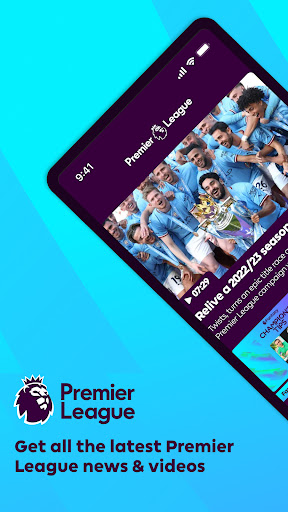
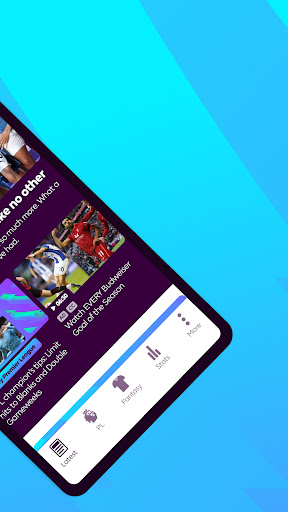
Official and free to download, the Premier League's app (PL) is the definitive companion to the world’s most watched league.
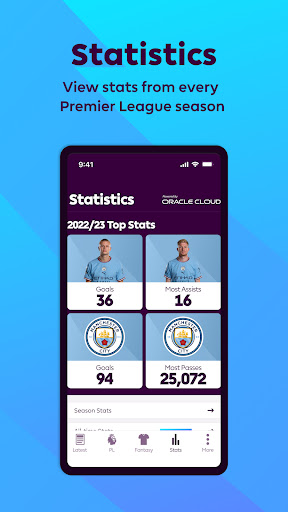
Manage your Fantasy Premier League team, research 27 years’ of statistics and watch some of the greatest moments in the League’s history. This is Premier League.
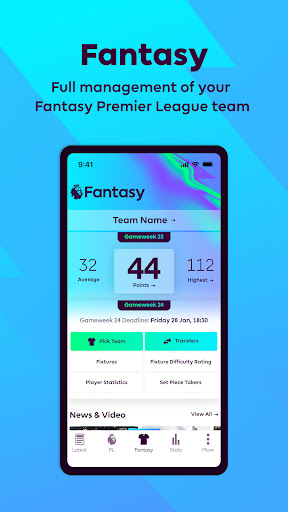
- Full management of your Fantasy Premier League team
- Matchday Live for live blogging and updates on every Premier League fixture
- Fixtures, Results & Tables for competitions including PL2, U18 and Champions League
- Video highlights of some of the world’s best players in action
- Premier League news and features from your favourite Club
- Detailed statistics providing insight on key performers in each position
- In-depth profiles on all players to have played for a Premier League Club
- Profiles on every Club in the Premier League’s 27-year history
PL is available free of charge for as long as you want it, with regular updates throughout each season. Push notifications are also available for you to control the information you wish to be alerted to.
—
Clubs to have featured in the Premier League’s 27-year history and reflected within the app are: Arsenal, Aston Villa, Barnsley, Birmingham City, Blackburn Rovers, Blackpool, Bolton Wanderers, AFC Bournemouth, Bradford City, Brighton and Hove Albion, Burnley, Cardiff City, Charlton Athletic, Chelsea, Coventry City, Crystal Palace, Derby County, Everton, Fulham, Huddersfield, Hull City, Ipswich Town, Leeds United, Leicester City, Liverpool, Manchester City, Manchester United, Middlesbrough, Newcastle United, Norwich City, Nottingham Forest, Oldham Athletic, Portsmouth, Queens Park Rangers, Reading, Sheffield United, Sheffield Wednesday, Southampton, Stoke City, Sunderland, Swansea City, Swindon Town, Tottenham Hotspur, Watford, West Bromwich Albion, West Ham United, Wigan Athletic, Wimbledon, Wolverhampton Wanderers.
---
Show more

1. Download MEmu installer and finish the setup

2. Start MEmu then open Google Play on the desktop

3. Search Premier League - Official App in Google Play
Install
4. Download and Install Premier League - Official App
5. On install completion click the icon to start

6. Enjoy using Premier League - Official App on PC with MEmu
MEmu Play is the best Android emulator, and 100 million users already enjoy its superb Android app experience. Powered by advanced virtualization technology, it lets you enjoy thousands of Android apps smoothly on your PC—including the most graphics-intensive ones.
Bigger screen with better graphics; Long duration, without limitation of battery or mobile data.
Full Keymapping support for precise control of keyboard and mouse or gamepad.
Multiple game accounts or tasks on single PC at one time with Multi-Instance manager.
Use Premier League - Official App on PC by following steps: