
Proton Mail: Encrypted Email
更新日
現在のバージョン
4.4.1
提供元

スマートフォンは不要!パソコンと同じようにキーボードとマウスで操作できます。MEmu Playは、あなたが待ち望んでいたすべての楽しみをお届けします。バッテリー残量や小さな画面を気にすることなく、Proton Mail: Encrypted Emailをご利用ください。最新のMEmu 9は、Proton Mail: Encrypted EmailをPCで体験するのに最適です!完璧なキーマッピングシステムにより、PCのようなスムーズな操作性を実現します。マルチインスタンス機能により、複数のアプリケーションを同時に実行できます。独自の仮想化エンジンがPCのパフォーマンスを最大限に引き出します。アプリを使用するだけでなく、高品質な体験を得ることができます。
もっと見る
Proton Mail: Encrypted EmailをPCでダウンロード!大画面でより楽しむ。電源が落ちてしまうとか通信料が足りないとかの問題を心配する必要がなく、PCの大画面でより快適にゲームを楽しましょう! Keep your conversations private.
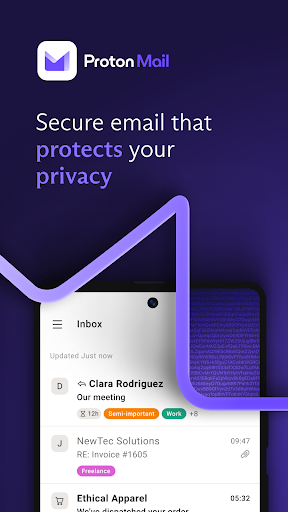
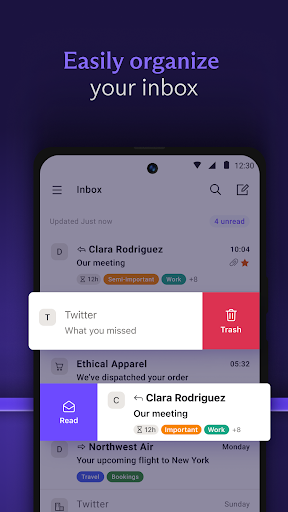
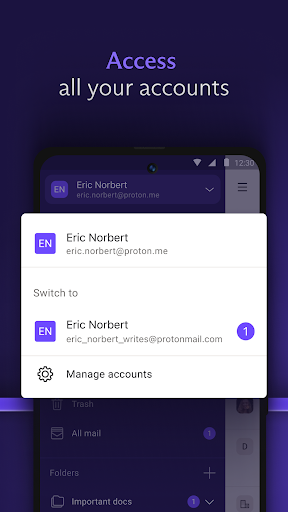
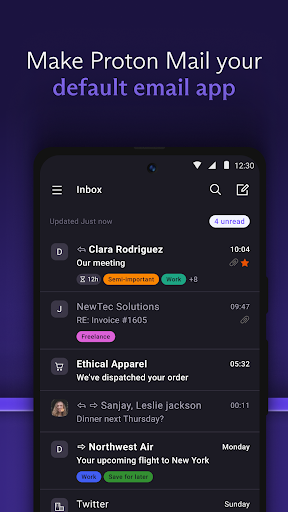
Keep your conversations private. Proton Mail is encrypted email from Switzerland. Used by millions worldwide, our all-new email app protects your communications and has everything you need to easily manage your inbox.
The Wall Street Journal says:
“Proton Mail offers encrypted email, which makes it virtually impossible for anyone to read it except the sender and the recipient.”
With the all-new Proton Mail app, you can:
• Create a @proton.me or @protonmail.com email address
• Send and receive encrypted emails and attachments with ease
• Switch between multiple Proton Mail accounts
• Keep your inbox tidy and clean with folders, labels and simple swipe-gestures
• Receive new email notifications
• Send Password-protected Emails to anyone
• Enjoy your inbox in dark mode
Why use Proton Mail?
• Proton Mail is free — We believe everyone deserves privacy. Upgrade to a paid plan to get more done and support our mission.
• Easy to use — Our all-new app has been redesigned to make it easier to read, organize, and write your emails.
• Your inbox is yours — We don’t spy on your communications to show you targeted ads. Your inbox, your rules.
• Rigorous encryption — Your inbox is secured on all your devices. No one can read your emails but you. Proton is privacy, guaranteed by end-to-end and zero-access encryption.
• Unmatched protection — We offer strong phishing, spam, and spying/tracking protection.
Industry Leading Security Features
Messages are stored on Proton Mail servers using end-to-end encryption at all times and are transmitted securely between Proton servers and user devices. This largely eliminates the risk of message interception.
Zero Access to Your Email Content
Proton Mail's zero access architecture means that your data is encrypted in a way that makes it inaccessible to us. Data is encrypted on the client side using an encryption key that Proton does not have access to. This means we don't have the technical ability to decrypt your messages.
Open-Source Cryptography
Proton Mail's open-source software has been thoroughly vetted by security experts from around the world to ensure the highest levels of protection. Proton Mail only uses secure implementations of AES, RSA, along with OpenPGP, while all of the cryptographic libraries used are open source. By using open-source libraries, Proton Mail can guarantee that the encryption algorithms used do not have clandestinely built-in back doors.
Proton Mail in the press:
“Proton Mail is an email system which uses end-to-end encryption, making it impossible for outside parties to monitor.” Forbes
“A new email service being developed by a group from MIT that met at CERN promises to bring secure, encrypted email to the masses and keep sensitive information away from prying eyes.” Huffington Post
Follow Proton on social media for all the latest news and offers:
Facebook: /proton
Twitter: @protonprivacy
Reddit: /protonmail
Instagram: /protonprivacy
For more information, visit: https://proton.me/mail
Our open-source code base: https://github.com/ProtonMail
もっと見る

1. MEmuインストーラーをダウンロードしてセットアップを完了する

2. MEmuを起動し、デスクトップでのPlayストアを開く

3. PlayストアでProton Mail: Encrypted Emailを検索する
Install
4. Proton Mail: Encrypted Emailをダウンロードしてインストールする
5. インストールが完了したら、アイコンをクリックしてスタート

6. MEmuを使ってパソコンでProton Mail: Encrypted Emailを体験する
MEmu Playは現在、最高の無料Androidエミュレーターであり、5,000万人のユーザーが優れたAndroidアプリ体験を楽しんでいます。MEmuの仮想化テクノロジーにより、数千ものAndroidアプリをコンピューターでスムーズに実行できます。
大画面でより精細;無限の待機、電池とドラフィックの極限を超え
キーボード・マウス・コントローラーを全力でサポート、より快適
マルチインスタンスで複数のゲームを同時に実行
Use Proton Mail: Encrypted Email on PC by following steps: