
Proton Mail: Encrypted Email
Updated
Current Version
4.4.1
Offered By

Stop worrying about high battery drain when using Proton Mail: Encrypted Email on your phone. Free yourself from the tiny screen and enjoy the app on a much larger display. From now on, get a full-screen experience of your app with the convenience of a keyboard and mouse. MEmu offers you all the surprising features you’d expect: quick installation and easy setup, intuitive controls, and no more worries about battery life, mobile data, or unexpected calls. The all-new MEmu 9 is the choice for using Proton Mail: Encrypted Email on your computer. With the MEmu multi-instance manager, you can run two or more accounts at the same time. Most importantly, our exclusive emulation engine unlocks your PC’s full potential, delivering smooth and enjoyable performance.
Show more
Enjoy superb experience of using Proton Mail: Encrypted Email on PC with MEMU App Player. It's a powerful free Android emulator which provides you with thousands of android apps for their desktop version. Enjoy connecting with friends and polishing your work with higher efficiency! Keep your conversations private.
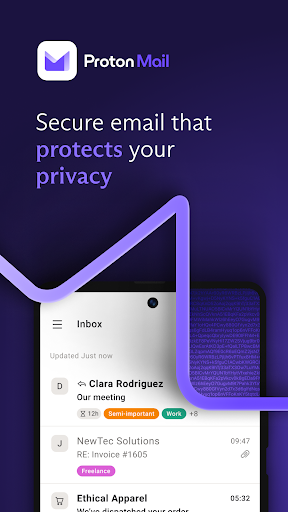
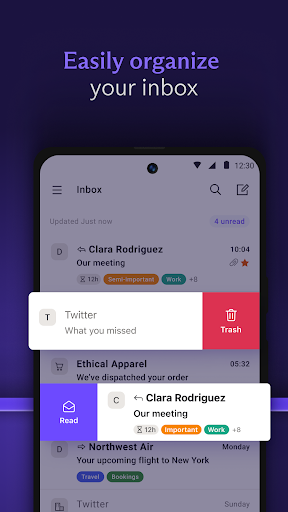
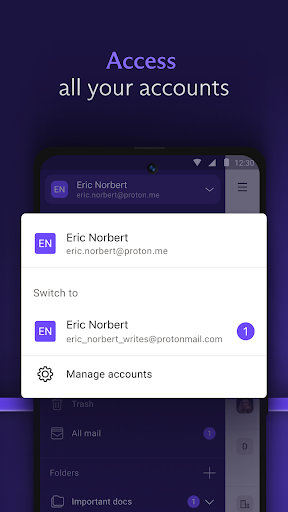
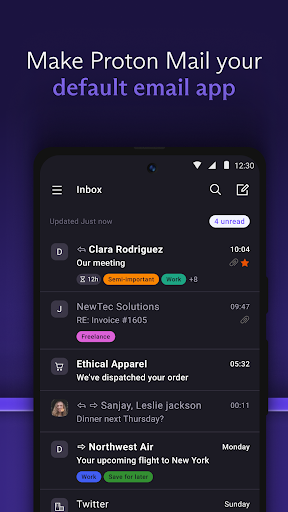
Keep your conversations private. Proton Mail is encrypted email from Switzerland. Used by millions worldwide, our all-new email app protects your communications and has everything you need to easily manage your inbox.
The Wall Street Journal says:
“Proton Mail offers encrypted email, which makes it virtually impossible for anyone to read it except the sender and the recipient.”
With the all-new Proton Mail app, you can:
• Create a @proton.me or @protonmail.com email address
• Send and receive encrypted emails and attachments with ease
• Switch between multiple Proton Mail accounts
• Keep your inbox tidy and clean with folders, labels and simple swipe-gestures
• Receive new email notifications
• Send Password-protected Emails to anyone
• Enjoy your inbox in dark mode
Why use Proton Mail?
• Proton Mail is free — We believe everyone deserves privacy. Upgrade to a paid plan to get more done and support our mission.
• Easy to use — Our all-new app has been redesigned to make it easier to read, organize, and write your emails.
• Your inbox is yours — We don’t spy on your communications to show you targeted ads. Your inbox, your rules.
• Rigorous encryption — Your inbox is secured on all your devices. No one can read your emails but you. Proton is privacy, guaranteed by end-to-end and zero-access encryption.
• Unmatched protection — We offer strong phishing, spam, and spying/tracking protection.
Industry Leading Security Features
Messages are stored on Proton Mail servers using end-to-end encryption at all times and are transmitted securely between Proton servers and user devices. This largely eliminates the risk of message interception.
Zero Access to Your Email Content
Proton Mail's zero access architecture means that your data is encrypted in a way that makes it inaccessible to us. Data is encrypted on the client side using an encryption key that Proton does not have access to. This means we don't have the technical ability to decrypt your messages.
Open-Source Cryptography
Proton Mail's open-source software has been thoroughly vetted by security experts from around the world to ensure the highest levels of protection. Proton Mail only uses secure implementations of AES, RSA, along with OpenPGP, while all of the cryptographic libraries used are open source. By using open-source libraries, Proton Mail can guarantee that the encryption algorithms used do not have clandestinely built-in back doors.
Proton Mail in the press:
“Proton Mail is an email system which uses end-to-end encryption, making it impossible for outside parties to monitor.” Forbes
“A new email service being developed by a group from MIT that met at CERN promises to bring secure, encrypted email to the masses and keep sensitive information away from prying eyes.” Huffington Post
Follow Proton on social media for all the latest news and offers:
Facebook: /proton
Twitter: @protonprivacy
Reddit: /protonmail
Instagram: /protonprivacy
For more information, visit: https://proton.me/mail
Our open-source code base: https://github.com/ProtonMail
Show more

1. Download MEmu installer and finish the setup

2. Start MEmu then open Google Play on the desktop

3. Search Proton Mail: Encrypted Email in Google Play
Install
4. Download and Install Proton Mail: Encrypted Email
5. On install completion click the icon to start

6. Enjoy using Proton Mail: Encrypted Email on PC with MEmu
MEmu Play is the best Android emulator, and 100 million users already enjoy its superb Android app experience. Powered by advanced virtualization technology, it lets you enjoy thousands of Android apps smoothly on your PC—including the most graphics-intensive ones.
Bigger screen with better graphics; Long duration, without limitation of battery or mobile data.
Full Keymapping support for precise control of keyboard and mouse or gamepad.
Multiple game accounts or tasks on single PC at one time with Multi-Instance manager.
Use Proton Mail: Encrypted Email on PC by following steps:























![[3D Platformer] Super Bear Adventure PC](https://dl.memuplay.com/new_market/img/com.Earthkwak.Platformer.icon.2024-09-08-15-16-43.png)








