Stardust: Period & Pregnancy
更新日
現在のバージョン
4.12.0
提供元

スマートフォンは不要!パソコンと同じようにキーボードとマウスで操作できます。MEmu Playは、あなたが待ち望んでいたすべての楽しみをお届けします。バッテリー残量や小さな画面を気にすることなく、Stardust: Period & Pregnancyをご利用ください。最新のMEmu 9は、Stardust: Period & PregnancyをPCで体験するのに最適です!完璧なキーマッピングシステムにより、PCのようなスムーズな操作性を実現します。マルチインスタンス機能により、複数のアプリケーションを同時に実行できます。独自の仮想化エンジンがPCのパフォーマンスを最大限に引き出します。アプリを使用するだけでなく、高品質な体験を得ることができます。
もっと見る
Stardust: Period & PregnancyをPCでダウンロード!大画面でより楽しむ。電源が落ちてしまうとか通信料が足りないとかの問題を心配する必要がなく、PCの大画面でより快適にゲームを楽しましょう! Stardust is a period, pregnancy, and hormone tracker health app that teaches you how to work with the phases of your cycle.
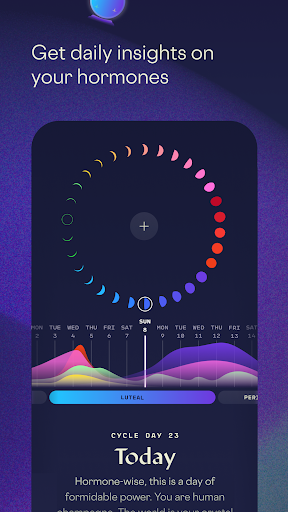
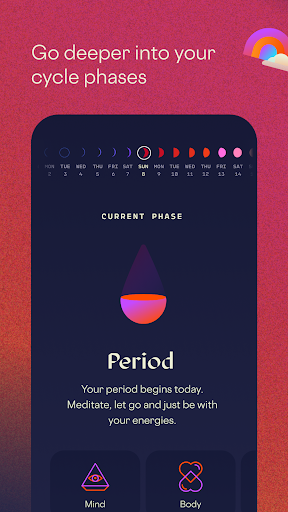
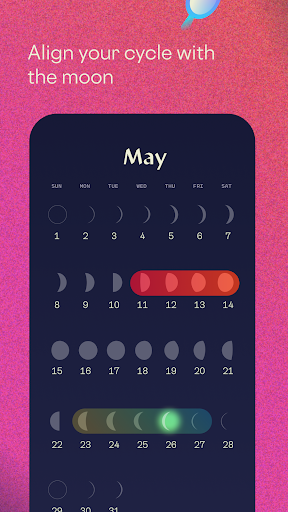
Stardust is a period, pregnancy, and hormone tracker health app that teaches you how to work with the phases of your cycle. We integrate science, ancient wisdom, astronomy and AI to help you understand the magic of your cycle, track your experiences, manifest goals, and befriend your body.
Whether you are trying to predict your period or ovulation, get pregnant, track pregnancy, understand your symptoms, or just want to form a deeper connection to your body and see how your period syncs with the moon calendar, Stardust has you covered.
• Get personal daily insights into your cycle and hormonal expertise
• Predictions for your period, PMS symptoms, cravings, moods, and fertility
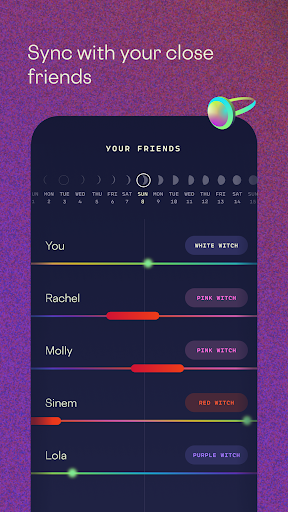
• Cycle syncing and period tracking with your friends
• Methods of leveraging lunar-menstrual synchronicity to manifest goals and nail it at life
• Moon calendar and maps of the magic symbolism and folklore behind your cycle
• Invite partners to stay in sync with your period and hormonal voyage
NEW: If you’re pregnant, you can now turn on Pregnancy Mode!
• Visualize and track baby size with the help of AR
• Daily affirmations for each trimester and symptom tracking
• Weekly insights covering everything from diet and exercise to ancient wisdom
• Hormone insights synced with the moon, and zodiac sign matchups between you and your baby
Founded and led by women, we're committed to best-in-class privacy practices and will never sell or divulge your data. Find more information on how we protect you below.
PRIVACY POLICY & TERMS OF SERVICE
https://stardust.app/privacy-policy.html
https://stardust.app/terms-of-use.html
CONNECT WITH US
Web - stardust.app
Instagram - @stardust
Tiktok - @stardust.app
Note: Stardust should *not* be used as a birth control/contraception.
If you are having technical issues or have any questions about your cycle, we’re here to help. Send an email to support@stardust.app
もっと見る

1. MEmuインストーラーをダウンロードしてセットアップを完了する

2. MEmuを起動し、デスクトップでのPlayストアを開く

3. PlayストアでStardust: Period & Pregnancyを検索する
Install
4. Stardust: Period & Pregnancyをダウンロードしてインストールする
5. インストールが完了したら、アイコンをクリックしてスタート

6. MEmuを使ってパソコンでStardust: Period & Pregnancyを体験する
MEmu Playは現在、最高の無料Androidエミュレーターであり、5,000万人のユーザーが優れたAndroidアプリ体験を楽しんでいます。MEmuの仮想化テクノロジーにより、数千ものAndroidアプリをコンピューターでスムーズに実行できます。
大画面でより精細;無限の待機、電池とドラフィックの極限を超え
キーボード・マウス・コントローラーを全力でサポート、より快適
マルチインスタンスで複数のゲームを同時に実行
Use Stardust: Period & Pregnancy on PC by following steps: