Termius - SSH and SFTP client
更新日
現在のバージョン
6.3.17
提供元

スマートフォンは不要!パソコンと同じようにキーボードとマウスで操作できます。MEmu Playは、あなたが待ち望んでいたすべての楽しみをお届けします。バッテリー残量や小さな画面を気にすることなく、Termius - SSH and SFTP clientをご利用ください。最新のMEmu 9は、Termius - SSH and SFTP clientをPCで体験するのに最適です!完璧なキーマッピングシステムにより、PCのようなスムーズな操作性を実現します。マルチインスタンス機能により、複数のアプリケーションを同時に実行できます。独自の仮想化エンジンがPCのパフォーマンスを最大限に引き出します。アプリを使用するだけでなく、高品質な体験を得ることができます。
もっと見る
Termius - SSH and SFTP clientをPCでダウンロード!大画面でより楽しむ。電源が落ちてしまうとか通信料が足りないとかの問題を心配する必要がなく、PCの大画面でより快適にゲームを楽しましょう! Termius is an SSH client and terminal how it should be.
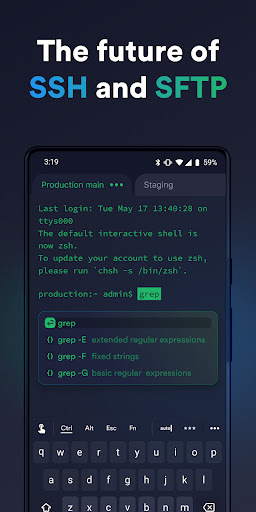
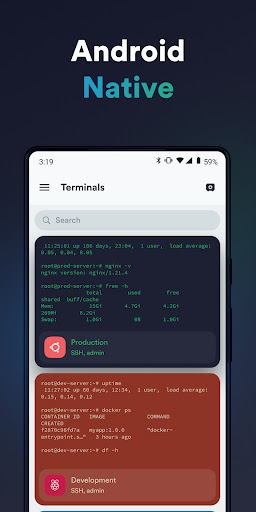
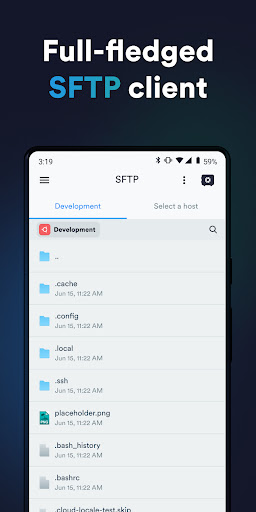
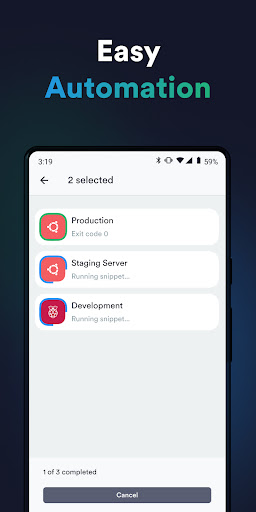
Termius is an SSH client and terminal how it should be. Connect with one tap from any mobile and desktop device—no re-entering IP addresses, ports, and passwords.
With a free Termius Starter plan, you can:
· Connect from your mobile and desktop device with SSH, Mosh, Telnet, Port Forwarding, and SFTP.
· Get a desktop-grade terminal experience with a virtual keyboard covering all the special keys required, or connect your Bluetooth keyboard.
Use gestures or shake the device while in the terminal to emulate stroking of Tab, arrows, PgUp/Down, Home, and End, etc.
· Work in several sessions simultaneously with a multi-tab interface and split-view support.
· Customize your terminal themes and fonts for each connection.
· Save your favorite and frequently used commands and shell scripts to execute them with a tap instead of typing.
· Quickly access the unified history of your terminal commands.
· Get the support of ECDSA and ed25519 keys as well as a chacha20-poly1305 cipher.
Ad-free.
With the Termius Pro plan, you can also:
· Access your connection settings and credentials from all your devices anytime with an encrypted cloud vault.
· No limitations on the number of devices to sync.
· Run your saved commands on multiple sessions or servers or instantly get them autocompleted in the terminal.
· Connect to your hardware via Serial Cable.
· Authenticate using hardware FIDO2 keys.
· Connect through Proxy and jump servers.
· Set custom environment variables.
Integrate with AWS and DigitalOcean.
· Protect your credentials with Touch ID or Face ID and your account with two-factor authentication.
· Keep your keys on your machine with SSH agent forwarding.
Termius reinvents the command line experience. We strive to make remote access for admins and engineers a more productive and enjoyable experience.
もっと見る

1. MEmuインストーラーをダウンロードしてセットアップを完了する

2. MEmuを起動し、デスクトップでのPlayストアを開く

3. PlayストアでTermius - SSH and SFTP clientを検索する
Install
4. Termius - SSH and SFTP clientをダウンロードしてインストールする
5. インストールが完了したら、アイコンをクリックしてスタート

6. MEmuを使ってパソコンでTermius - SSH and SFTP clientを体験する
MEmu Playは現在、最高の無料Androidエミュレーターであり、5,000万人のユーザーが優れたAndroidアプリ体験を楽しんでいます。MEmuの仮想化テクノロジーにより、数千ものAndroidアプリをコンピューターでスムーズに実行できます。
大画面でより精細;無限の待機、電池とドラフィックの極限を超え
キーボード・マウス・コントローラーを全力でサポート、より快適
マルチインスタンスで複数のゲームを同時に実行
Use Termius - SSH and SFTP client on PC by following steps: