
Upwork for Clients
更新日
現在のバージョン
1.74.3
提供元

スマートフォンは不要!パソコンと同じようにキーボードとマウスで操作できます。MEmu Playは、あなたが待ち望んでいたすべての楽しみをお届けします。バッテリー残量や小さな画面を気にすることなく、Upwork for Clientsをご利用ください。最新のMEmu 9は、Upwork for ClientsをPCで体験するのに最適です!完璧なキーマッピングシステムにより、PCのようなスムーズな操作性を実現します。マルチインスタンス機能により、複数のアプリケーションを同時に実行できます。独自の仮想化エンジンがPCのパフォーマンスを最大限に引き出します。アプリを使用するだけでなく、高品質な体験を得ることができます。
もっと見る
Upwork for ClientsをPCでダウンロード!大画面でより楽しむ。電源が落ちてしまうとか通信料が足りないとかの問題を心配する必要がなく、PCの大画面でより快適にゲームを楽しましょう! Find the talent you want with the skills you need—Upwork is a platform that matches you to top freelancers and agencies in minutes, not days.
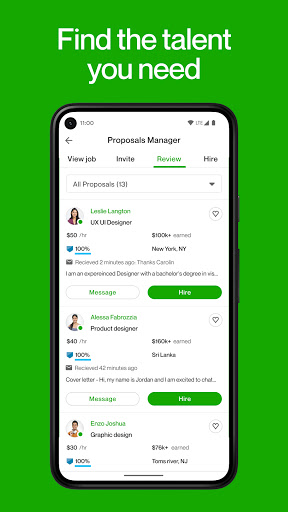
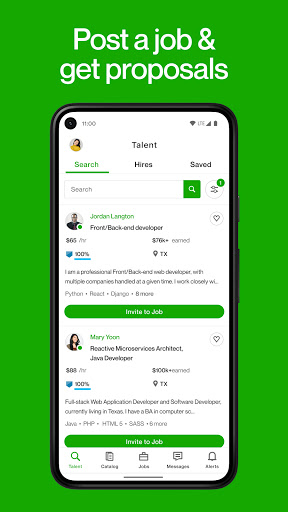
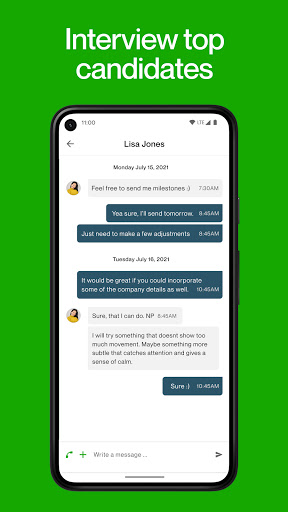
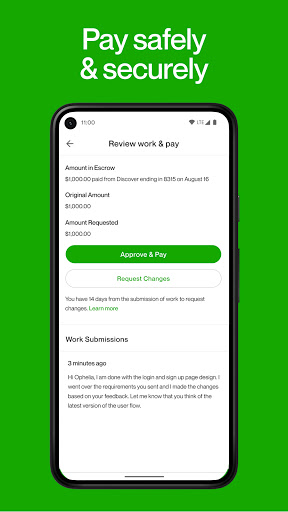
Find the talent you want with the skills you need—Upwork is a platform that matches you to top freelancers and agencies in minutes, not days.
Our global network of experienced freelancers and agencies specialize in over 5,000 skills and can help with projects like:
• Building e-commerce websites
• Developing mobile apps
• QA and software testing
• Translation and localization
• Social media marketing
• Inbound lead generation
• Customer service
• Email marketing
• Logo and web design
• Shooting and editing videos
• Creating brochures and sales material
Sign up, search, and find the right talent to get more done. Upwork offers end-to-end project support, from skilled professionals, hiring the best match, to payments and accounting.
How it works
Post a job for free
Tell us what you need. Upwork connects you with top talent around the world, or near you.
Freelancers come to you
Get qualified proposals within 24 hours. Compare bids, reviews, and prior work, interview favorites and hire the best fit.
Collaborate easily
Use Upwork to chat or video call, share files, and track project milestones from your desktop or mobile.
Payment simplified
Pay hourly or fixed-price and receive invoices through Upwork. Only pay for work you authorize.
Please reach out to us with any questions may have at support@upwork.com.
To learn more about opting out of the "sale" or "sharing" of your personal information, please visit our Privacy Center: https://www.upwork.com/legal#privacy-center
もっと見る

1. MEmuインストーラーをダウンロードしてセットアップを完了する

2. MEmuを起動し、デスクトップでのPlayストアを開く

3. PlayストアでUpwork for Clientsを検索する
Install
4. Upwork for Clientsをダウンロードしてインストールする
5. インストールが完了したら、アイコンをクリックしてスタート

6. MEmuを使ってパソコンでUpwork for Clientsを体験する
MEmu Playは現在、最高の無料Androidエミュレーターであり、5,000万人のユーザーが優れたAndroidアプリ体験を楽しんでいます。MEmuの仮想化テクノロジーにより、数千ものAndroidアプリをコンピューターでスムーズに実行できます。
大画面でより精細;無限の待機、電池とドラフィックの極限を超え
キーボード・マウス・コントローラーを全力でサポート、より快適
マルチインスタンスで複数のゲームを同時に実行
Use Upwork for Clients on PC by following steps: