VectorMotion - Design/Animate
更新日
現在のバージョン
1.0.11
提供元

スマートフォンは不要!パソコンと同じようにキーボードとマウスで操作できます。MEmu Playは、あなたが待ち望んでいたすべての楽しみをお届けします。バッテリー残量や小さな画面を気にすることなく、VectorMotion - Design/Animateをご利用ください。最新のMEmu 9は、VectorMotion - Design/AnimateをPCで体験するのに最適です!完璧なキーマッピングシステムにより、PCのようなスムーズな操作性を実現します。マルチインスタンス機能により、複数のアプリケーションを同時に実行できます。独自の仮想化エンジンがPCのパフォーマンスを最大限に引き出します。アプリを使用するだけでなく、高品質な体験を得ることができます。
もっと見る
VectorMotion - Design/AnimateをPCでダウンロード!大画面でより楽しむ。電源が落ちてしまうとか通信料が足りないとかの問題を心配する必要がなく、PCの大画面でより快適にゲームを楽しましょう! VectorMotion is a completely free (and Ad-Free) tool for all your design and animation needs.
VectorMotion is a completely free (and Ad-Free) tool for all your design and animation needs.
Features :
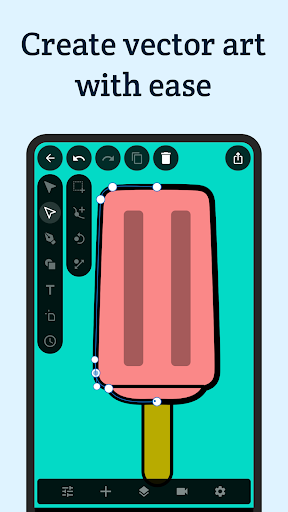
-Vector design : Create and edit vector shape layers with the provided pen and direct select tools.
-Multi scene support : Create as much scenes as you need in a project without any restrictions on size or animation length.
-Saveable projects : Continue where you left off.
-Layers : Create shapes, texts, images, and edit their properties (Style, Geomtry, Effects).
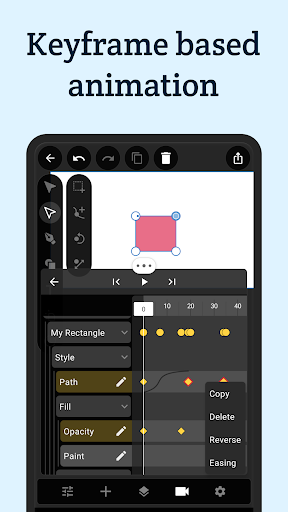
-Animation : If you can edit it, you can animate it. Just long click any property and select the option to make it animatable.
-Advanced Timeline : Add, copy, reverse, delete keyframes and edit their easing for all layers at once.
-Layer Effects : Add style to your layers with effects such as blur, shadow, glow, glare, perspective deformation, bezier deformation…
-Puppet deformation : Create cool character animations with ease using the puppet deformation effect.
-Geometry Effects : Transform your shape’s geometry by applying effects such corner rounding and path trimming.
-Text Effects : Make your text animation standout by adding effects such as character rotation and blur.
-Shape Morphing : Copy-paste an animated path into another, to get that cool shape morphing effect.
-Path Masks : Mask any layer using the pen tool with the masking mode.
-Typography : Per character styles, external font support, texts on paths, range based animatable effects… It’s all here.
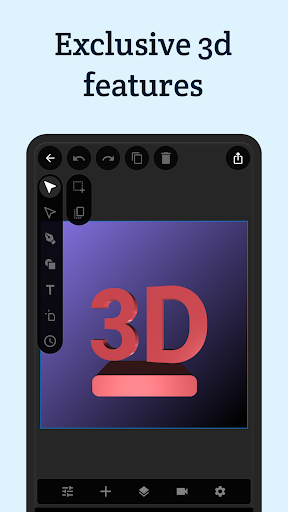
-Simple 3d : Transform your layers in 3d with perspective.
-Advanced 3d : Extrude your shapes and texts to enable 3d rendering with PBR support.
-Image library : Manage, crop, transform, tag your images and insert them into your projects.
-Font Library : Import supported fonts to your library, and use them in your designs.
-Remove image backgrounds : Create alpha masks for you images with ease.
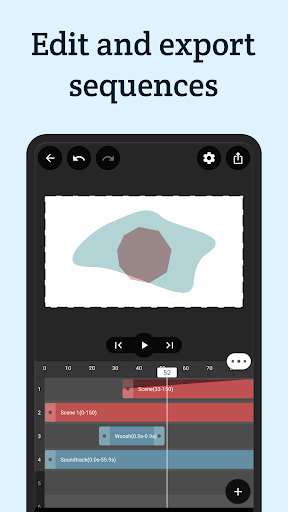
-Sequencer : Create sequences out of your scenes and add audio tracks to create your final movie.
-Export your scenes or sequences in high quality. Supported output formats are : animations (MP4, GIF), images(JPEG, PNG, GIF), documents (SVG, PDF).
Support:
If you have any questions or feedback, please send an email to vectormotion.team@gmail.com
もっと見る

1. MEmuインストーラーをダウンロードしてセットアップを完了する

2. MEmuを起動し、デスクトップでのPlayストアを開く

3. PlayストアでVectorMotion - Design/Animateを検索する
Install
4. VectorMotion - Design/Animateをダウンロードしてインストールする
5. インストールが完了したら、アイコンをクリックしてスタート

6. MEmuを使ってパソコンでVectorMotion - Design/Animateを体験する
MEmu Playは現在、最高の無料Androidエミュレーターであり、5,000万人のユーザーが優れたAndroidアプリ体験を楽しんでいます。MEmuの仮想化テクノロジーにより、数千ものAndroidアプリをコンピューターでスムーズに実行できます。
大画面でより精細;無限の待機、電池とドラフィックの極限を超え
キーボード・マウス・コントローラーを全力でサポート、より快適
マルチインスタンスで複数のゲームを同時に実行
Use VectorMotion - Design/Animate on PC by following steps: