Vfit
更新日
現在のバージョン
2.9.4
提供元

スマートフォンは不要!パソコンと同じようにキーボードとマウスで操作できます。MEmu Playは、あなたが待ち望んでいたすべての楽しみをお届けします。バッテリー残量や小さな画面を気にすることなく、Vfitをご利用ください。最新のMEmu 9は、VfitをPCで体験するのに最適です!完璧なキーマッピングシステムにより、PCのようなスムーズな操作性を実現します。マルチインスタンス機能により、複数のアプリケーションを同時に実行できます。独自の仮想化エンジンがPCのパフォーマンスを最大限に引き出します。アプリを使用するだけでなく、高品質な体験を得ることができます。
もっと見る
MEmu Playを使えば、PCでVfitを快適に楽しめます。何千ものAndroidアプリをデスクトップ版で利用できる、パワフルな無料Androidエミュレーターです。友達とつながり、より効率的に作品を磨き上げましょう! This app requires a Bluetooth connection to your watch to function; it cannot run independently.
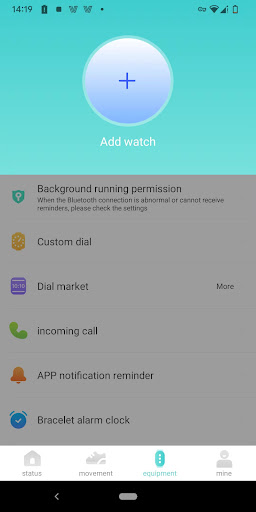
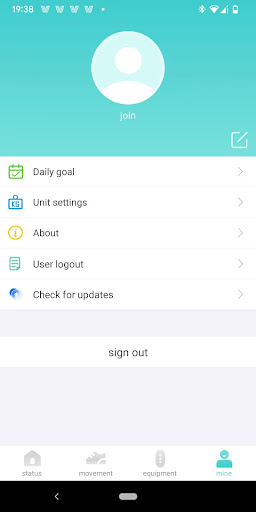
This app requires a Bluetooth connection to your watch to function; it cannot run independently. Please ensure you own or plan to purchase a compatible device before downloading.
Main Features:
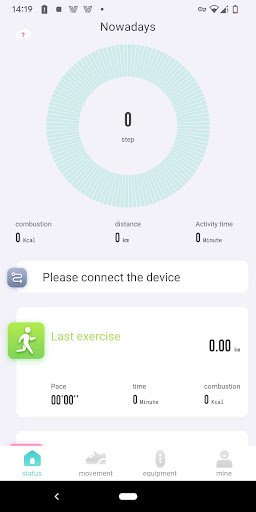
1. Real-time measurement and recording of activity data, providing weekly or monthly activity trend charts for a clear overview of your activity levels;
2. Sleep data tracking, recording deep and light sleep duration to help users understand their sleep patterns in real time;
3. After connecting and setting up your watch, you can customize various settings such as call reminders, smart alarms, sedentary reminders, and step goals, bringing more convenience to your life;
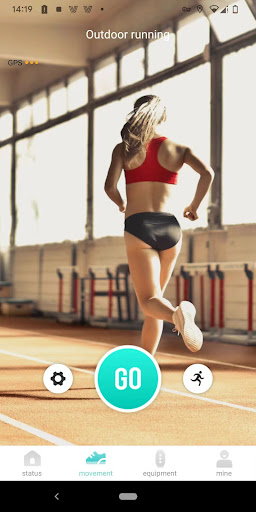
4. Recording your cycling, running, and other activities, and visualizing the data results for a better understanding of your activity levels;
もっと見る

1. MEmuインストーラーをダウンロードしてセットアップを完了する

2. MEmuを起動し、デスクトップでのPlayストアを開く

3. PlayストアでVfitを検索する
Install
4. Vfitをダウンロードしてインストールする
5. インストールが完了したら、アイコンをクリックしてスタート

6. MEmuを使ってパソコンでVfitを体験する
MEmu Playは現在、最高の無料Androidエミュレーターであり、5,000万人のユーザーが優れたAndroidアプリ体験を楽しんでいます。MEmuの仮想化テクノロジーにより、数千ものAndroidアプリをコンピューターでスムーズに実行できます。
大画面でより精細;無限の待機、電池とドラフィックの極限を超え
キーボード・マウス・コントローラーを全力でサポート、より快適
マルチインスタンスで複数のゲームを同時に実行
Use Vfit on PC by following steps: