FANBOX Viewer
Dikemas kini
Versi Semasa
2.1.8
Ditawarkan Oleh

Berhentilah bimbang dengan bayaran berlebihan semasa menggunakan FANBOX Viewer di telefon bimbit anda, bebaskan diri anda dari layar kecil dan nikmati penggunaan aplikasi pada paparan yang jauh lebih besar. Mulai sekarang, dapatkan pengalaman skrin penuh aplikasi anda dengan papan kekunci dan tetikus. MEmu Play semua ciri mengejutkan yang anda harapkan: pemasangan cepat dan penyediaan mudah, kawalan intuitif, tidak ada batasan bateri, data mudah alih, dan panggilan yang mengganggu. MEmu 9 yang baru adalah pilihan terbaik untuk menggunakan FANBOX Viewer di komputer anda. Dikodkan dengan penyerapan kami, pengurus multi-instance menjadikan pembukaan 2 atau lebih akaun pada masa yang sama mungkin. Dan yang paling penting, mesin emulasi eksklusif kami dapat melepaskan potensi penuh PC anda, menjadikan semuanya lancar dan menyeronokkan.
Tunjukkan Lagi
Download FANBOX Viewer on PC with MEmu Android Emulator. Enjoy playing on big screen. ▽ Translator Recruitment Announcement.
▽ Translator Recruitment Announcement
This app is developed by Japanese natives, and there may be instances where translations into multiple languages are insufficient. If you are willing to contribute to the translation, we would appreciate it if you could express your intention via the following GitHub issue. If you are an Android app developer, you are also welcome to directly submit a Pull Request. We thank everyone in advance for their cooperation!
https://github.com/matsumo0922/PixiView-KMP/issues/new
▽ Features of the App
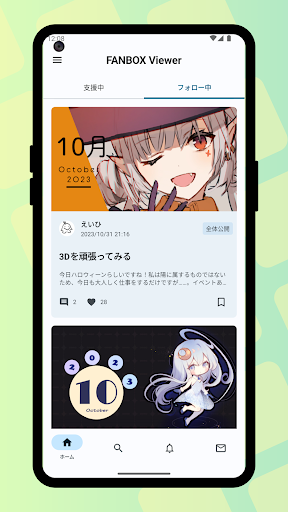
▼ Check posts smoothly through the app!
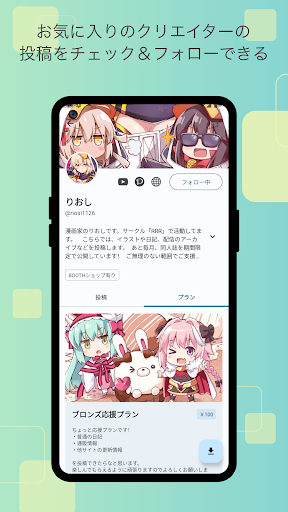
While it's not always possible to smoothly check posts on the web version, the app leverages its capabilities to allow you to quickly check one post after another! With download functionality for illustrations and files, support your favorite creators and enjoy a better FANBOX life!
▼ Easy-to-View List Display!
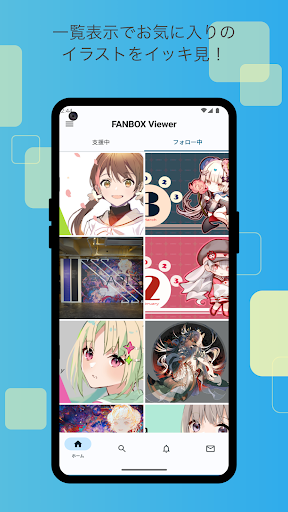
If you want to focus on viewing illustrations, the list view setting (grid mode) is recommended. Displaying illustrations like a photo album app enhances comfort by showing them in an easy-to-browse grid!
▼ Batch download of illustrations!
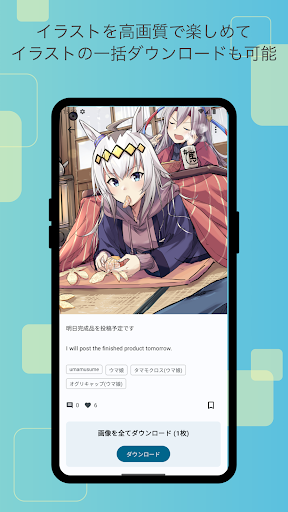
Not only can you download all the illustrations in a post at once, but you can also batch download posts from your favorite creators!
▼ Save your favorite posts with likes!
With the like feature, you can save your favorite posts by liking them, making it easy to revisit them later. Say goodbye to the hassle of wondering where that post went.
▼ User-friendly design!
Fully compliant with the latest Google-recommended 'Material Design'. We aimed for a layout that is easy to see and handle. While supporting multiple detailed settings, the functionality as a FANBOX client app is very simple, and we have strived to make it easy to use even for those who do not need intricate settings, simply for viewing illustrations.
▼ App Lock Feature!
The app can request biometric authentication or device password verification upon launch! This prevents others from seeing private posts when you lend your smartphone to someone, ensuring your privacy!
▽ Required Permissions
▼ WRITE_EXTERNAL_STORAGE
Used to save illustrations and files.
▽ Support
Inquiries are accepted through GitHub issues. Please use the link below to submit your inquiry, including details such as the app version, Android version, and the name of the device you are using.
https://github.com/matsumo0922/PixiView-KMP/issues/new
Tunjukkan Lagi

1. Muat turun pemasang MEmu dan selesaikan persediaan

2. Mulakan MEnu kemudian buka Google Play di desktop

3. Cari FANBOX Viewer di Google Play
Install
4. Muat turun dan Pasang FANBOX Viewer
5. Apabila selesai pemasangan, menekan ikon itu untuk memulakan

6. Gunakan MENu untuk mengalami FANBOX Viewer pada komputer anda
MEmu Play ialah emulator Android terbaik, dengan lebih 100 juta pengguna mengalami pengalaman aplikasi Android yang unggul. Teknologi virtualisasi MEmu membolehkan anda menjalankan beribu-ribu aplikasi Android dengan lancar pada komputer anda, walaupun yang paling mencabar.
Skrin lebih besar dengan grafik yang lebih baik; Tempoh yang panjang, tanpa had bateri atau data mudah alih.
Sokongan Keymapping penuh untuk kawalan tepat papan kekunci dan tetikus atau gamepad.
Pelbagai akaun permainan atau tugas pada satu PC sekaligus dengan pengurus pelbagai contoh.
Use FANBOX Viewer on PC by following steps: