Absolum
Bijgewerkt
Huidige Versie
Aangeboden door

Met al je passie voor het spelen van Absolum, zouden je handen niet beperkt moeten zijn tot een klein scherm van je telefoon. Speel als een professional en krijg volledige controle over je spel met toetsenbord en muis. MEmu biedt je alles wat je verwacht. Download en speel Absolum op PC. Speel zo lang als je wilt, geen beperkingen meer van batterij, mobiele data en storende oproepen. De gloednieuwe MEmu 9 is de beste keuze om Absolum op PC te spelen. Voorbereid met onze expertise, maakt het uitmuntende vooraf ingestelde keymapping systeem van Absolum een echt PC-spel. MEmu multi-instance manager maakt het spelen van 2 of meer accounts op hetzelfde apparaat mogelijk. En het belangrijkste, onze exclusieve emulatie-engine kan het volledige potentieel van je PC benutten, waardoor alles soepel verloopt.
Meer tonen
Download Absolum op je pc met de MEmu Android-emulator. Geniet van spelen op een groot scherm. Crafted with passion by the team that redefined side-scrolling beat 'em ups, Absolum mixes top-of-the-class combat action with modern roguelite elements into an immersive adventure set in the original world of Talamh.
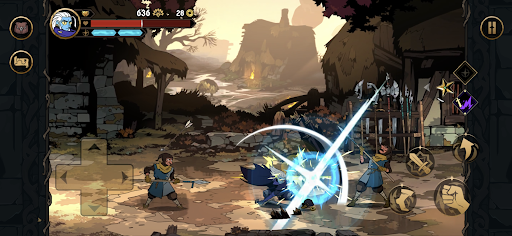
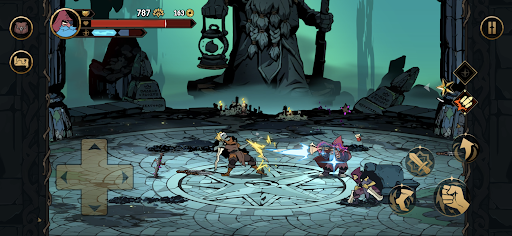
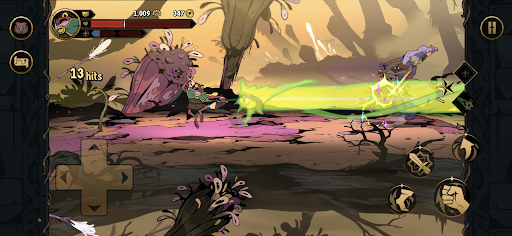
Crafted with passion by the team that redefined side-scrolling beat 'em ups, Absolum mixes top-of-the-class combat action with modern roguelite elements into an immersive adventure set in the original world of Talamh.
A magical cataclysm left magic mistrusted by the common folk and Sun King Azra took advantage of this panic, enslaving wizards through his Crimson Order and conquering more and more lands. With the help of high enchantress Uchawi, a small group of rebels rises from the shadows, wielding forbidden magic to challenge Azra’s oppressive regime and defy his absolute magic power.
Fight as the outcast heroes of Talamh in a fierce battle to retake magic from Sun King Azra’s grasp in Absolum, an original roguelite beat ‘em up by Dotemu.
FEATURES
Join the rebellion! With the help of the high enchantress Uchawi, wield forbidden magic to free the lands of Talamh from the iron grip of Sun King Azra.
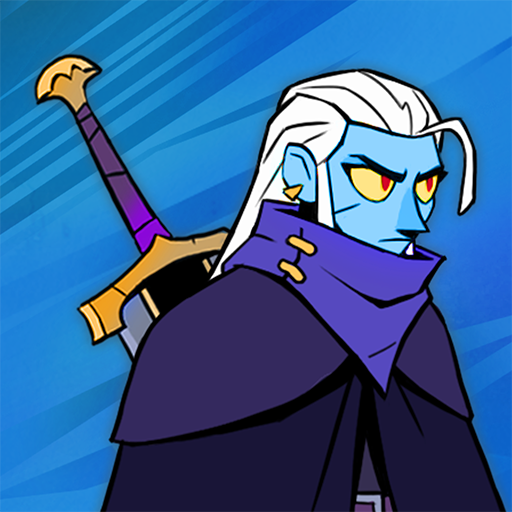
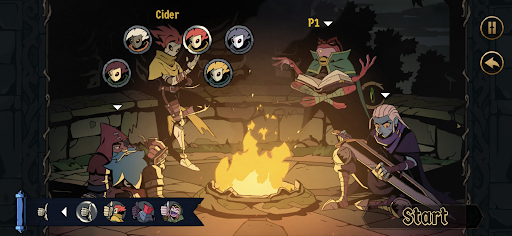
Four heroes, each with their own fighting style: start playing as the calm but deadly Galandra or as Karl, the last free dwarf of Talamh, and discover the prodigious Brome and the enigmatic Cider as they join your journey.
Craft new strategies and get more powerful every run to defeat Azra’s elite guard through a gameplay that blends the best of arcade beat’em up action with modern roguelite mechanics.
-From the majestic mines of Grandery to the lush forests of Jaroba, delve into an original fantasy world that comes alive through gorgeous art, masterful animation and a magnificent soundtrack by composer Gareth Coker (Ori, Halo Infinite, Prince of Persia), featuring collaborations with other legendary composers.
Lead the uprising against Azra's regime as a lone hero, or team up with an ally through the two-player online coop mode. Combine your elemental powers and synchronize your attacks into incredible chained combos!
CAREFULLY REDESIGNED FOR MOBILE
- Revamped interface – exclusive mobile UI with complete touch control
- Google Play Games achievements
-Buy once, play anywhere: Enjoy cross-progression on mobile and PC with the same Google Play Games account
- Cloud Save – Share your progress between Android devices
-Compatible with controllers
Meer tonen

1. Download de MEmu-installatie en voltooi de setup

2. Start MEmu en open vervolgens Google Play op het bureaublad

3. Zoek Absolum in Google Play
Install
4. Download en installeer Absolum
5. Klik op het icoon om te starten na het voltooien van de installatie

6. Geniet van het spelen van Absolum op PC met MEmu
MEmu Play is de beste Android Emulator en 100 miljoen mensen genieten al van de superieure Android-game-ervaring. De virtualisatietechnologie van MEmu stelt je in staat om duizenden Android-spellen soepel op je PC te spelen, zelfs de meest grafisch intensieve.
Groter scherm met betere graphics; Lange duur, zonder beperking van batterij of mobiele data.
Volledige Keymapping-ondersteuning voor nauwkeurige besturing van toetsenbord en muis of gamepad.
Meerdere game-accounts of taken op één PC tegelijk met Multi-Instance manager.
Speel Absolum op PC door de volgende stappen te volgen: