Escape from Playtime
Bijgewerkt
Huidige Versie
Aangeboden door

Met al je passie voor het spelen van Escape from Playtime, zouden je handen niet beperkt moeten zijn tot een klein scherm van je telefoon. Speel als een professional en krijg volledige controle over je spel met toetsenbord en muis. MEmu biedt je alles wat je verwacht. Download en speel Escape from Playtime op PC. Speel zo lang als je wilt, geen beperkingen meer van batterij, mobiele data en storende oproepen. De gloednieuwe MEmu 9 is de beste keuze om Escape from Playtime op PC te spelen. Voorbereid met onze expertise, maakt het uitmuntende vooraf ingestelde keymapping systeem van Escape from Playtime een echt PC-spel. MEmu multi-instance manager maakt het spelen van 2 of meer accounts op hetzelfde apparaat mogelijk. En het belangrijkste, onze exclusieve emulatie-engine kan het volledige potentieel van je PC benutten, waardoor alles soepel verloopt.
Meer tonen
Download Escape from Playtime op je pc met de MEmu Android-emulator. Geniet van spelen op een groot scherm. ESCAPE FROM PLAYTIME: A Smiling Critters Adventure is a co-op survival horror experience set in the Poppy Playtime universe.

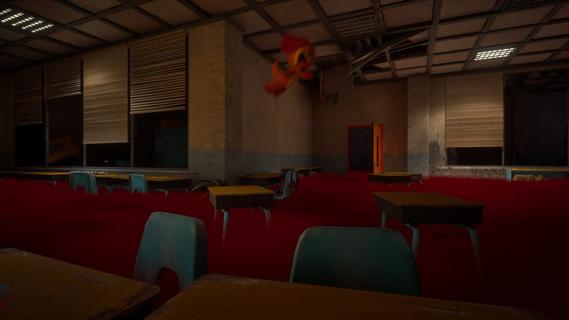

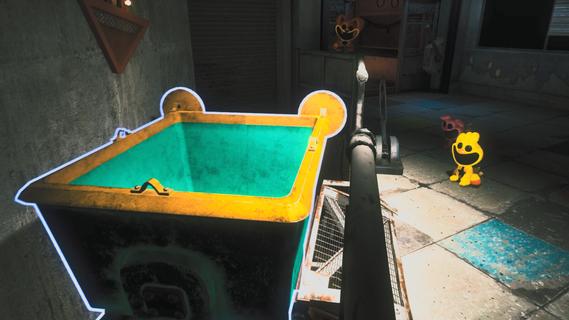
ESCAPE FROM PLAYTIME: A Smiling Critters Adventure is a co-op survival horror experience set in the Poppy Playtime universe.Explore the dark depths of an abandoned toy factory and fight to stay alive against the creatures that lurk in the shadows.Each run places you into a unique section of the facility: classrooms, warehouses, testing labs, and the dark corridors connecting them all. The denizens of the factory - fellow rejected Playtime Co. creations - stalk the decaying halls, hunting for prey.You and your friends must work together and utilize your surroundings if you hope to make it out of the factory in one piece.CRITTER CO-OPPlay with up to 7 friends (2-8 players) in a fight for survival inside Playtime Co. More Critters means more ground covered and more chances for something to go horribly wrong, all enabled with proximity voice chat.THE VOICEA mysterious Voice sends players into the facility to collect scattered parts and resources. Gather what you need, bring it back safely, and try not to ask too loudly who or what you are really working for.Use whatever the factory gives you to stay alive. Search for tools, uncover clues, find hiding spots, create distractions, and use alternate routes to outmaneuver the rejected Playtime Co. creations stalking the halls.MINI MODECrawl, jump, and climb through every nook and cranny of the Playtime Co. factory as a Smiling Critter and experience some of the most iconic Poppy Playtime locations through a new (smaller) set of eyes.SCAVENGE TO SURVIVEItâs Playtime Co. as you know it, with a twist. The mysterious Voice seems to be altering the factoryâs layout, creating procedurally generated environments that change with each run.Track your progress and examine your hard earned rewards through the Perm-A-Lounge computer to uncover further terrifying company secrets.Early Access â Launches with the full eight-character roster, one starter zone, and a core enemy lineup. New zones, enemies, and features coming based on your feedback.
Meer tonen

1. Download de MEmu-installatie en voltooi de setup

2. Start MEmu en open vervolgens Google Play op het bureaublad

3. Zoek Escape from Playtime in Google Play
Install
4. Download en installeer Escape from Playtime
5. Klik op het icoon om te starten na het voltooien van de installatie

6. Geniet van het spelen van Escape from Playtime op PC met MEmu
MEmu Play is de beste Android Emulator en 100 miljoen mensen genieten al van de superieure Android-game-ervaring. De virtualisatietechnologie van MEmu stelt je in staat om duizenden Android-spellen soepel op je PC te spelen, zelfs de meest grafisch intensieve.
Groter scherm met betere graphics; Lange duur, zonder beperking van batterij of mobiele data.
Volledige Keymapping-ondersteuning voor nauwkeurige besturing van toetsenbord en muis of gamepad.
Meerdere game-accounts of taken op één PC tegelijk met Multi-Instance manager.
Speel Escape from Playtime op PC door de volgende stappen te volgen: