Escape from Playtime
Updated
Current Version
Offered By

With your passion for Escape from Playtime, you shouldn’t have to limit yourself to the small screen of a phone. Play like a pro and take full control of the game using a keyboard and mouse. MEmu gives you everything you’re looking for. Download and play Escape from Playtime on PC. Play as long as you want — no more worries about battery life, mobile data, or unexpected calls. The all-new MEmu 9 is the best way to play Escape from Playtime on PC. With our expertly designed keymapping system, Escape from Playtime feels just like a real PC game. The MEmu multi-instance manager lets you run two or more accounts on the same device at the same time. Most importantly, our exclusive emulation engine unlocks your PC’s full potential, delivering smooth and seamless performance.
Show more
Download Escape from Playtime on PC with MEmu Android Emulator. Enjoy playing on big screen. Escape from Playtime places players inside Playtime Co.

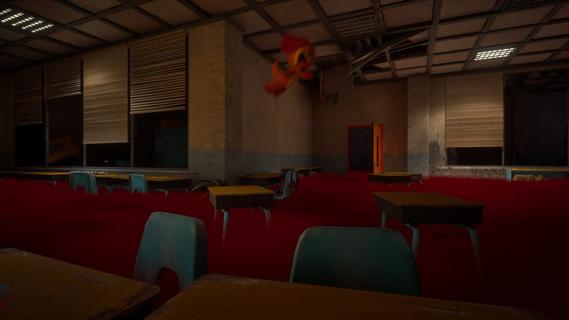

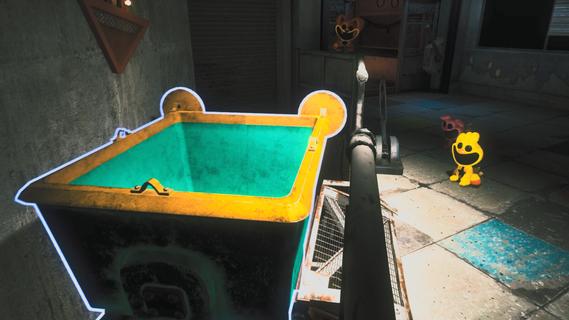
Escape from Playtime places players inside Playtime Co., an abandoned factory filled with hostile rejected creations and unanswered questions. This is a Poppy Playtime universe spin off built around shared survival runs instead of a single player chapter. Players take the role of Smiling Critters and must stay alert as the factory changes from one session to the next. For players seeking an Escape from Playtime APK, the game focuses on communication, caution, and making decisions under pressure.Factory survival featuresCooperative sessions for 2 to 8 playersEscape from Playtime supports groups of two to eight players, so you can enter the factory with other players and divide tasks. Working together can help the group cover more areas, although separated teammates may face danger without immediate help. Proximity voice chat means nearby players can communicate during a run.Explore the Playtime Co. factoryYou move through classrooms, warehouses, testing labs, and dark factory corridors as a Smiling Critter. Each area can contain useful items, possible hiding places, and threats that force you to change direction. The setting connects the game to the Poppy Playtime universe while presenting a different type of gameplay.Follow the Voice's ordersEscape from Playtime gives the group objectives from a mysterious character known as the Voice. You search for scattered parts and resources, then return them safely to complete the current task. As objectives continue, the Voice’s purpose becomes part of the factory’s larger mystery.Hide, distract, and find another routeYou can look for tools and clues while moving through the factory. When hostile creations patrol nearby, hiding or creating a distraction may give the group time to move. Alternative paths also matter when a direct route becomes too dangerous.Changing layouts and tracked rewardsThe factory layout is generated differently between sessions, which can change routes, hiding locations, and the dangers you encounter. After a run, Escape from Playtime uses the Perm A Lounge computer to review rewards and progress. This area also provides access to more Playtime Co. lore and secrets.What to know about Escape from PlaytimeEscape from Playtime is designed as a co op survival horror experience, not as a traditional single player Poppy Playtime chapter. Each run centers on surviving objectives inside a changing factory, so outcomes can depend on player coordination and the routes available in that session. Players who want the Escape from Playtime latest version can check the version details on this page before installing.The game’s Smiling Critters perspective and factory setting may appeal to players interested in Playtime Co. story details. However, its main focus is escaping active threats with a group rather than following a fixed story path from beginning to end.How to play Escape from PlaytimeEach session begins with a group entering the factory and responding to the current objective. To download Escape from Playtime and begin playing, expect to work with nearby teammates while watching for enemies and changing routes. Staying together can help, but the group may need to split up to locate items.Start a session and join other players, then use proximity voice chat to coordinate with teammates who are close by.Move through the available factory areas and look for the parts, resources, tools, and clues needed for the Voice’s order.Watch the surroundings while searching, since hostile rejected creations can force you to hide or leave an area.Carry collected items back safely, using distractions or alternative routes if the direct path is blocked by danger.After the run, check the Perm A Lounge computer to view rewards, track progress, and uncover available lore.Get started in the factoryEscape from Playtime combines changing factory runs, shared objectives, and stealth based survival in the Poppy Playtime universe. Install the game when you want a cooperative session where communication and careful movement affect the group’s chances of escaping.
Show more

1. Download MEmu installer and finish the setup

2. Start MEmu then open Google Play on the desktop

3. Search Escape from Playtime in Google Play
Install
4. Download and Install Escape from Playtime
5. On install completion click the icon to start

6. Enjoy playing Escape from Playtime on PC with MEmu
MEmu Play is the best Android emulator and 100 million people already enjoy its superb Android gaming experience. The MEmu virtualization technology empowers you to play thousands of Android games smoothly on your PC, even the most graphic-intensive ones.
Bigger screen with better graphics; Long duration, without limitation of battery or mobile data.
Full Keymapping support for precise control of keyboard and mouse or gamepad.
Multiple game accounts or tasks on single PC at one time with Multi-Instance manager.
Play Escape from Playtime on PC by following steps: