Escape from Playtime
更新日
現在のバージョン
提供元

スマホ不要!プロ選手のようにキーボードとマウスで操作しよう。MEmuエミュはあなたにすべての期待を与える。電池が切れてしまうとか画面が小さいとかの問題を心配する必要がなくて、存分Escape from Playtimeを楽しんでください。新しいMEmuエミュ7はPCでEscape from Playtimeをプレイするのに最適!完璧なキーマッピングシステムにより、まるでパソコンゲームみたい。マルチインスタンスで複数のゲームやアプリを同時に実行!唯一無二な仮想化エンジンがパソコンの可能性を最大限になる。遊べるだけでなく、より楽しめる!
もっと見る
Escape from PlaytimeをPCでダウンロード!大画面でより楽しむ。電源が落ちてしまうとか通信料が足りないとかの問題を心配する必要がなく、PCの大画面でより快適にゲームを楽しましょう! ESCAPE FROM PLAYTIME: A Smiling Critters Adventure is a co-op survival horror experience set in the Poppy Playtime universe.

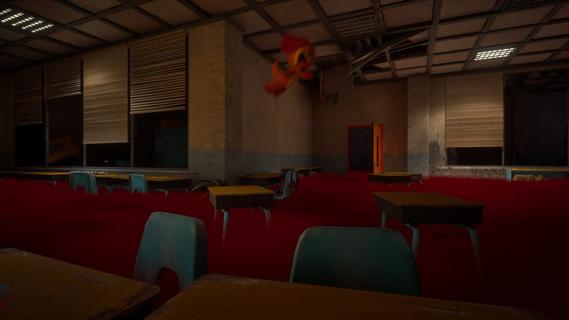
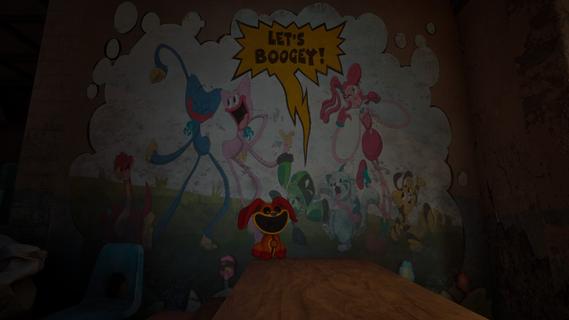
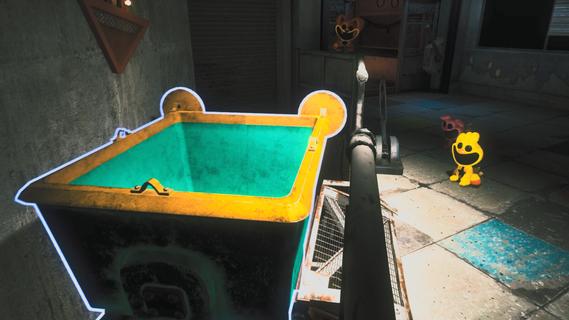
ESCAPE FROM PLAYTIME: A Smiling Critters Adventure is a co-op survival horror experience set in the Poppy Playtime universe.Explore the dark depths of an abandoned toy factory and fight to stay alive against the creatures that lurk in the shadows.Each run places you into a unique section of the facility: classrooms, warehouses, testing labs, and the dark corridors connecting them all. The denizens of the factory - fellow rejected Playtime Co. creations - stalk the decaying halls, hunting for prey.You and your friends must work together and utilize your surroundings if you hope to make it out of the factory in one piece.CRITTER CO-OPPlay with up to 7 friends (2-8 players) in a fight for survival inside Playtime Co. More Critters means more ground covered and more chances for something to go horribly wrong, all enabled with proximity voice chat.THE VOICEA mysterious Voice sends players into the facility to collect scattered parts and resources. Gather what you need, bring it back safely, and try not to ask too loudly who or what you are really working for.Use whatever the factory gives you to stay alive. Search for tools, uncover clues, find hiding spots, create distractions, and use alternate routes to outmaneuver the rejected Playtime Co. creations stalking the halls.MINI MODECrawl, jump, and climb through every nook and cranny of the Playtime Co. factory as a Smiling Critter and experience some of the most iconic Poppy Playtime locations through a new (smaller) set of eyes.SCAVENGE TO SURVIVEItâs Playtime Co. as you know it, with a twist. The mysterious Voice seems to be altering the factoryâs layout, creating procedurally generated environments that change with each run.Track your progress and examine your hard earned rewards through the Perm-A-Lounge computer to uncover further terrifying company secrets.Early Access â Launches with the full eight-character roster, one starter zone, and a core enemy lineup. New zones, enemies, and features coming based on your feedback.
もっと見る

1. MEmuインストーラーをダウンロードしてセットアップを完了する

2. MEmuを起動し、デスクトップでのPlayストアを開く

3. PlayストアでEscape from Playtimeを検索する
Install
4. Escape from Playtimeをダウンロードしてインストールする
5. インストールが完了したら、アイコンをクリックしてスタート

6. MEmuを使用してPCでEscape from Playtimeを楽しむ
MEmu App Playerは最高の無料で提供されるAndroidエミュレータで、5,000万人がすでに優れたAndroidゲーム体験を楽しんでいます。 MEmuの仮想化技術は、あなたのPCで何千ものAndroidゲームを快適にプレイすることを可能にします。
大画面でより精細;無限の待機、電池とドラフィックの極限を超え
キーボード・マウス・コントローラーを全力でサポート、より快適
マルチインスタンスで複数のゲームを同時に実行
Play Escape from Playtime on PC by following steps: