Sword x Staff
Bijgewerkt
Huidige Versie
Aangeboden door

Met al je passie voor het spelen van Sword x Staff, zouden je handen niet beperkt moeten zijn tot een klein scherm van je telefoon. Speel als een professional en krijg volledige controle over je spel met toetsenbord en muis. MEmu biedt je alles wat je verwacht. Download en speel Sword x Staff op PC. Speel zo lang als je wilt, geen beperkingen meer van batterij, mobiele data en storende oproepen. De gloednieuwe MEmu 9 is de beste keuze om Sword x Staff op PC te spelen. Voorbereid met onze expertise, maakt het uitmuntende vooraf ingestelde keymapping systeem van Sword x Staff een echt PC-spel. MEmu multi-instance manager maakt het spelen van 2 of meer accounts op hetzelfde apparaat mogelijk. En het belangrijkste, onze exclusieve emulatie-engine kan het volledige potentieel van je PC benutten, waardoor alles soepel verloopt.
Meer tonen
Download Sword x Staff op je pc met de MEmu Android-emulator. Geniet van spelen op een groot scherm. Sword x Staff is a laid-back RPG with 0 pressure!
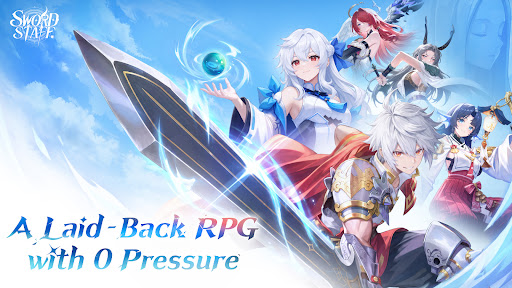

Sword x Staff is a laid-back RPG with 0 pressure!
Join the CBT now and begin your wondrous journey through Castin!
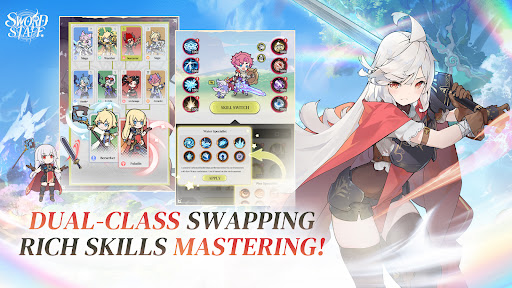
◆ Dual-class Swapping, Rich Skills Mastering! ◆
Break through the limits and switch classes and skills freely! Say goodbye to tedious progression and level-up pressure for good!
◆ Hands-free Gameplay, Effortless Growth! ◆
Level up solo, even while lying in bed! Team up with adorable Fantomon companions and enjoy auto-farming and effortless progression!
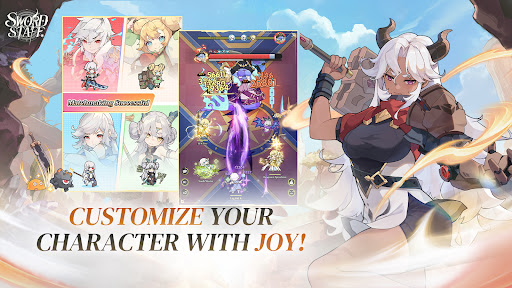
◆ Customize Your Character with Joy! ◆
Even food can become a top-tier weapon! Customize your look however you like and create a character that's one of a kind!
◆ Zero-stress Team-ups, Thrilling Combat! ◆
Matchmake with one tap and team up in real time with zero hassle! Unleash dazzling swordplay and powerful magic to dominate the battlefield!
◆ Free Adventure, Fun at Every Turn! ◆
Explore a vast map and uncover a wealth of treasures! Track down hidden quests and undiscovered treasures scattered across the map for an adventure full of surprises!
-----------------
◆Official Community◆
Official Facebook: https://www.facebook.com/profile.php?id=61593995370491
Official Youtube: https://www.youtube.com/@SwordxStaff_SEA
Official Discord: https://discord.gg/HgCRRzwhp
Meer tonen

1. Download de MEmu-installatie en voltooi de setup

2. Start MEmu en open vervolgens Google Play op het bureaublad

3. Zoek Sword x Staff in Google Play
Install
4. Download en installeer Sword x Staff
5. Klik op het icoon om te starten na het voltooien van de installatie

6. Geniet van het spelen van Sword x Staff op PC met MEmu
MEmu Play is de beste Android Emulator en 100 miljoen mensen genieten al van de superieure Android-game-ervaring. De virtualisatietechnologie van MEmu stelt je in staat om duizenden Android-spellen soepel op je PC te spelen, zelfs de meest grafisch intensieve.
Groter scherm met betere graphics; Lange duur, zonder beperking van batterij of mobiele data.
Volledige Keymapping-ondersteuning voor nauwkeurige besturing van toetsenbord en muis of gamepad.
Meerdere game-accounts of taken op één PC tegelijk met Multi-Instance manager.
Speel Sword x Staff op PC door de volgende stappen te volgen: