Sword x Staff
अपडेट किया गया
वर्तमान वर्शन
संसाधन

अपने सेलफोन पर Sword x Staff का उपयोग करते समय ओवरचार्ज के बारे में चिंता करना बंद करें, अपने आप को छोटी स्क्रीन से मुक्त करें और बहुत बड़े डिस्प्ले पर ऐप का उपयोग करने का आनंद लें। अब से, कीबोर्ड और माउस के साथ अपने ऐप का पूर्ण-स्क्रीन अनुभव प्राप्त करें। एमईएमयू आपको उन सभी आश्चर्यजनक सुविधाओं की पेशकश करता है जिनकी आपको उम्मीद थी: त्वरित इंस्टॉल और आसान सेटअप, सहज नियंत्रण, बैटरी की कोई सीमा नहीं, मोबाइल डेटा और परेशान कॉल। आपके कंप्यूटर पर Sword x Staff का उपयोग करने का सबसे अच्छा विकल्प नया MEmu 9 है। हमारे अवशोषण के साथ कोडित, बहु-उदाहरण प्रबंधक एक ही समय में 2 या अधिक खाते खोलना संभव बनाता है। और सबसे महत्वपूर्ण, हमारा अनन्य उत्सर्जन इंजन आपके पीसी की पूरी क्षमता को जारी कर सकता है, सब कुछ सुचारू और सुखद बना सकता है।
और दिखाएं
डाउनलोड करें Sword x Staff पीसी पर MEmu एंड्रॉयड एमुलेटर के साथ बड़े पर्दे पर खेलने का आनंद लें। Sword x Staff is a laid-back RPG with 0 pressure!
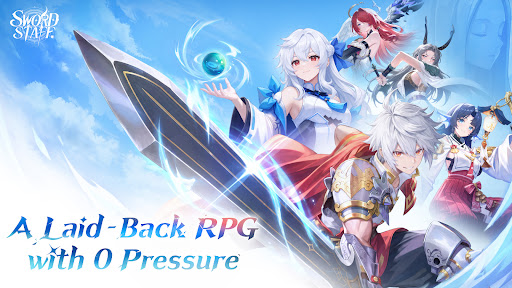
Sword x Staff is a laid-back RPG with 0 pressure!
Join the CBT now and begin your wondrous journey through Castin!
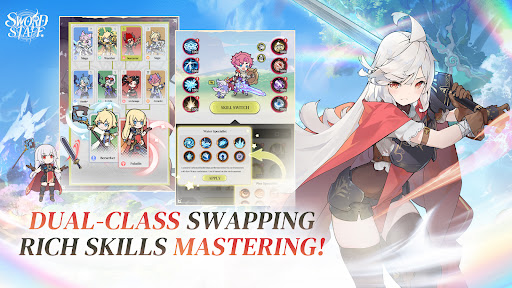
◆ Dual-class Swapping, Rich Skills Mastering! ◆
Break through the limits and switch classes and skills freely! Say goodbye to tedious progression and level-up pressure for good!
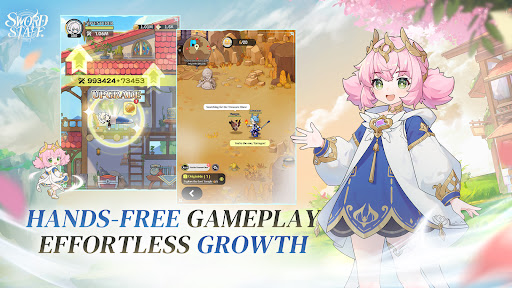
◆ Hands-free Gameplay, Effortless Growth! ◆
Level up solo, even while lying in bed! Team up with adorable Fantomon companions and enjoy auto-farming and effortless progression!
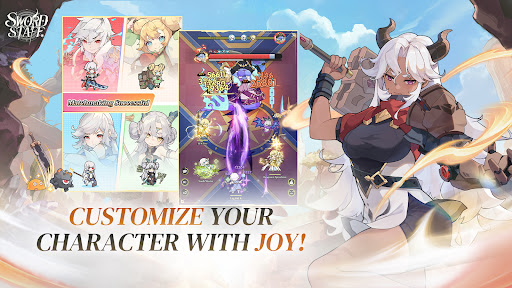
◆ Customize Your Character with Joy! ◆
Even food can become a top-tier weapon! Customize your look however you like and create a character that's one of a kind!
◆ Zero-stress Team-ups, Thrilling Combat! ◆
Matchmake with one tap and team up in real time with zero hassle! Unleash dazzling swordplay and powerful magic to dominate the battlefield!
◆ Free Adventure, Fun at Every Turn! ◆
Explore a vast map and uncover a wealth of treasures! Track down hidden quests and undiscovered treasures scattered across the map for an adventure full of surprises!
-----------------
◆Official Community◆
Official Facebook: https://www.facebook.com/profile.php?id=61593995370491
Official Youtube: https://www.youtube.com/@SwordxStaff_SEA
Official Discord: https://discord.gg/HgCRRzwhp
और दिखाएं

1. MEmu इंस्टॉलर को डाउनलोड करें और इंस्टॉलेशन को पूरा करें

2. MEmu शुरू करें फिर होमपेज पर Google Play खोलें

3. Google Play में Sword x Staff खोजें
Install
4. Sword x Staff डाउनलोड कर इंस्टॉल करें
5. इंस्टॉल पूरा होने पर आइकन दबाएं

6. MEmu से पीसी पर Sword x Staff खेलने का आनंद लें
MEmu Play सबसे बेहतरीन मुफ़्त Android एमुलेटर है और 5 करोड़ लोग पहले ही इसके शानदार Android गेमिंग अनुभव का आनंद ले चुके हैं। MEmu 9 वर्चुअलाइज़ेशन तकनीक आपको अपने PC पर हज़ारों Android गेम, यहाँ तक कि सबसे ज़्यादा ग्राफ़िक्स वाले गेम भी, आसानी से खेलने की सुविधा देती है।
असीमित बैटरी या मोबाइल डेटा के साथ बेहतर ग्राफिक्स के साथ बड़ी स्क्रीन; लंबी अवधि।
कीबोर्ड और माउस या गेमपैड के उत्तम नियंत्रण के लिए संपूर्ण कीमैपिंग का समर्थन करता हैं।
एक ही पीसी पर मल्टी-इंस्टेंस मैनेजर के साथ एक समय में कई गेम खाते या कार्य कर सकते हैं।
Play Sword x Staff on PC by following steps: