Sword x Staff
อัปเดตเมื่อ
เวอร์ชันปัจจุบัน
ให้บริการโดย

เวลาคุณเล่น Sword x Staff, คุณอาจรู้สึกว่ามือคุณอาจบังจอแล้วทำให้ไม่ได้เล่นแบบเต็มที่. เล่นแบบไร้ขีดจำกัดด้วยเม้าส์และคีย์บอร์ด. MEmu มีตัวเลือกหลายอย่างให้คุณใช้งานเกมที่คุณเล่นแบบที่คุณต้องการ. ดาวน์โหลดและเล่น Sword x Staff บน PC. เล่นนานแค่ไหนก็ได้, ไม่ต้องชาร์จแบตเตอรี่, หรือเจอคนโทรเข้ามาระหว่างเล่น. MEmu 9 เป็นตัวเลือกสำหรับการเล่น Sword x Staff บน PC. ทางทีมงานเราได้ปรับแต่งเกม, ปรับให้เล่นเกมบางเกมได้เหมือนเล่น Sword x Staff เป็นเกม PC เช่นเล็งด้วยเม้าส์หรือใช้คีย์บอร์ด. ระบบของเรายังทำให้คุณสามารถเปิดเล่นได้มากกว่า 2 เกมพร้อมๆกันในคอมของคุณ. และที่สำคัญที่สุด, ระบบโปรแกรมของเราสามารถทำให้คุณใช้ระบบของ PC ทำให้เกมลื่นเหมือนกับใช้โทรศัพท์รุ่นล่าสุด. เราไม่ได้ดูแลเรื่องการเล่นเกม, แต่เราดูแลถึงความสนุกสนานที่คุณได้จากการเล่นด้วย.
แสดงเพิ่มเติม
ดาวน์โหลด Sword x Staff บน PC ด้วย MEmu Android Emulator สนุกกับการเล่นบนหน้าจอขนาดใหญ่ Sword x Staff เป็นเกม RPG สายชิล เล่นง่าย ไร้ภาระ!
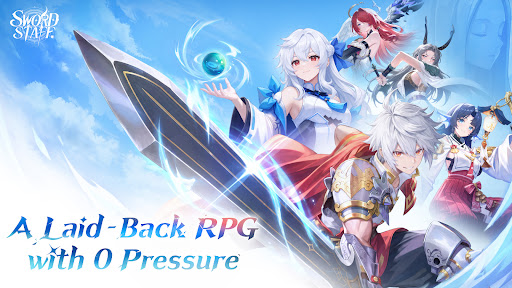
Sword x Staff เป็นเกม RPG สายชิล เล่นง่าย ไร้ภาระ!
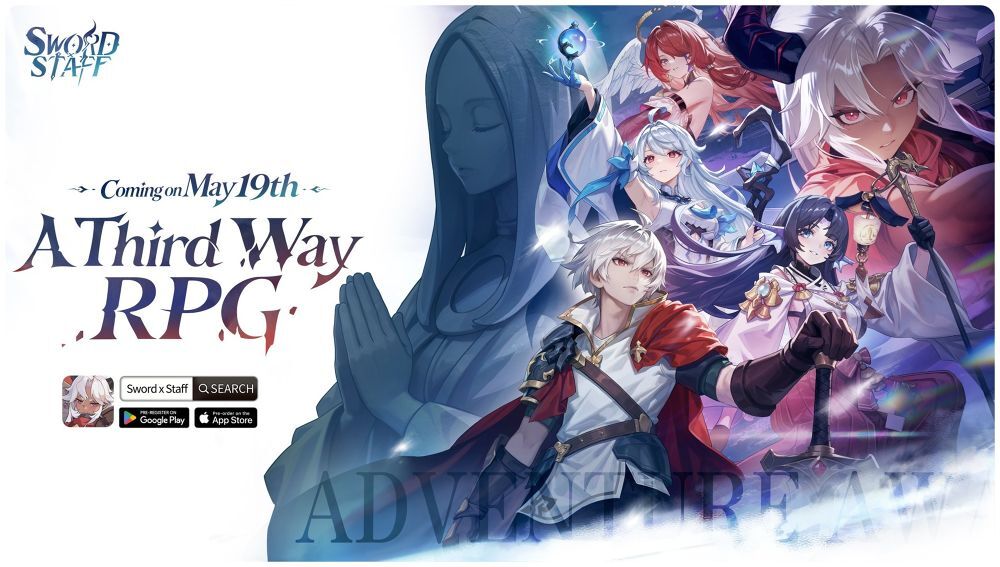
เข้าร่วม CBT ทันทีเริ่มต้นการเดินทางสู่การผจญภัยสุดมหัศจรรย์ในแคนสติน!
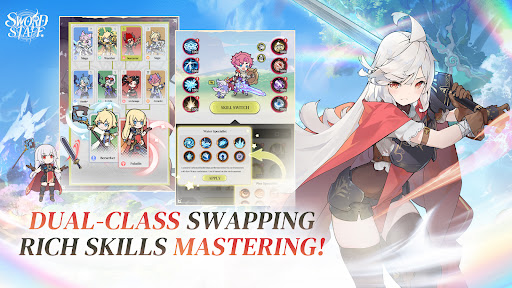
◆สลับ 2 อาชีพได้ทันที สกิลเพียบ! ◆
ปลดล็อกขีดจำกัด สลับอาชีพและสกิลได้อย่างอิสระ!บอกลาภาระการพัฒนาตัวละครและความกดดันในการอัปเกรด!
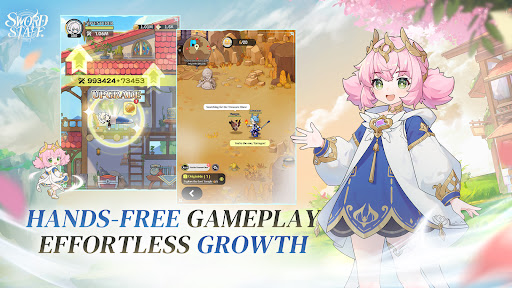
◆เติบโตอัตโนมัติ เล่นสบาย ไม่ต้องเฝ้าจอ! ◆
นอนอยู่บนเตียงก็อัปเลเวลได้! สนุกไปกับการฟาร์มมอนและเติบโตอัตโนมัติไปพร้อมกับคู่หูสัตว์มายาแสนน่ารัก!
◆จัดทีมง่าย จับคู่ไว มันส์สะใจทุกไฟต์! ◆
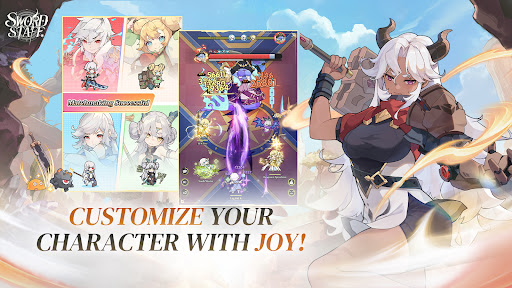
อาหารก็สามารถแปลงร่างเป็นอาวุธระดับสูงได้! ปรับแต่งรูปลักษณ์ได้ตามใจ สร้างตัวละครสุดพิเศษไม่เหมือนใคร!
◆ปรับแต่งหน้าตาได้ตามใจ สร้างลุคไม่ซ้ำใคร! ◆
จับคู่ได้ในคลิกเดียว เข้าร่วมทีมแบบเรียลไทม์ได้ทันทีโดยไม่ต้องกังวล โชว์ฝีมือดาบสุดอลังการและเวทมนตร์สุดทรงพลัง ครองสนามรบได้อย่างเต็มที่
◆ผจญภัยได้อิสระ สนุกได้ทุกทาง! ◆
สำรวจแผนที่อันกว้างใหญ่ได้อย่างอิสระ สมบัติมหาศาลรอให้คุณค้นพบ!ค้นหาภารกิจลับและสมบัติที่ซ่อนอยู่ทั่วทุกมุมของแผนที่ สนุกไปกับการผจญภัยที่เต็มไปด้วยเซอร์ไพรส์ไม่รู้จบ!
-----------------
◆ชุมชนอย่างเป็นทางการ◆
เฟซบุ๊กอย่างเป็นทางการ: https://www.facebook.com/profile.php?id=61593995370491
ยูทูบอย่างเป็นทางการ: https://www.youtube.com/@SwordxStaff_SEA
ดิสคอร์ดอย่างเป็นทางการ: https://discord.gg/HgCRRzwhp
แสดงเพิ่มเติม

1. ดาวน์โหลดตัวติดตั้ง MEmu และสิ้นสุดการติดตั้ง

2. เริ่ม MEmu จากนั้นเปิด Google Play บนหน้าแรก

3. ค้นหา Sword x Staff ใน Google Play
Install
4. ดาวน์โหลดและติดตั้ง Sword x Staff
5. เมื่อติดตั้งเสร็จให้คลิกที่ไอคอนเพื่อเริ่มใช้งาน

6. สนุกกับการเล่น Sword x Staff บนพีซีด้วย MEmu
MEmu App Player เป็นอีมูเลเตอร์ Android ที่ดีที่สุดและผู้คนกว่า 50 ล้านคนเพลิดเพลินไปกับประสบการณ์การเล่นเกม Android ที่ยอดเยี่ยม เทคโนโลยีการจำลองเสมือนของ MEmu ช่วยให้คุณเล่นเกม Android หลายพันเกมได้อย่างราบรื่นบนพีซีของคุณแม้แต่เกมที่ต้องใช้กราฟิกมากที่สุด
จอใหญ่และกราฟฟิกสวยกว่า; เล่นได้นาน, ไม่ต้องใช้แบตเตอรี่โทรศัพท์หรือเน็ตโทรศัพท์.
ระบบปรับแต่งปุ่มคีย์บอร์ดและเม้าส์ตามที่คุณเลือก
เล่นมากกว่าหนึ่งเกมบน PC ในเวลาเดียวกันด้วยระบบหลายจอหรือ Multi-Instance manager.
Play Sword x Staff on PC by following steps: