Google Play Store
Bijgewerkt
Huidige Versie
Aangeboden door

Met al je passie voor het spelen van Google Play Store, zouden je handen niet beperkt moeten zijn tot een klein scherm van je telefoon. Speel als een professional en krijg volledige controle over je spel met toetsenbord en muis. MEmu biedt je alles wat je verwacht. Download en speel Google Play Store op PC. Speel zo lang als je wilt, geen beperkingen meer van batterij, mobiele data en storende oproepen. De gloednieuwe MEmu 9 is de beste keuze om Google Play Store op PC te spelen. Voorbereid met onze expertise, maakt het uitmuntende vooraf ingestelde keymapping systeem van Google Play Store een echt PC-spel. MEmu multi-instance manager maakt het spelen van 2 of meer accounts op hetzelfde apparaat mogelijk. En het belangrijkste, onze exclusieve emulatie-engine kan het volledige potentieel van je PC benutten, waardoor alles soepel verloopt.
Meer tonen
Download Google Play Store op je pc met de MEmu Android-emulator. Geniet van spelen op een groot scherm. The Google Play Store app is an essential application for Android users that allows them to browse, download, and update a variety of apps and games on their mobile devices.
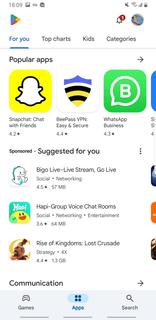
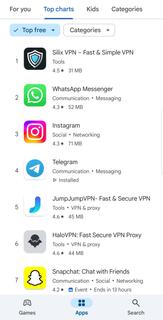
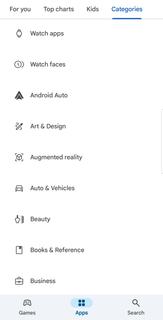
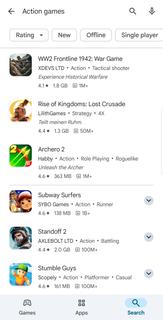
The Google Play Store app is an essential application for Android users that allows them to browse, download, and update a variety of apps and games on their mobile devices. With over 3 million apps, games, music, movies, TV shows, and books, the Google Play Store app is the largest mobile marketplace. Google Play Store interface is user-friendly and straightforward, making it easy for users to navigate and find the content they are looking for. There is a range of categories, such as top charts, new releases, and staff picks, which allow users to quickly discover new and popular apps. Moreover, the ratings and reviews given by other users help to give an idea of the app's quality and usefulness, making it easier for users to make informed decisions when downloading apps. In addition to apps and games, the Google Play Store app provides access to movies, TV shows, music, and books in various formats. Users can buy or rent movies and TV shows, watch them on their mobile devices or online on a TV or computer. Users can also stream music, discover new artists, or purchase individual songs or albums from their favorite artists. Additionally, users can find and purchase e-books and audiobooks to read or listen to offline. The Google Play Store app also allows users to manage their digital content effectively. The My Apps & Games section makes it easy for users to see the status of their app downloads, updates, and disable auto-update, if required. Users can also manage their notifications, subscriptions, and view their purchase history. The Google Play Store app ensures that the content shared on its platform is safe and secure for users to access. All apps and games are reviewed for functionality and security before being made available on the platform. Additionally, Google Play Protect constantly scans for malware and other malicious behavior to ensure that users remain safe.Google Play Store app is not available at Google Play Store for download. So you can install APK file of Google Play Store from APKPure.com for your Android devices .
Meer tonen

1. Download de MEmu-installatie en voltooi de setup

2. Start MEmu en open vervolgens Google Play op het bureaublad

3. Zoek Google Play Store in Google Play
Install
4. Download en installeer Google Play Store
5. Klik op het icoon om te starten na het voltooien van de installatie

6. Geniet van het spelen van Google Play Store op PC met MEmu
MEmu Play is de beste Android Emulator en 100 miljoen mensen genieten al van de superieure Android-game-ervaring. De virtualisatietechnologie van MEmu stelt je in staat om duizenden Android-spellen soepel op je PC te spelen, zelfs de meest grafisch intensieve.
Groter scherm met betere graphics; Lange duur, zonder beperking van batterij of mobiele data.
Volledige Keymapping-ondersteuning voor nauwkeurige besturing van toetsenbord en muis of gamepad.
Meerdere game-accounts of taken op één PC tegelijk met Multi-Instance manager.
Speel Google Play Store op PC door de volgende stappen te volgen: