Zip Extractor - UnZIP, UnRAR
Bijgewerkt
Huidige Versie
2.0.0
Aangeboden door

Maak je geen zorgen meer over extra kosten bij het gebruik van Zip Extractor - UnZIP, UnRAR op je mobiele telefoon, bevrijd jezelf van het kleine scherm en geniet van het gebruik van de app op een veel groter display. Vanaf nu, krijg een volledige schermervaring van je app met toetsenbord en muis. MEmu biedt je alle verrassende functies die je verwachtte: snelle installatie en eenvoudige configuratie, intuïtieve besturing, geen beperkingen meer van batterij, mobiele data en storende oproepen. De gloednieuwe MEmu 9 is de beste keuze voor het gebruik van Zip Extractor - UnZIP, UnRAR op je computer. MEmu multi-instance manager maakt het mogelijk om tegelijkertijd 2 of meer accounts te openen. En het belangrijkste, onze exclusieve emulatiemotor kan het volledige potentieel van je PC benutten, waardoor alles soepel en plezierig wordt.
Meer tonen
Download Zip Extractor - UnZIP, UnRAR on PC with MEmu Android Emulator. Enjoy playing on big screen. Fast and Easy-to-use Zip Extractor and Zip Opener.
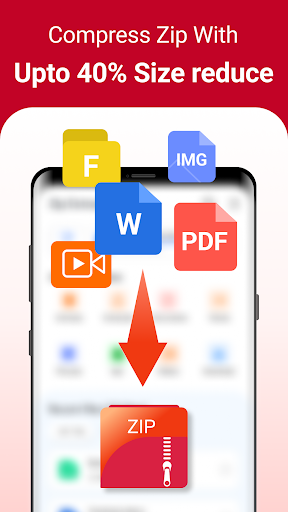
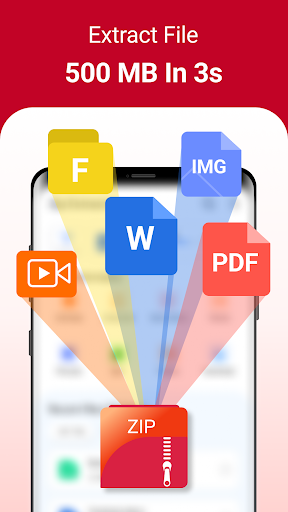
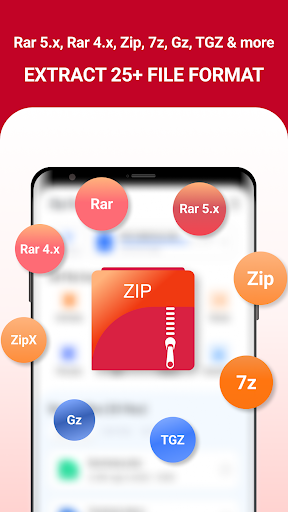
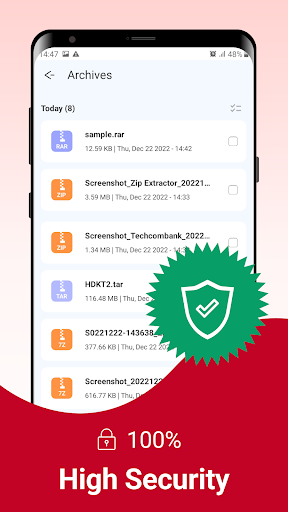
Fast and Easy-to-use Zip Extractor and Zip Opener. Zip Extractor compress to zip file is a smart solution that helps you extract up to 20+ different file formats right on your smartphone, easy to compress up to 1000 files into Zip or 7Z with size reduction.
❓You are an office worker, and the job requires you to handle a lot of documents & dozens of files need to be sent to your boss, customers & colleagues every day. Download Zip Extractor - UnZIP, UnRAR immediately, with just 1 to 2 minutes you can compress large files up to 5GB into a Zip or 7Z format with a smaller size than the original, easily extract rar, zip & many file formats in seconds, saving time and effort.
Things that make you love our Zip Extractor - UnZIP, UnRAR app:
⭐ A simple, easy-to-understand interface helps users quickly grasp and use the extract .rar files, Zip, and Zip file compressor.
⭐ Easily extract Rar files, Zip file reader & Zip file compressor without WiFi, internet connection
⭐ Data security: Zip Extractor supports compressing and decompressing with passwords. As a result, the important and sensitive files will be totally protected.
⭐ Space saving: Save storage space for your phone when compressing files with a size reduction of up to 40% compared to original
⭐ Very high compression ratio: The advanced compression algorithm enables you to compress large files to a small size in a pretty decent way. For an extra layer of file compressions, you can choose to compress your files to a zip format.
Zip Extractor has the following features:
✔️ Unzip files from ZIP format, including AES encrypted ZIP files.
✔️ Unzip many compressed files, including RAR, R 4.X, RAR 5.X, ZIP, ZIPX, JAR, GZ, TGZ, BZ2, BZ, TBZ, TBZ2, XZ, TXZ, LZ, TLZ, TAR, ISO, LZH, LHA, ARJ, Z, TAZ, ... and also unzip 7z files by 7z file extractor without password
✔️ Compress files into a ZIP file
✔️ Compress photos and videos from Photo Album.
✔️ Compress files with a password
✔️ Compress files gb to mb as known as compress file size in kb and mb to save phone memory space
✔️ Create and compress video without losing quality
✔️ Append files to a ZIP file.
✔️ Securely protect essential documents by setting a password when compressing file Zip
✔️ Support multiple ways of sharing files, including Email, Message and Open another App.
With the Zip Extractor app, you get a powerful tool that will work as a:
- Zip File Opener
- RAR Extractor
- Unzip files
- Zip Reader
- Zip Extractor
- Zip File Viewer
- File Compressor, and many more features!
[FAQ]
1. Cannot compress because the file size is too large?
- Now you can unzip files larger than 10GB.
- However, decompressing a file that is too large can put a strain on the system environment and cause a release error.
2. What password?
- The contents of some archives may be encrypted and the archive can only be opened with the password (don't use the phone password!).
3: How to compress files?
- Select all the files you want to compress by clicking on icons (from the right of filenames). Click "Compress" from menu bottom. Set desired options and press the "Compress" button.
4: How to extract files?
- Click on the archive name. Click "Extract" and select suitable options.
5. I am using Zip Extractor to compress JPEGs, but the size didn’t change much. Why?
- In order to compress your photos as much as possible, without any loss of photo quality, in the app Settings, choose maximum (compress level). This compression method examines each file and selects the compression option most likely to supply the best compression results.
Meer tonen

1. Download de MEmu-installatie en voltooi de setup

2. Start MEmu en open vervolgens Google Play op het bureaublad

3. Zoek Zip Extractor - UnZIP, UnRAR in Google Play
Install
4. Download en installeer Zip Extractor - UnZIP, UnRAR
5. Klik op het icoon om te starten na het voltooien van de installatie

6. Ervaar Zip Extractor - UnZIP, UnRAR op pc met MEmu
MEmu Play is de beste Android-emulator, met meer dan 100 miljoen gebruikers die genieten van de superieure Android-app-ervaring. Dankzij de virtualisatietechnologie van MEmu kun je duizenden Android-apps soepel op je computer draaien, zelfs de meest veeleisende.
Groter scherm met betere graphics; Lange duur, zonder beperking van batterij of mobiele data.
Volledige Keymapping-ondersteuning voor nauwkeurige besturing van toetsenbord en muis of gamepad.
Meerdere game-accounts of taken op één PC tegelijk met Multi-Instance manager.
Gebruik Zip Extractor - UnZIP, UnRAR op PC door de volgende stappen te volgen: