Classic Pet Connect - Puzzle G
Zaktualizowano
Aktualna wersja
1.0.5
Sprzedawca

Przy całej swojej pasji do grania w Classic Pet Connect - Puzzle G, twoje ręce nie powinny być ograniczone na małym ekranie telefonu. Graj jak zawodowiec i uzyskaj pełną kontrolę nad grą za pomocą klawiatury i myszy. MEmu oferuje ci wszystko, czego oczekujesz. Pobierz i graj Classic Pet Connect - Puzzle G na PC. Graj tak długo, jak chcesz, bez ograniczeń baterii, danych komórkowych i niepokojących połączeń. Zupełnie nowy MEmu 9 to najlepszy wybór do grania w Classic Pet Connect - Puzzle G na PC. Przygotowany dzięki naszej wiedzy, znakomity, wstępnie ustawiony system mapowania klawiszy sprawia, że Classic Pet Connect - Puzzle G jest prawdziwą grą na PC. Zakodowany naszą absorpcją, menedżer wielu instancji umożliwia granie na 2 lub więcej kontach na tym samym urządzeniu. A co najważniejsze, nasz emulator może uwolnić pełny potencjał twojego komputera, sprawić, że wszystko będzie płynne. Dbamy nie tylko o to, jak grasz, ale także o cały proces czerpania radości z grania.
Pokaż więcej
Ciesz się wspaniałym doświadczeniem podczas grania w Classic Pet Connect - Puzzle G na komputerze z aplikacją MEMU App Player. Jest to potężny darmowy emulator Androida pozwalający grać w tysiące gier na Androida. The Classic Pet Connect - A puzzle game with the extremely attractive challenges are waiting for you to discover.
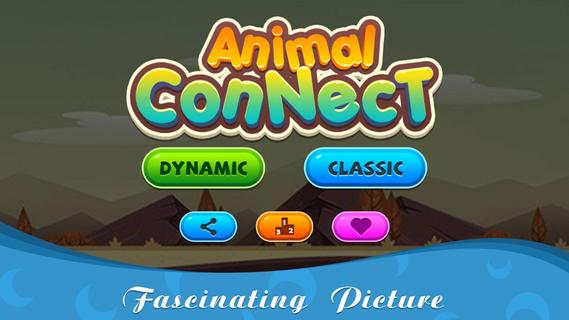
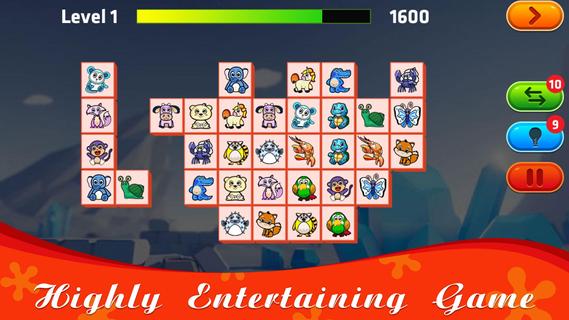
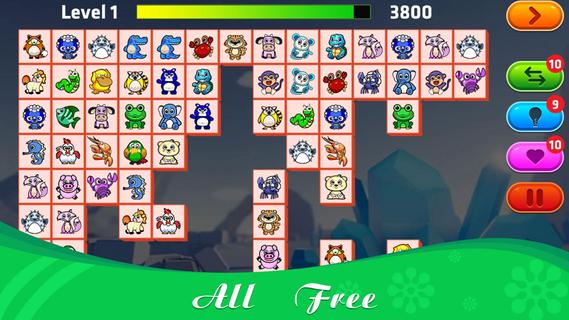
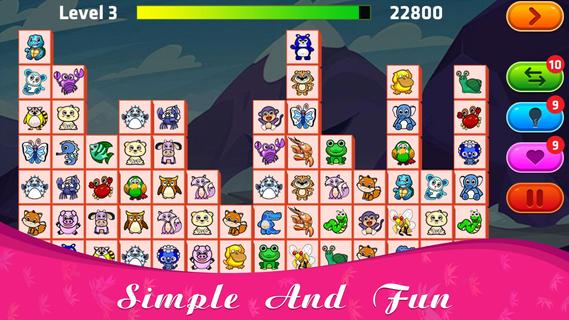
The Classic Pet Connect - A puzzle game with the extremely attractive challenges are waiting for you to discover.This game has 2 modes for you to play: Classic and Dynamic. With Dynamic mode, the number of rows and columns, as well as animals, will be less than Classic, suitable for new players to join, get used to the challenges.How to play Classic Pet Connect:⚡ Connect 2 identical animals with up to 3 straight lines;⚡ You will win the game if you can connect all the same pairs of animals that appear on the screen;⚡ When there are no identical pairs of animals on the screen, the game will automatically change positions to support you, each level with 10 turns of help.Features:⚡ Free offline game;⚡ Suitable for everyone;⚡ The function of the hint, change the position of the animals to support;⚡ Can pause playing and save when busy;⚡ 75+ levels with increasing difficulty, constantly updated weekly;⚡ Collection of extremely beautiful wallpapers and diverse themes combining funny background music;⚡ Leaderboard.The Classic Pet Connect will definitely not disappoint you. Please join now to prove your superhuman ability with the genre of animal connect game. Wish you all have fun playing games!
Pokaż więcej

1. Pobierz instalator MEmu i zakończ instalację

2. Uruchom MEmu, a następnie otwórz Google Play na pulpicie

3. Wyszukaj Classic Pet Connect - Puzzle G w Google Play
Install
4. Pobierz i zainstaluj Classic Pet Connect - Puzzle G
5. Po zakończeniu instalacji kliknij ikonę, aby rozpocząć

6. Ciesz się grą Classic Pet Connect - Puzzle G na PC z MEmu
MEmu Play to najlepszy emulator Androida, a 100 milionów ludzi już korzysta z jego i dosta doskonałe wrażenia z gier na Androida. Technologia wirtualizacji MEmu umożliwia płynne granie w tysiące gier Androida na komputerze, nawet tych najbardziej wymagających grafiki.
Większy ekran z lepszą grafiką; Długi czas, bez ograniczeń baterii lub danych mobilnych.
Pełna obsługa mapowania klawiszy dla precyzyjnego sterowania klawiaturą i myszą lub gamepadem.
Wiele kont gier lub zadań na jednym komputerze jednocześnie z menedżerem wielu instancji.
Play Classic Pet Connect - Puzzle G on PC by following steps: