Classic Pet Connect - Puzzle G
更新日
現在のバージョン
1.0.5
提供元

スマホ不要!プロ選手のようにキーボードとマウスで操作しよう。MEmuエミュはあなたにすべての期待を与える。電池が切れてしまうとか画面が小さいとかの問題を心配する必要がなくて、存分Classic Pet Connect - Puzzle Gを楽しんでください。新しいMEmuエミュ7はPCでClassic Pet Connect - Puzzle Gをプレイするのに最適!完璧なキーマッピングシステムにより、まるでパソコンゲームみたい。マルチインスタンスで複数のゲームやアプリを同時に実行!唯一無二な仮想化エンジンがパソコンの可能性を最大限になる。遊べるだけでなく、より楽しめる!
もっと見る
Classic Pet Connect - Puzzle GをPCでダウンロード!大画面でより楽しむ。電源が落ちてしまうとか通信料が足りないとかの問題を心配する必要がなく、PCの大画面でより快適にゲームを楽しましょう! The Classic Pet Connect - A puzzle game with the extremely attractive challenges are waiting for you to discover.
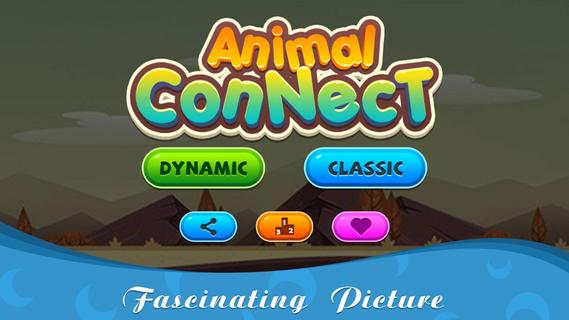
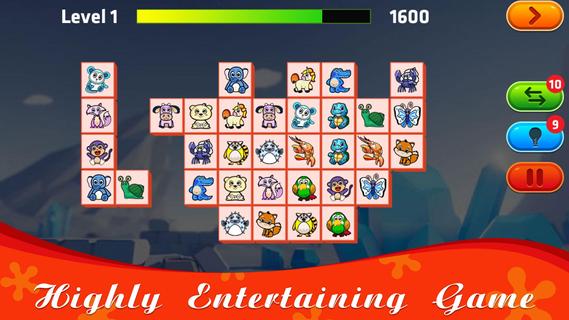
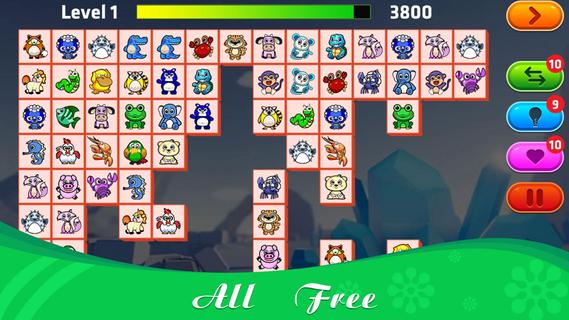
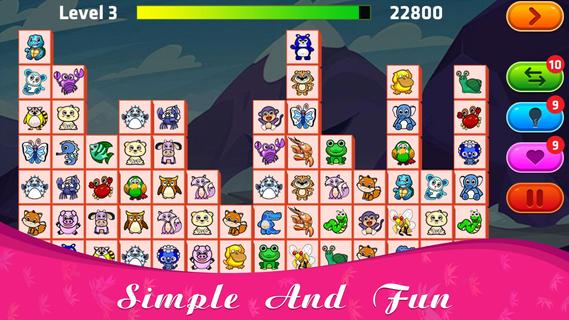
The Classic Pet Connect - A puzzle game with the extremely attractive challenges are waiting for you to discover.This game has 2 modes for you to play: Classic and Dynamic. With Dynamic mode, the number of rows and columns, as well as animals, will be less than Classic, suitable for new players to join, get used to the challenges.How to play Classic Pet Connect:⚡ Connect 2 identical animals with up to 3 straight lines;⚡ You will win the game if you can connect all the same pairs of animals that appear on the screen;⚡ When there are no identical pairs of animals on the screen, the game will automatically change positions to support you, each level with 10 turns of help.Features:⚡ Free offline game;⚡ Suitable for everyone;⚡ The function of the hint, change the position of the animals to support;⚡ Can pause playing and save when busy;⚡ 75+ levels with increasing difficulty, constantly updated weekly;⚡ Collection of extremely beautiful wallpapers and diverse themes combining funny background music;⚡ Leaderboard.The Classic Pet Connect will definitely not disappoint you. Please join now to prove your superhuman ability with the genre of animal connect game. Wish you all have fun playing games!
もっと見る

1. MEmuインストーラーをダウンロードしてセットアップを完了する

2. MEmuを起動し、デスクトップでのPlayストアを開く

3. PlayストアでClassic Pet Connect - Puzzle Gを検索する
Install
4. Classic Pet Connect - Puzzle Gをダウンロードしてインストールする
5. インストールが完了したら、アイコンをクリックしてスタート

6. MEmuを使用してPCでClassic Pet Connect - Puzzle Gを楽しむ
MEmu App Playerは最高の無料で提供されるAndroidエミュレータで、5,000万人がすでに優れたAndroidゲーム体験を楽しんでいます。 MEmuの仮想化技術は、あなたのPCで何千ものAndroidゲームを快適にプレイすることを可能にします。
大画面でより精細;無限の待機、電池とドラフィックの極限を超え
キーボード・マウス・コントローラーを全力でサポート、より快適
マルチインスタンスで複数のゲームを同時に実行
Play Classic Pet Connect - Puzzle G on PC by following steps: