CloverPit
Zaktualizowano
Aktualna wersja
1.4.8
Sprzedawca

Przy całej swojej pasji do grania w CloverPit, twoje ręce nie powinny być ograniczone na małym ekranie telefonu. Graj jak zawodowiec i uzyskaj pełną kontrolę nad grą za pomocą klawiatury i myszy. MEmu oferuje ci wszystko, czego oczekujesz. Pobierz i graj CloverPit na PC. Graj tak długo, jak chcesz, bez ograniczeń baterii, danych komórkowych i niepokojących połączeń. Zupełnie nowy MEmu 9 to najlepszy wybór do grania w CloverPit na PC. Przygotowany dzięki naszej wiedzy, znakomity, wstępnie ustawiony system mapowania klawiszy sprawia, że CloverPit jest prawdziwą grą na PC. Zakodowany naszą absorpcją, menedżer wielu instancji umożliwia granie na 2 lub więcej kontach na tym samym urządzeniu. A co najważniejsze, nasz emulator może uwolnić pełny potencjał twojego komputera, sprawić, że wszystko będzie płynne. Dbamy nie tylko o to, jak grasz, ale także o cały proces czerpania radości z grania.
Pokaż więcej
Ciesz się wspaniałym doświadczeniem podczas grania w CloverPit na komputerze z aplikacją MEMU App Player. Jest to potężny darmowy emulator Androida pozwalający grać w tysiące gier na Androida. Clover Pit to demoniczny rogue-lite, który więzi graczy w piekle, które sami stworzyli.
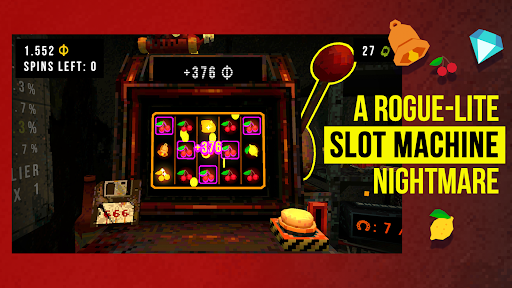
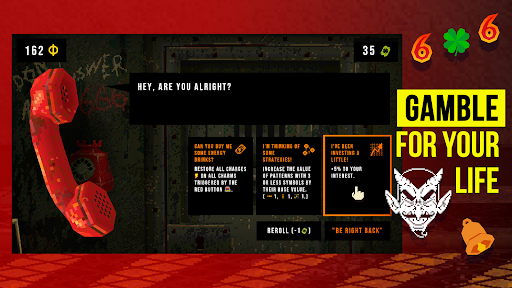
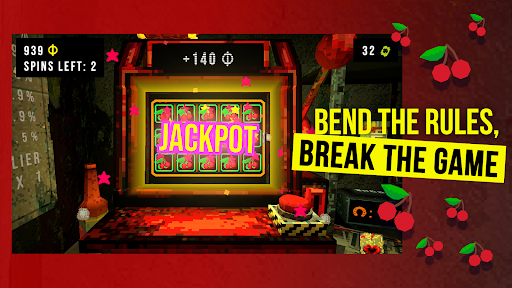
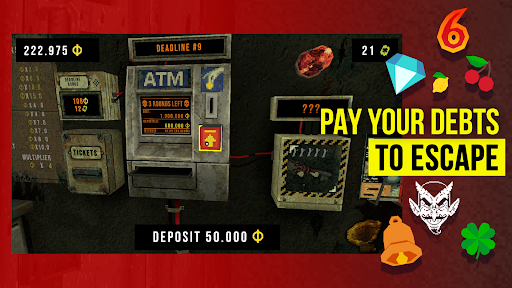
Clover Pit to demoniczny rogue-lite, który więzi graczy w piekle, które sami stworzyli. Zamknięty w zardzewiałej celi z automatem do gry i bankomatem, musisz spłacić swój dług na koniec każdej rundy, inaczej popadniesz w ruinę – dosłownie!
Manipuluj automatem, aby zdobyć dodatkowe monety. Obróć szanse na swoją korzyść dzięki różnorodnym nagrodom i amuletom, które uruchamiają potężne kombinacje, tworząc olśniewającą serię szczęścia. Naginaj zasady, łam zasady gry i spłacaj swojego porywacza wystarczająco długo, aby zyskać szansę na wolność.
Cechy:
- Wciągający rogue-lite, w którym każda runda może być Twoją ostatnią!
- Meta-progresja, wiele zakończeń i odblokowywalne power-upy!
- Wznieś swój wynik na nowy poziom w trybie Endless!
- Piekielna atmosfera escape roomu!
- Ponad 150 przedmiotów i synergii, które zwiększą Twoje szczęście!
- Złowroga opowieść o uzależnieniu i ucieczce!
Uwaga dotycząca danych zapisu: Ta gra obecnie zapisuje postępy lokalnie na Twoim urządzeniu. Pamiętaj, że odinstalowanie aplikacji (lub wyczyszczenie danych aplikacji) spowoduje usunięcie pliku zapisu. Zapisywanie w chmurze i synchronizacja między urządzeniami są w fazie rozwoju i zostaną udostępnione w przyszłości.
PS. CZY TO JEST HAZARD?
Nie! CloverPit to horror rogue-lite, a nie symulator automatu do gry. Nasz automat do gry został zaprojektowany tak, aby go zniszczyć i ostatecznie pokonać, i nigdy nie poprosi Cię o prawdziwe pieniądze!
Pokaż więcej

1. Pobierz instalator MEmu i zakończ instalację

2. Uruchom MEmu, a następnie otwórz Google Play na pulpicie

3. Wyszukaj CloverPit w Google Play
Install
4. Pobierz i zainstaluj CloverPit
5. Po zakończeniu instalacji kliknij ikonę, aby rozpocząć

6. Ciesz się grą CloverPit na PC z MEmu
MEmu Play to najlepszy emulator Androida, a 100 milionów ludzi już korzysta z jego i dosta doskonałe wrażenia z gier na Androida. Technologia wirtualizacji MEmu umożliwia płynne granie w tysiące gier Androida na komputerze, nawet tych najbardziej wymagających grafiki.
Większy ekran z lepszą grafiką; Długi czas, bez ograniczeń baterii lub danych mobilnych.
Pełna obsługa mapowania klawiszy dla precyzyjnego sterowania klawiaturą i myszą lub gamepadem.
Wiele kont gier lub zadań na jednym komputerze jednocześnie z menedżerem wielu instancji.
Play CloverPit on PC by following steps: