Daisy Bunny Candy World
Zaktualizowano
Aktualna wersja
1720375508
Sprzedawca

Przy całej swojej pasji do grania w Daisy Bunny Candy World, twoje ręce nie powinny być ograniczone na małym ekranie telefonu. Graj jak zawodowiec i uzyskaj pełną kontrolę nad grą za pomocą klawiatury i myszy. MEmu oferuje ci wszystko, czego oczekujesz. Pobierz i graj Daisy Bunny Candy World na PC. Graj tak długo, jak chcesz, bez ograniczeń baterii, danych komórkowych i niepokojących połączeń. Zupełnie nowy MEmu 9 to najlepszy wybór do grania w Daisy Bunny Candy World na PC. Przygotowany dzięki naszej wiedzy, znakomity, wstępnie ustawiony system mapowania klawiszy sprawia, że Daisy Bunny Candy World jest prawdziwą grą na PC. Zakodowany naszą absorpcją, menedżer wielu instancji umożliwia granie na 2 lub więcej kontach na tym samym urządzeniu. A co najważniejsze, nasz emulator może uwolnić pełny potencjał twojego komputera, sprawić, że wszystko będzie płynne. Dbamy nie tylko o to, jak grasz, ale także o cały proces czerpania radości z grania.
Pokaż więcej
Ciesz się wspaniałym doświadczeniem podczas grania w Daisy Bunny Candy World na komputerze z aplikacją MEMU App Player. Jest to potężny darmowy emulator Androida pozwalający grać w tysiące gier na Androida. There are a lot of great challenges that await you in this animal game.
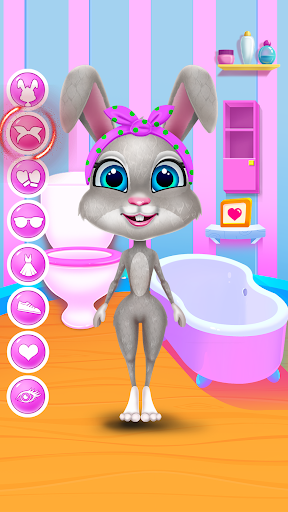
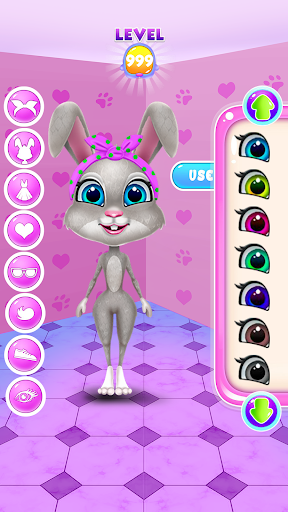
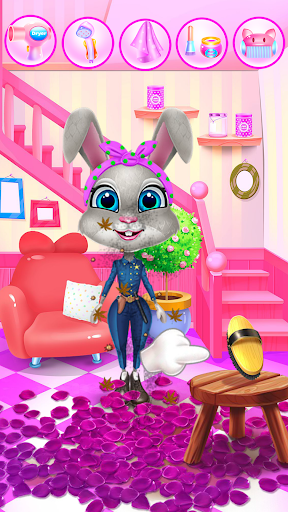
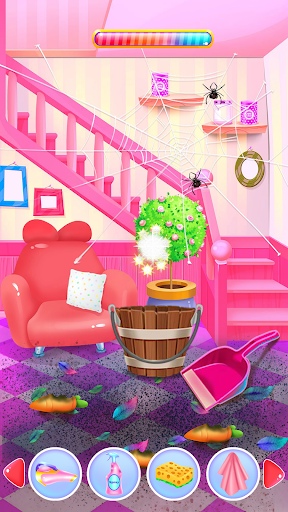
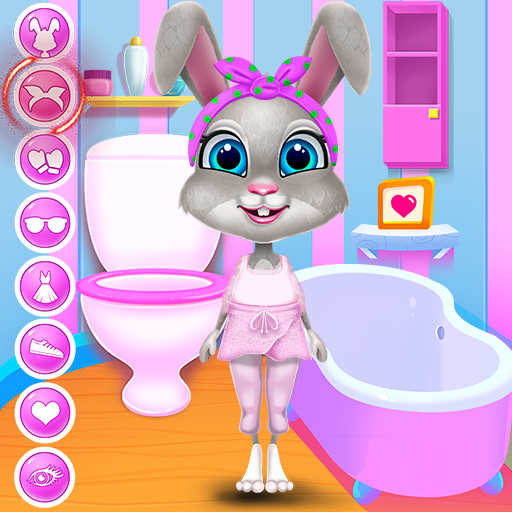
There are a lot of great challenges that await you in this animal game. Have a delightful time with Daisy, the bunny, and let her introduce you to the wonders from her Candy World. Before you can get into that you must first prepare her. He needs to take a bath and also be nursed. Wash her fur and make her clean. Once you do that you can move into cleaning her house. Wipe the floor and get rid of the dirt. It looks like your pet's paw requires proper nursing. Follow the given instructions and do the right procedures for an injured bunny leg. Continue the grooming with a delicious food serving. Daisy will ask for a certain dish and you will serve her by her preferences. After the bunny's tummy is full you will move into designing her outfit. Create a unique aspect to suit Daisy's style and make sure you use your creativity for multiple looks. Put on nice accessories, add your mark on each of her outfits and try to incorporate various styles. Use those fancy dresses and build your favorite version of your pet. You can even chose her hairstyle and change the color of her fur. Customize as many looks as you can and make her feel fabulous in every one of them. Next you can enjoy the incorporated candy mini-game. Find out the best way to match and mix those candies and win the prize. Have fun and let Daisy show you how great is in the Candy World.
Look up for these interesting features that this game has presented in here:
- Caretaker skills to develop
- Fluffy bunny to look after
- Cleaning activities to perform
- Super opportunity to build multiple outfits
- Getting to know the process of grooming your pet
- Cook and feed the bunny with delicious treats
- Dress up items and cool accessories
- Easy control of the game and free playing
- Bath, arrange, feed and dress up your animal
- Great matching candy game
- Amazing graphics and suggestive sounds
Pokaż więcej

1. Pobierz instalator MEmu i zakończ instalację

2. Uruchom MEmu, a następnie otwórz Google Play na pulpicie

3. Wyszukaj Daisy Bunny Candy World w Google Play
Install
4. Pobierz i zainstaluj Daisy Bunny Candy World
5. Po zakończeniu instalacji kliknij ikonę, aby rozpocząć

6. Ciesz się grą Daisy Bunny Candy World na PC z MEmu
MEmu Play to najlepszy emulator Androida, a 100 milionów ludzi już korzysta z jego i dosta doskonałe wrażenia z gier na Androida. Technologia wirtualizacji MEmu umożliwia płynne granie w tysiące gier Androida na komputerze, nawet tych najbardziej wymagających grafiki.
Większy ekran z lepszą grafiką; Długi czas, bez ograniczeń baterii lub danych mobilnych.
Pełna obsługa mapowania klawiszy dla precyzyjnego sterowania klawiaturą i myszą lub gamepadem.
Wiele kont gier lub zadań na jednym komputerze jednocześnie z menedżerem wielu instancji.
Play Daisy Bunny Candy World on PC by following steps: