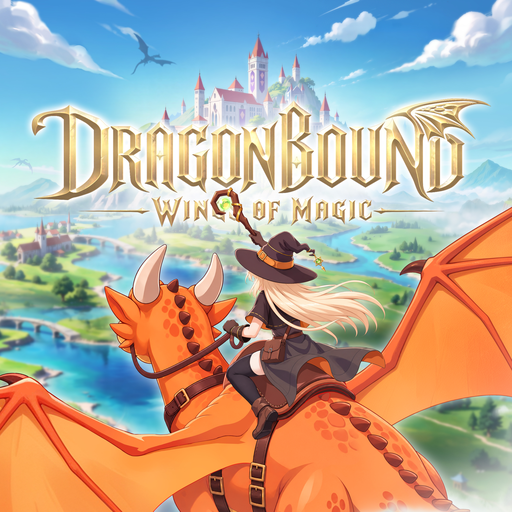
Dragonbound: Wings of Magic
Zaktualizowano
Aktualna wersja
1.0.4.0
Sprzedawca

Przy całej swojej pasji do grania w Dragonbound: Wings of Magic, twoje ręce nie powinny być ograniczone na małym ekranie telefonu. Graj jak zawodowiec i uzyskaj pełną kontrolę nad grą za pomocą klawiatury i myszy. MEmu oferuje ci wszystko, czego oczekujesz. Pobierz i graj Dragonbound: Wings of Magic na PC. Graj tak długo, jak chcesz, bez ograniczeń baterii, danych komórkowych i niepokojących połączeń. Zupełnie nowy MEmu 9 to najlepszy wybór do grania w Dragonbound: Wings of Magic na PC. Przygotowany dzięki naszej wiedzy, znakomity, wstępnie ustawiony system mapowania klawiszy sprawia, że Dragonbound: Wings of Magic jest prawdziwą grą na PC. Zakodowany naszą absorpcją, menedżer wielu instancji umożliwia granie na 2 lub więcej kontach na tym samym urządzeniu. A co najważniejsze, nasz emulator może uwolnić pełny potencjał twojego komputera, sprawić, że wszystko będzie płynne. Dbamy nie tylko o to, jak grasz, ale także o cały proces czerpania radości z grania.
Pokaż więcej
Ciesz się wspaniałym doświadczeniem podczas grania w Dragonbound: Wings of Magic na komputerze z aplikacją MEMU App Player. Jest to potężny darmowy emulator Androida pozwalający grać w tysiące gier na Androida. Wstąp do Akademii Rycerzy Smoków, opanuj potężną magię i wylęgnij własnego smoka.

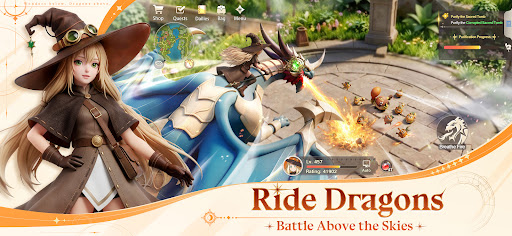

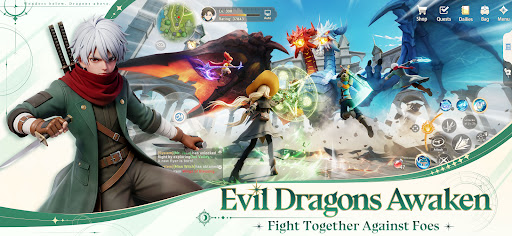
Wstąp do Akademii Rycerzy Smoków, opanuj potężną magię i wylęgnij własnego smoka. Karm go, trenuj i obserwuj, jak ewoluuje w partnera, który walczy u twego boku.
Ale to nie twoja pierwsza wizyta w tym miejscu. Podczas twojej ostatniej podróży fala Chaosu przemieniła twojego najbardziej zaufanego smoka w coś potwornego. Teraz się obudziłeś, dokładnie w dniu, w którym się poznaliście.
Naucz się na nowo swojej magii. Wyhoduj swojego smoka na nowo. Ruszaj do bitwy na smoczym grzbiecie, odkryj prawdę kryjącą się za skażeniem i odeprzyj Chaos wraz ze swoimi sojusznikami — by zmienić przyszłość.
【Wybierz swoją klasę, stwórz swój styl】
Bitwa zmienia się błyskawicznie, tak jak ty. Zmieniaj role klas w locie, miksuj broń i umiejętności i dostosowuj się do walki, przechodząc od brutalnej walki wręcz do magii dystansowej, gdy tylko walka tego wymaga.
【Wzbij się w przestworza】
Dosiądź swojego smoka i wznieś bitwę w powietrze. Poluj na latające cele, unikaj ostrzału i przeprowadzaj skoordynowane ataki powietrzne ze smokiem u boku.
【Polowanie na Smoka Demona】
Kolosalny Smok Demon, spaczony przez Chaos, budzi się do życia. Zbierz drużynę, odczytaj jego schematy, uderz w jego słabe punkty i skup ogień, aby pokonać bestię w ogniu jej furii.
【Zbuduj swój dom, znajdź swoją załogę】
Spotkaj sojuszników z całego królestwa i razem eksploruj Kontynent Heimdall. Zbuduj swój własny magiczny dom – ciepłą bazę wypadową, do której będziesz wracać przed każdą nową podróżą.
Pokaż więcej

1. Pobierz instalator MEmu i zakończ instalację

2. Uruchom MEmu, a następnie otwórz Google Play na pulpicie

3. Wyszukaj Dragonbound: Wings of Magic w Google Play
Install
4. Pobierz i zainstaluj Dragonbound: Wings of Magic
5. Po zakończeniu instalacji kliknij ikonę, aby rozpocząć

6. Ciesz się grą Dragonbound: Wings of Magic na PC z MEmu
MEmu Play to najlepszy emulator Androida, a 100 milionów ludzi już korzysta z jego i dosta doskonałe wrażenia z gier na Androida. Technologia wirtualizacji MEmu umożliwia płynne granie w tysiące gier Androida na komputerze, nawet tych najbardziej wymagających grafiki.
Większy ekran z lepszą grafiką; Długi czas, bez ograniczeń baterii lub danych mobilnych.
Pełna obsługa mapowania klawiszy dla precyzyjnego sterowania klawiaturą i myszą lub gamepadem.
Wiele kont gier lub zadań na jednym komputerze jednocześnie z menedżerem wielu instancji.
Play Dragonbound: Wings of Magic on PC by following steps: