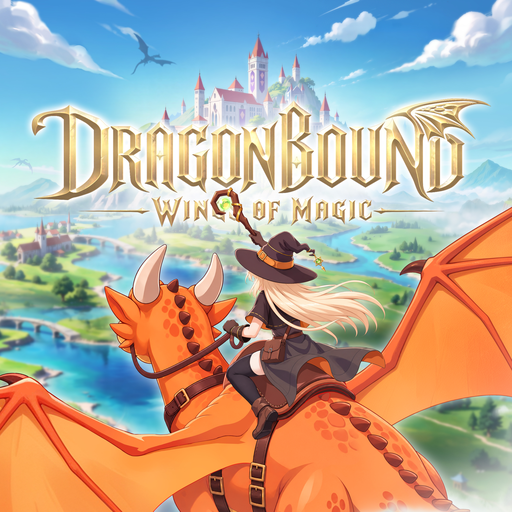
Dragonbound: Wings of Magic
Aktualisiert
Aktuelle Version
1.0.4.0
Angeboten von

Bei all Ihrer Leidenschaft für das Spielen von Dragonbound: Wings of Magic sollten Ihre Hände nicht auf einen winzigen Bildschirm Ihres Telefons beschränkt sein. Spielen Sie wie ein Profi und übernehmen Sie die volle Kontrolle über Ihr Spiel mit Tastatur und Maus. MEmu bietet Ihnen all die Dinge, die Sie erwarten. Laden Sie Dragonbound: Wings of Magic herunter und spielen Sie es auf dem PC. Spielen Sie so lange, wie Sie wollen, ohne Grenzwerte für Akku, mobile Daten und störende Anrufe. Das brandneue MEmu 9 ist die beste Wahl, um Dragonbound: Wings of Magic auf dem PC zu spielen. Das exquisite voreingestellte Tastaturbelegungssystem, das mit unserem Fachwissen vorbereitet wurde, macht Dragonbound: Wings of Magic zu einem echten PC-Spiel. Der MEmu Multi-Instanz-Manager ermöglicht das Spielen von 2 oder mehr Konten auf demselben Gerät. Und das Wichtigste: Unsere exklusive Emulations-Engine kann das volle Potenzial Ihres PCs freisetzen und für reibungslose Abläufe sorgen.
Mehr anzeigen
Laden Sie Play Dragonbound: Wings of Magic auf dem PC mit MEmu Android Emulator. Viel Spaß beim Spielen auf großmundieren. Step into the Dragon Knight Academy, master powerful magic, and hatch a dragon all your own.

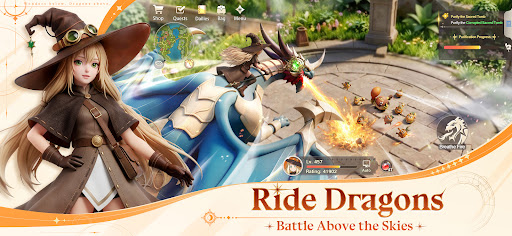

Step into the Dragon Knight Academy, master powerful magic, and hatch a dragon all your own. Feed it, train it, and watch it evolve into the partner who fights by your side.
But this isn't your first time here. On your last journey, the Chaos surge twisted your most trusted dragon into something monstrous. Now you've awoken, back on the very day you first met.
Relearn your magic. Raise your dragon anew. Ride into battle on dragonback, uncover the truth behind the corruption, and push back the Chaos with your allies — to change the future.
【Choose Your Class, Forge Your Style】
Battle shifts in an instant, and so can you. Swap class roles on the fly, mix weapons and skills, and adapt from brutal melee to ranged magic whenever the fight demands it.
【Take to the Skies】
Mount your dragon and carry the battle into the air. Hunt down flying targets, dodge incoming fire, and unleash coordinated aerial strikes with your dragon at your side.
【Hunt the Demon Dragon】
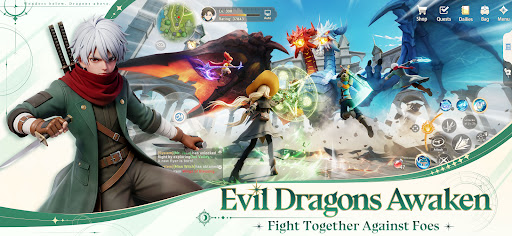
A colossal Demon Dragon, twisted by Chaos, is awakening. Rally your party, read its patterns, strike its weak points, and focus your fire to bring down the beast in the heat of its fury.
【Build Your Home, Find Your Crew】
Meet allies from across the realm and explore the Heimdall Continent together. Build a magical home of your own — a warm base camp to return to before every new journey.
Mehr anzeigen

1. Laden das MEmu-Installationsprogramm herunter und beenden die Installation

2. MEmu starten und Google Play auf der Homepage öffnen

3. Suchen Dragonbound: Wings of Magic in Google Play
Install
4. Herunterladen und Installieren Dragonbound: Wings of Magic
5. Klicken nach Abschluss der Installation auf das Symbol, um es zu starten

6. Viel Spaß beim Spielen von Dragonbound: Wings of Magic auf dem PC mit MEmu
MEmu App Player ist der beste kostenlose Android-Emulator und 50 Millionen Menschen genießen bereits seine hervorragende Android-Gaming-Erfahrung. Mit der MEmu-Virtualisierungstechnologie können Sie Tausende von Android-Spielen problemlos auf Ihrem PC spielen, selbst bei grafikintensiven Spielen.
BGrößeres Bild mit besserer Grafik; Keine unterbrechungen, keine sorgen um Akku
Komplette Tastenbelegung unterstützt mit Maus und Tastatur oder Controller
Mit dem „Multi-Instance-Manager“ können Sie mehrere Spielkonten oder Spiele gleichzeitig auf einem PC ausführen.
Play Dragonbound: Wings of Magic on PC by following steps: