Kungpow Granny's Revenge
Zaktualizowano
Aktualna wersja
1.1.3
Sprzedawca

Przy całej swojej pasji do grania w Kungpow Granny's Revenge, twoje ręce nie powinny być ograniczone na małym ekranie telefonu. Graj jak zawodowiec i uzyskaj pełną kontrolę nad grą za pomocą klawiatury i myszy. MEmu oferuje ci wszystko, czego oczekujesz. Pobierz i graj Kungpow Granny's Revenge na PC. Graj tak długo, jak chcesz, bez ograniczeń baterii, danych komórkowych i niepokojących połączeń. Zupełnie nowy MEmu 9 to najlepszy wybór do grania w Kungpow Granny's Revenge na PC. Przygotowany dzięki naszej wiedzy, znakomity, wstępnie ustawiony system mapowania klawiszy sprawia, że Kungpow Granny's Revenge jest prawdziwą grą na PC. Zakodowany naszą absorpcją, menedżer wielu instancji umożliwia granie na 2 lub więcej kontach na tym samym urządzeniu. A co najważniejsze, nasz emulator może uwolnić pełny potencjał twojego komputera, sprawić, że wszystko będzie płynne. Dbamy nie tylko o to, jak grasz, ale także o cały proces czerpania radości z grania.
Pokaż więcej
Ciesz się wspaniałym doświadczeniem podczas grania w Kungpow Granny's Revenge na komputerze z aplikacją MEMU App Player. Jest to potężny darmowy emulator Androida pozwalający grać w tysiące gier na Androida. Pełen niebezpieczeństw loch.
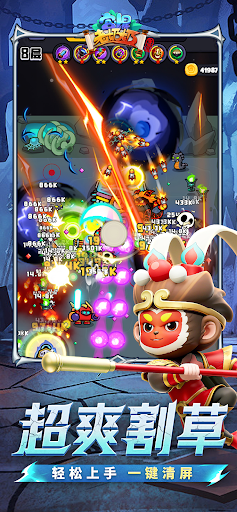



Pełen niebezpieczeństw loch. Rój potworów, które są wszystkim, tylko nie łatwe. Czy jesteś gotowy, by rzucić wyzwanie najtwardszej babci w okolicy?
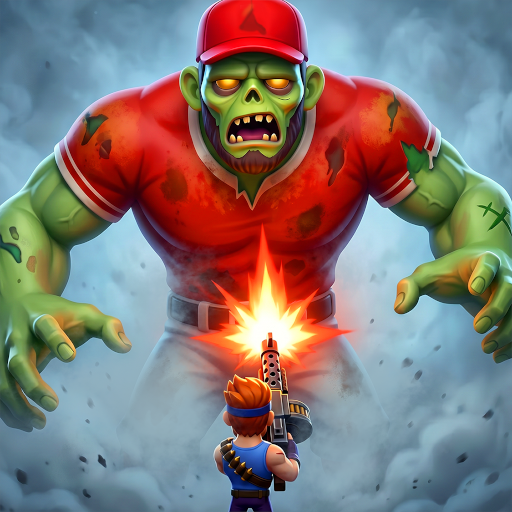
Kung Pow Granny to gra akcji o przetrwaniu w pionie, w której kontrolujesz Babcię, unikającą fal potworów, zbierającą potężne umiejętności, ulepszającą broń, współpracującą ze zwierzakami i stawiającą czoła wymagającym przeciwnikom i potężnym bossom.
Sterowanie jedną ręką, błyskawiczna akcja
Gra zaprojektowana z myślą o rozgrywce w pionie sprawia, że poruszanie się, unikanie, zbieranie przedmiotów i kontrataki są płynne i intuicyjne. Niezależnie od tego, czy grasz na krótką sesję, czy przebijasz się przez trudniejsze poziomy, możesz szybko wskoczyć i od razu zacząć walczyć.
Roguelite Kombinacje Umiejętności, Nowe Konfiguracje w Każdej Rozgrywce
Arktyczny Mróz, Kula Burzy Magnetycznej, Skaczące Buty, Laska Cyklonu, Zęby Szału i inne szalone umiejętności czekają. Każde ulepszenie może zmienić bitwę, pozwalając Ci stworzyć własny styl walki z każdą rozgrywką.
Przetrwanie w lochach z uroczymi, ale podstępnymi potworami
Kreskówkowe lochy mogą wyglądać beztrosko, ale te potwory nie są tu tylko po to, by wyglądać uroczo. Każdy wróg ma swój własny schemat ruchu i styl ataku. Aby przetrwać zasadzki, roje i presję ze strony bossów, będziesz potrzebować sprytnych uników i sprytnych wyborów ulepszeń.
Ulepszaj broń i buduj swoją siłę ognia
Wybieraj spośród broni takich jak wiatrówka, miecz Tang i kusza. Ulepszaj broń i umiejętności, aby przekształcić Babcię z ocalałej w prawdziwą pogromczynię potworów.
Towarzysze ze zwierzakami, wspólna przygoda
Zabierz ze sobą towarzyszy, takich jak Kurczak Bro, Mały Smok Ognia i Mały Duszek. Każdy zwierzak oferuje inne umiejętności wsparcia, pomagając w zadawaniu obrażeń, kontrolowaniu lub przetrwaniu, i dodając różnorodności każdej wyprawie do lochów.
Wiele trybów, niekończące się wyzwania
Podejmij się etapów fabularnych, niekończących się wyzwań i różnych trybów lochów. Wypróbuj różne kombinacje broni, umiejętności i zwierzaków, przekraczaj własne granice i staw czoła jeszcze większym falom wrogów.
Gotowy na wejście do lochu? Steruj tą nieprzewidywalną babcią, unikaj fal potworów, wykorzystuj szalone umiejętności, walcz u boku wiernych towarzyszy i stwórz własną legendę przetrwania w lochach!
Pokaż więcej

1. Pobierz instalator MEmu i zakończ instalację

2. Uruchom MEmu, a następnie otwórz Google Play na pulpicie

3. Wyszukaj Kungpow Granny's Revenge w Google Play
Install
4. Pobierz i zainstaluj Kungpow Granny's Revenge
5. Po zakończeniu instalacji kliknij ikonę, aby rozpocząć

6. Ciesz się grą Kungpow Granny's Revenge na PC z MEmu
MEmu Play to najlepszy emulator Androida, a 100 milionów ludzi już korzysta z jego i dosta doskonałe wrażenia z gier na Androida. Technologia wirtualizacji MEmu umożliwia płynne granie w tysiące gier Androida na komputerze, nawet tych najbardziej wymagających grafiki.
Większy ekran z lepszą grafiką; Długi czas, bez ograniczeń baterii lub danych mobilnych.
Pełna obsługa mapowania klawiszy dla precyzyjnego sterowania klawiaturą i myszą lub gamepadem.
Wiele kont gier lub zadań na jednym komputerze jednocześnie z menedżerem wielu instancji.
Play Kungpow Granny's Revenge on PC by following steps: