NTE: Neverness to Everness
Zaktualizowano
Aktualna wersja
1.0.7.70820
Sprzedawca

Przy całej swojej pasji do grania w NTE: Neverness to Everness, twoje ręce nie powinny być ograniczone na małym ekranie telefonu. Graj jak zawodowiec i uzyskaj pełną kontrolę nad grą za pomocą klawiatury i myszy. MEmu oferuje ci wszystko, czego oczekujesz. Pobierz i graj NTE: Neverness to Everness na PC. Graj tak długo, jak chcesz, bez ograniczeń baterii, danych komórkowych i niepokojących połączeń. Zupełnie nowy MEmu 9 to najlepszy wybór do grania w NTE: Neverness to Everness na PC. Przygotowany dzięki naszej wiedzy, znakomity, wstępnie ustawiony system mapowania klawiszy sprawia, że NTE: Neverness to Everness jest prawdziwą grą na PC. Zakodowany naszą absorpcją, menedżer wielu instancji umożliwia granie na 2 lub więcej kontach na tym samym urządzeniu. A co najważniejsze, nasz emulator może uwolnić pełny potencjał twojego komputera, sprawić, że wszystko będzie płynne. Dbamy nie tylko o to, jak grasz, ale także o cały proces czerpania radości z grania.
Pokaż więcej
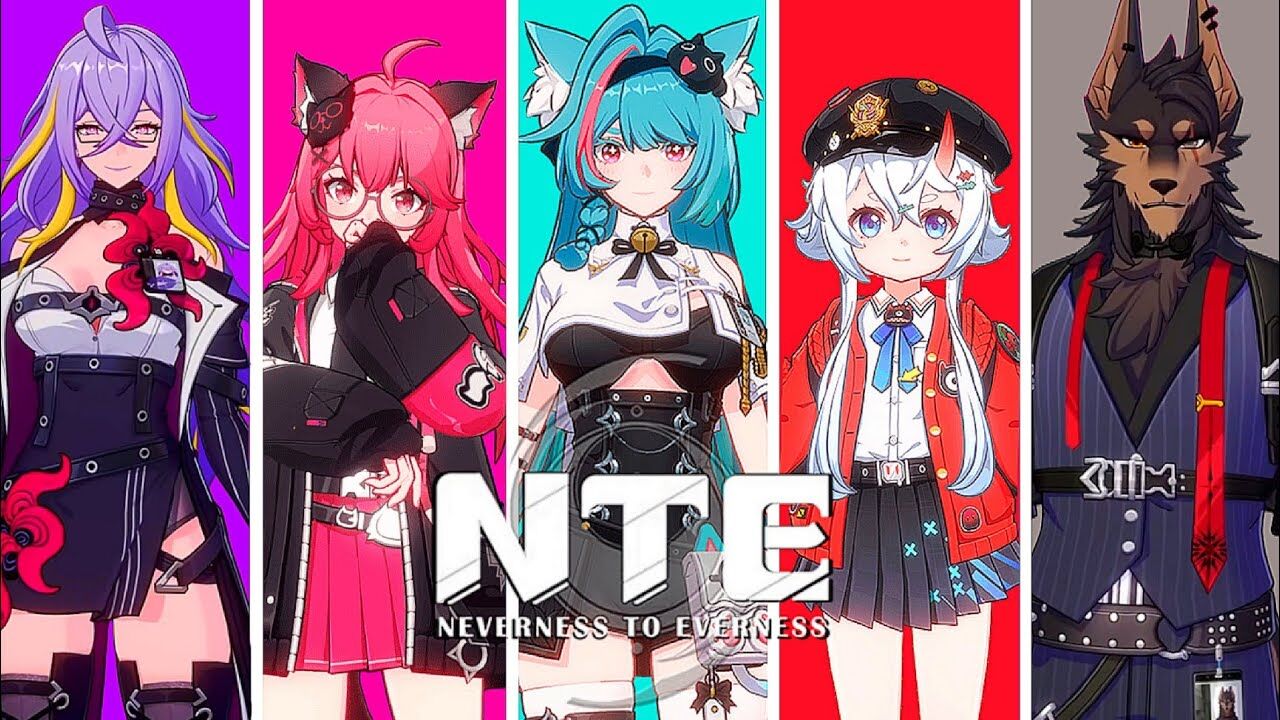
Ciesz się wspaniałym doświadczeniem podczas grania w NTE: Neverness to Everness na komputerze z aplikacją MEMU App Player. Jest to potężny darmowy emulator Androida pozwalający grać w tysiące gier na Androida. NTE to gra RPG z otwartym światem i nadprzyrodzonymi zjawiskami, opracowana przez Hotta Studio.
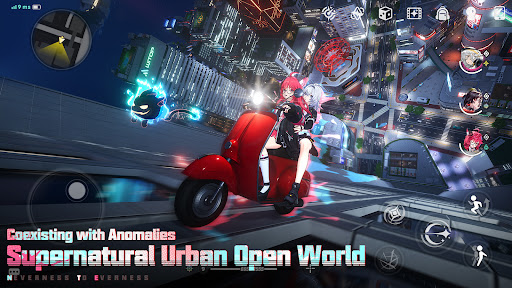
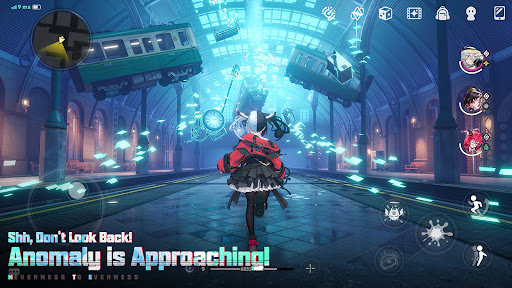
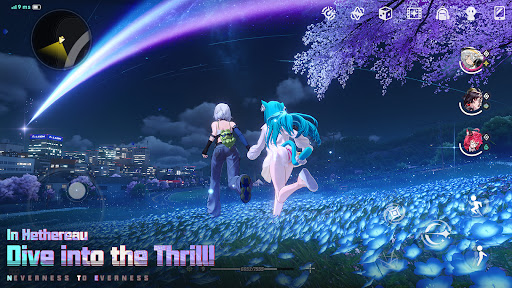
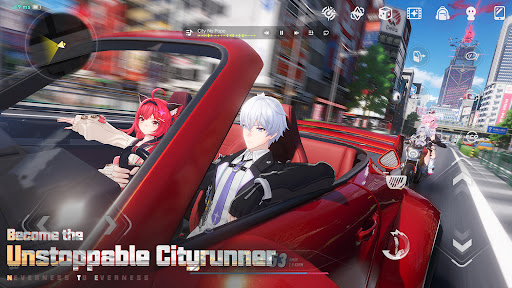
NTE to gra RPG z otwartym światem i nadprzyrodzonymi zjawiskami, opracowana przez Hotta Studio. Historia rozpoczyna się w mieście Hethereau, gdzie wcielasz się w rolę pierwszego „nielicencjonowanego” Łowcy Anomalii. Dołączasz do załogi Eibon, podupadłego antykwariatu, który utrzymuje się dzięki zleceniom od każdego, kto zechce zapłacić za poszukiwanie anomalii. Wraz z różnorodną grupą niezwykłych towarzyszy będziesz odkrywać miejskie tajemnice, przeżywać przygody pełne śmiechu i bólu serca oraz pisać własne historie na rozświetlonych neonami ulicach.
◆ Dziwne Miasto, Dziwne Przygody
Witamy w pierwszym przystanku w Twojej karierze rzeczoznawcy – Hethereau, rozległej i tętniącej życiem metropolii!
W zatłoczonych korytarzach Biura Kontroli Anomalii, pełni nadziei Osobliwości ustawiają się w kolejce po pozwolenia na pobyt, a na dworcu kolejowym pracownik Esper pstryka palcami, by na bieżąco czyścić swój roboczy garnitur. Przecznicę dalej chaotyczny pościg za Danzaburou wymyka się spod kontroli; podczas gdy po drugiej stronie ulicy, na wakacjach, lokaj w srebrnej rękawiczce, plotkuje z właścicielem sklepu z używaną elektroniką. Gdziekolwiek spojrzysz, nie brakuje intrygujących, „nienormalnych” scen.
Chcesz zanurzyć się głębiej w świat, w którym ludzie i zjawiska nadprzyrodzone współistnieją? Rozpocznij swoją podróż w Hethereau, aby przekonać się o tym na własne oczy. Tętniące życiem i osobliwe codzienne życie to sama w sobie wielka przygoda.
◆ Ciekawe historie, beztroskie powiązania
Najważniejszy temat dnia: Krążą plotki o tajemniczym lombardzie, który pojawia się tylko w noc pełni księżyca. Co byś oddał za życzenie?
Najnowsze wiadomości: Kryzys miłosny Taygedo! Romans i impuls, złamane serce i zmarnowane szanse – panna Tako, obiekt sekretnego zauroczenia, zamierza opuścić Hethereau ze swoim poręczycielem. Jak zakochana wydra da wyraz swoim uczuciom, zanim będzie za późno?
Niezawodna wskazówka od wtajemniczonego: Studio Film Orbit wraca do pracy! Członkowie antykwariatu Eibon otrzymują ekskluzywne zniżki!
Aktualizacja pogody: Deszczowy Anomalia wkracza w fazę aktywności — nie zapomnijcie o odzieży przeciwdeszczowej, wychodząc!
To już koniec dzisiejszej transmisji o 10:00. Czekajcie na tajemnicze Anomalie, niezłomne „Przysięgi” i stale rosnący cień kolosalnej organizacji „Krąg”, który majaczy w rozbitych echach „Przepowiedni”...
◆ Spotkania i więzi
Odkrywaj ukryte sklepy ukryte w bocznych uliczkach i spotykaj ich tajemniczych właścicieli, a także absurdalnie potężnych ochroniarzy, robotycznych lokajów-majstrów, awanturników, którzy nie potrafią powstrzymać się od wyszukiwania usterek, oraz mechaników z głowami jak z telewizora i bardzo osobliwymi nawykami żywieniowymi.
Jako członek załogi Eibon nigdy nie zabraknie Ci energicznych towarzyszy na Twojej drodze.
Poszerz swoje grono znajomych, zaczynając od tętniącej życiem ulicy Hankaku! Poznaj członków różnych frakcji i dodaj ich do grona znajomych „Bagel”!
Od zżytej dzielnicy ulicznych sklepików po wyjątkowe organizacje myśliwskie, czekają na Ciebie niezliczone historie poboczne – gotowe, by poznać nowych przyjaciół i zbudować więzi w każdym zakątku Hethereau.
◆ Spersonalizuj swój miejski styl życia
Odkrywaj miasto na własnych zasadach – trzymaj się znanych schematów lub zmień coś.
Spersonalizuj swój pojazd i śmigaj po ulicach miasta lub wskocz do Pociągu Widmo, by przemierzyć przestrzeń Anomalii i dotrzeć tam w mgnieniu oka.
W wolnym czasie wpadnij do starych sklepów na ulicy Hankaku, aby przejrzeć ich tajny, sezonowy asortyment, lub kup przytulny domek i udekoruj go według własnego uznania.
Podążaj we własnym tempie, kieruj się instynktem i pozwól, by Hethereau nagrodziło Cię kolorowymi dniami wartymi zapamiętania. Śledź nasze oficjalne kanały, aby być na bieżąco z najnowszymi informacjami o NTE!
Oficjalna strona internetowa: https://nte.perfectworld.com
YouTube: https://www.youtube.com/@NTE_Official
X: https://x.com/NTE_GL
Discord: https://discord.gg/nte
TikTok: https://tiktok.com/@ntegame.official
Facebook: https://facebook.com/NTE.Official.Game
Instagram: https://www.instagram.com/ntegame.official/
Reddit: https://reddit.com/r/NevernessToEverness
Twitch: https://www.twitch.tv/nte_global
Pokaż więcej

1. Pobierz instalator MEmu i zakończ instalację

2. Uruchom MEmu, a następnie otwórz Google Play na pulpicie

3. Wyszukaj NTE: Neverness to Everness w Google Play
Install
4. Pobierz i zainstaluj NTE: Neverness to Everness
5. Po zakończeniu instalacji kliknij ikonę, aby rozpocząć

6. Ciesz się grą NTE: Neverness to Everness na PC z MEmu
MEmu Play to najlepszy emulator Androida, a 100 milionów ludzi już korzysta z jego i dosta doskonałe wrażenia z gier na Androida. Technologia wirtualizacji MEmu umożliwia płynne granie w tysiące gier Androida na komputerze, nawet tych najbardziej wymagających grafiki.
Większy ekran z lepszą grafiką; Długi czas, bez ograniczeń baterii lub danych mobilnych.
Pełna obsługa mapowania klawiszy dla precyzyjnego sterowania klawiaturą i myszą lub gamepadem.
Wiele kont gier lub zadań na jednym komputerze jednocześnie z menedżerem wielu instancji.
Play NTE: Neverness to Everness on PC by following steps: